Tag Archives: malware

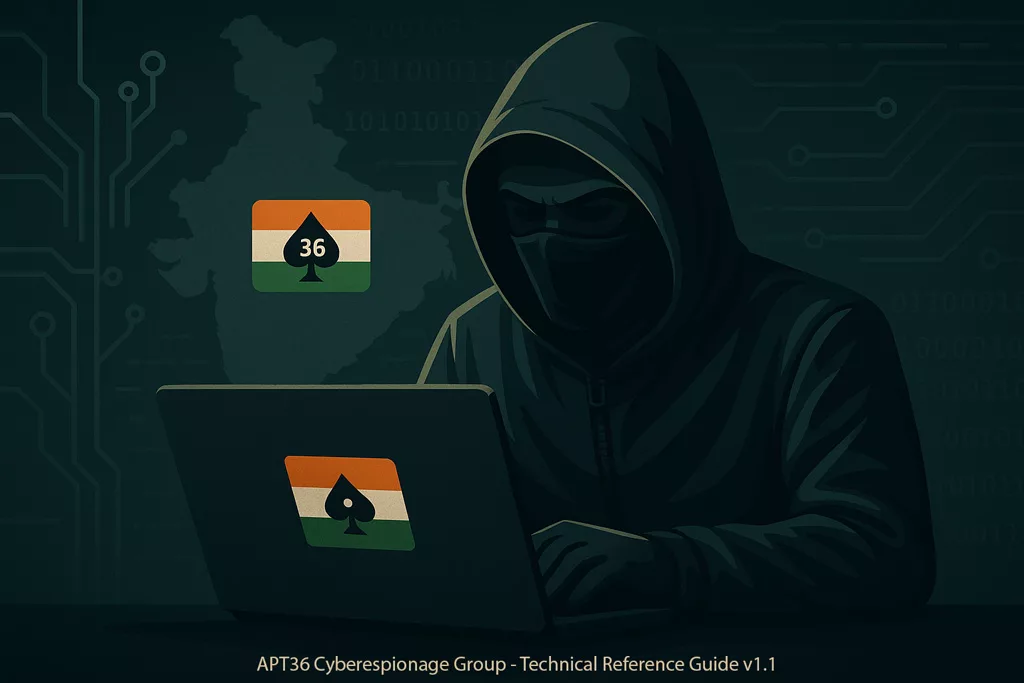
APT36 Cyberespionage Group – Technical Reference Guide v1.1

APT36 Cyberespionage Group illustration showing a hooded digital spy operating a computer in a dark cyber-military environment with subtle national flag and network elements in the background

Legal Notice:

The content provided herein is for informational and educational use only. Freemindtronic S.L. Andorra disclaims all liability for direct or indirect consequences arising from the use or interpretation of this document. The information is shared without any warranty, and its use is under the full responsibility of the reader.
Any reproduction, adaptation, or redistribution must preserve the original attribution to Freemindtronic Andorra and include this legal disclaimer.

APT36 Cyberespionage Group Documentation

APT36 Cyberespionage Group is the focus of this technical reference, designed as a public documentation annexed to related posts published by Freemindtronic.

This document is a comprehensive technical reference on the APT36 Cyberespionage Group, freely downloadable for research and awareness purposes.It is part of Freemindtronic’s ongoing commitment to sharing threat intelligence and promoting proactive defense practices against advanced persistent threats (APT).

APT36 (Transparent Tribe / Mythic Leopard) Cyberespionage Group

Last Updated: May 16, 2025
Version: 1.1
Source: Freemindtronic Andorra

Introduction to the APT36 Cyberespionage Group

The Advanced Persistent Threat (APT) group known as APT36, Transparent Tribe, and Mythic Leopard has been an active cyber espionage actor for several years. Primarily targeted at India, APT36 is notorious for its persistent campaigns to collect sensitive intelligence from a variety of organizations, including government, military, and potentially the research and education sectors. Their operations are often characterized by the use of sophisticated spearphishing techniques and bespoke malware, such as Poseidon, Crimson RAT, ElizaRAT, and CapraRAT. The purpose of this reference document is to compile and analyze the available information about APT36, its tactics, techniques, and procedures (TTPs), infrastructure, and recommended mitigation measures.

History and Evolution of the APT36 Cyberespionage Group

Freemindtronic Andorra focuses its initial analysis on recent IOCs (2023-2025), but APT36 has been active for several years. Reports from other security organizations confirm that cyber espionage campaigns targeting Indian entities began as early as 2016. Over time, APT36 has continuously adapted its TTPs, refining techniques to bypass security measures and develop new infiltration tools. For example, the emergence of Android RATs like CapraRAT expands their reach to mobile devices, increasing the risk for smartphone users. Meanwhile, leveraging platforms such as Telegram for C2 operations (ElizaRAT) indicates an attempt to exploit less monitored communication channels, enhancing their stealth capabilities.

Cybersecurity experts continue to debate APT36’s precise attribution. Although its primary targets are in India, certain indicators suggest possible connections to Pakistani state interests. The choice of decoy themes and the sectors under attack reinforce this hypothesis. However, formal attribution remains challenging, requiring deeper analysis and more conclusive evidence. In the complex world of cyber threat intelligence, determining the true origin of APT groups demands a meticulous and multi-layered approach.

Techniques, Tactics and Procedures (TTPs) Employed by APT36

Reconnaissance: APT36 likely conducts careful reconnaissance of its targets, collecting publicly available information (OSINT) on employees, organizational structures, and sensitive projects. Social media profiles and official websites are potential sources of information. Social engineering can also be used to obtain information from employees.

Initial point of entry:
  • Spearphishing: This is APT36’s preferred attack vector. Emails are meticulously designed to mimic legitimate communications (e.g., government notifications, invitations to academic events, security app updates). Malicious attachments (Word documents, PDFs, executables, RTF files, screensavers) or links to compromised websites are used to distribute the initial payloads. Identified filenames (e.g., Briefing_MoD_April25.docx, Alert_Kavach_Update.exe) illustrate this tactic by targeting topical themes or topics relevant to potential victims.
  • Exploiting Vulnerabilities: Although not explicitly mentioned in the initial IOCs, it is possible that APT36 could exploit known software vulnerabilities in commonly used applications (e.g., Microsoft Office) to gain initial access. RTF files are often used in such attempts.
  • Website Compromise: It is possible, although not directly proven by IOCs, that APT36 could compromise legitimate websites to host payloads or to redirect victims to phishing pages.
Persistence:

Once a system is compromised, APT36 puts mechanisms in place to maintain access even after a reboot. IOCs reveal the use of specific Windows registry keys (HKEY_CURRENT_USERSoftwareCrimsonRAT, HKEY_LOCAL_MACHINESYSTEMElizaRATPersistence, HKEY_LOCAL_MACHINESOFTWAREMicrosoftWindowsCurrentVersionRunCapraStart) to ensure the automatic execution of malware. On Android, persistence is often achieved by masquerading as legitimate app updates (com.kavach.update.apk).

Lateral Movement:

After obtaining an initial foothold, APT36 attempts to move laterally within the victim’s network to reach more sensitive systems. This can involve exploiting network shares, using stolen credentials (potentially obtained via keylogging), and executing remote commands via deployed RATs.

Command and Control (C2)

The malware used by APT36 communicates with attacker-controlled C2 servers to receive instructions and exfiltrate data. The identified IP addresses (45.153.241.15, 91.215.85.21, etc.) potentially represent this C2 infrastructure. ElizaRAT’s use of TelegramBot suggests leveraging popular messaging platforms for C2, which can make detection more difficult. HTTP and HTTPS are likely used for C2 traffic, potentially hidden within legitimate web traffic.

Data exfiltration

Since APT36’s primary focus is espionage, data exfiltration is a crucial step. The types of data targeted likely include sensitive documents (military, government, research), credentials (usernames, passwords), and other strategic information. Data can be exfiltrated through established C2 channels, potentially compressed, or encrypted to avoid detection.

APT36 Malware and Tools

The APT36 Cyberespionage Group relies on various Remote Access Trojans (RATs) for espionage operations, especially on Indian targets.

  • Poseidon malware: A sophisticated RAT with extensive espionage and data theft capabilities. Its hash (3c2cfe5b94214b7fdd832e00e2451a9c3f2aaf58f6e4097f58e8e5a2a7e6fa34) allows it to be identified on compromised systems.
  • Crimson RAT: Another RAT commonly associated with APT36, offering keylogging, screen capture, and remote command execution features. Its mutex (GlobalCrimsonRAT_Active) and registry key (HKEY_CURRENT_USERSoftwareCrimsonRAT) are important indicators.
  • ElizaRAT: This RAT appears to be using Telegram for C2 communication, which is a potential evasion tactic. Its loader (9f3a5c7b5d3f83384e2ef98347a6fcd8cde6f7e19054f640a6b52e61672dbd8f) and its mutex (LocalElizaRATSession) are key IOCs.
  • CapraRAT (Android): Indicates APT36’s ability to target mobile devices. Its features can include stealing SMS, contacts, audio recording, and location tracking. Its package name (com.kavach.update.apk) and mutex (SessionsBaseNamedObjectsCapraMobileMutex) are specific flags.

Obfuscation and Evasion: APT36 uses a variety of techniques to make its malware and communications more difficult to detect and analyze. Examples of these tactics include Base64 encoding of sensitive information (bXlQYXNzd29yZDEyMw==, JAB1c2VyID0gIkFkbWluIg==) and obfuscation of JavaScript code (eval(decodeURIComponent(‘%75%70%64%61%74%65’))) are examples of these tactics.

APT36 Cyberespionage Group Infrastructure

APT36’s infrastructure includes the command and control (C2) servers used to direct malware deployed on victims’ systems. The identified IP addresses (45.153.241.15, 91.215.85.21, 185.140.53.206, 192.241.207.45, 103.145.13.187) are focal points for blocking and monitoring. Analysis of these IP addresses can reveal information about the hosting providers used and potentially other related activities. Malicious domains (kavach-app[.]com, indiapost-gov[.]org, gov-inportal[.]org, indian-ministry[.]com, securekavach[.]in) are used in phishing campaigns to host fake login pages or to distribute malware. These domains often imitate legitimate websites to trick victims. Analyzing the registration information of these domains can sometimes provide clues about the actors behind these activities. It is also possible that APT36 is using compromised servers as relays to hide the origin of its attacks and make tracing more difficult.

Motivations and Targets of the APT36 Cyberespionage Group

The main motivation for APT36 appears to be cyber espionage, with a particular interest in gathering strategic intelligence related to India. Typical targets include:

  • Indian government entities (ministries, agencies).
  • Military and defense organizations.
  • Research institutes and universities.
  • Telecommunications companies.
  • Potentially other sectors considered strategically important.

The themes of phishing lures (defense, foreign affairs, security updates of government applications) reinforce this assessment of targets and motivations.

Indicators of Compromise (IOCs) Associated with APT36

IP addresses of C2 Servers (2023–2025):
  • 45.153.241.15: Observed in C2 communications related to APT36 malware samples.
  • 91.215.85.21: Frequently associated with command and control activities for Crimson and Eliza RATs.
  • 185.140.53.206: Used as a point of contact for data exfiltration.
  • 192.241.207.45: Server potentially hosting malicious web infrastructure components (phishing pages).
  • 103.145.13.187: IP address involved in the distribution of malicious payloads.
File Hashes (SHA-256):
  • 3c2cfe5b94214b7fdd832e00e2451a9c3f2aaf58f6e4097f58e8e5a2a7e6fa34 (Poseidon malware): Identifies a specific strain of the Poseidon RAT.
  • bd5602fa41e4e7ad8430fc0c6a4c5d11252c61eac768835fd9d9f4a45726c748 (Crimson RAT) : Signature unique d’une variante de Crimson RAT.
  • 9f3a5c7b5d3f83384e2ef98347a6fcd8cde6f7e19054f640a6b52e61672dbd8f (ElizaRAT loader): Allows you to detect the initial ElizaRAT deployment program.
  • 2d06c1488d3b8f768b9e36a1a5897cc6f87a2f37b8ea8e8d0e3e5aebf9d7c987 (CapraRAT APK) : Hash de l’application Android malveillante CapraRAT.
Malicious domains:
  • kavach-app[.]com: Imitation of the security application “Kavach”, probably used to distribute CapraRAT.
  • indiapost-gov[.]org: Impersonates the Indian Postal Service site, used for phishing or distributing malicious attachments.
  • gov-inportal[.]org: Attempt to imitate an Indian government portal to target civil servants.
  • Indian-Ministry[.]com: Generic but credible domain name to target Indian ministries.
  • securekavach[.]in: Another attempt to imitate “Kavach”, aimed at appearing legitimate to Indian users.
Suspicious URLs:
  • http://kavach-app.com/update: Fake update URL for the “Kavach” app, potential distribution point for CapraRAT.
  • http://gov-inportal.org/download/defense-docs.exe: Link to a malicious executable disguised as a defense document.
  • http://securekavach.in/assets/login.php: Potential phishing page to steal credentials.
  • https://indiapost-gov.org/track/status.aspx: A sophisticated phishing page that mimics package tracking to trick sensitive information into entering or downloading malware.
Phishing File Names:
  • Briefing_MoD_April25.docx: Decoy potentially targeting the Ministry of Defense.
  • Alert_Kavach_Update.exe: False update alert for “Kavach” probably distributing a RAT.
  • IndiaDefense2025_strategy.pdf: Decoy containing strategic information on Indian defense.
  • MoEA_internal_memo_23.rtf: Fake internal memo from the Ministry of Foreign Affairs.
  • academic-research-invite.scr: Malicious screensaver masquerading as an academic invite.
Fake Android Application Package Names:
  • com.kavach.update.apk: Malicious package masquerading as an update of “Kavach”.
  • com.defensebriefing.alert.apk: Malicious Android app related to defense.
  • com.india.education.portal.apk: Fake app linked to an Indian educational portal.
Mutexes:
  • GlobalCrimsonRAT_Active: Indicates the active presence of the Crimson RAT on a Windows system.
  • LocalElizaRATSession: Indicates an active Eliza RAT session.
  • SessionsBaseNamedObjectsCapraMobileMutex: A Mutex specific to the Android version of CapraRAT.
Registry Keys (Windows):
  • HKEY_CURRENT_USERSoftwareCrimsonRAT: Key used by Crimson RAT to store its configuration.
  • HKEY_LOCAL_MACHINESYSTEMElizaRATPersistence: A key indicating a persistence mechanism for ElizaRAT.
  • HKEY_LOCAL_MACHINESOFTWAREMicrosoftWindowsCurrentVersionRunCapraStart: Automatic startup key for CapraRAT.
Known User-Agents:
  • Mozilla/5.0 (Windows NT 10.0; Win64; x64) APT36Client/1.0: User-agent potentially used by a communication tool or an APT36-specific implant.
  • TelegramBot-ElizaRAT/2.5: Indicates the use of the Telegram API by the Eliza RAT for C2 communication.
  • CapraAndroidAgent/1.4: User-agent identifying the Capra malicious agent on Android devices.
Encoded/Obfuscated Strings Used in Payloads:
  • bXlQYXNzd29yZDEyMw==: A Base64-encoded string, decoding as “myPassword123”, potentially hard-coded identifiers or configuration strings.
  • JAB1c2VyID0gIkFkbWluIg==: Another Base64 string, decoding to $user=”Admin”, suggesting the use of PowerShell for malicious operations.
  • eval(decodeURIComponent(‘%75%70%64%61%74%65’)): Obfuscated JavaScript code that, when de-encoded and evaluated, executes the “update” function, potentially indicating a malicious update or dynamic code execution feature.

Mitigation and Detection Measures Against the APT36 Cyberespionage Group

Mitigating threats from the APT36 Cyberespionage Group requires layered defenses, active monitoring, and awareness training.

General recommendations:
  • Awareness of the threat of spearphishing: Train employees to identify suspicious emails, verify the authenticity of senders, and not click on links or open attachments from unknown or unsolicited sources.
  • Implement multi-factor authentication (MFA): Strengthen account security by requiring a second form of authentication in addition to the password.
  • Keeping systems and software up to date: Regularly apply security patches for operating systems, applications, and web browsers to reduce the risk of vulnerability exploitation.
  • Network segmentation: Limit the spread of threats by segmenting the network and enforcing strict access control policies.
  • Network traffic and log monitoring: Implement monitoring systems to detect suspicious network activity, communications to known IP addresses and C2 domains, and unusual access attempts. Regularly analyze system and application logs.
  • Use robust security solutions: Deploy and maintain anti-virus solutions, endpoint detection and response (EDR) systems, and intrusion prevention and detection (IDS/IPS) systems.
Specific measures based on IOCs:
  • IOC Blocking: Integrate identified IP addresses, domains, and file hashes into firewalls, DNS servers, antivirus solutions, and web filtering systems to block communications and malware associated with APT36.
  • Rule-Based Detection: Implement Yara and Sigma rules (if available) to identify patterns and characteristics of malware and APT36 activities on systems and in logs.
  • Traffic Inspection: Configure security systems to inspect network traffic for suspicious user agents (APT36Client/1.0, TelegramBot-ElizaRAT/2.5, CapraAndroidAgent/1.4).
  • Registry and Mutex Monitoring: Use endpoint monitoring tools to detect the creation of registry keys and mutexes associated with RATs used by APT36.
  • Email Scanning: Implement spam filters and email scanning solutions to identify and block messages containing known file names and phishing URLs.
  • Mobile device security: Deploy mobile security solutions and educate users about the risks of installing apps from unknown sources. Monitor Android devices for the presence of malicious package names.
Incident response strategies:
  • Response Plan: Develop and maintain a cybersecurity incident response plan specific to APT threats, including steps to follow in the event of detection of APT36-related activity.
  • Isolation: In the event of a suspected compromise, immediately isolate the affected systems from the network to prevent the spread of the attack.
  • Forensic Analysis: Perform in-depth forensic analysis to determine the scope of the breach, identify compromised data, and understand the tactics used by attackers.
  • Eradication: Completely remove malware, persistence mechanisms, and tools used by attackers from compromised systems.
  • Restore: Restore systems and data from clean, verified backups.
  • Lessons learned: After an incident, analyze causes and processes to improve security measures and response procedures.

References

Strengthening Security Posture: The Freemindtronic HSM Ecosystem Against APT36

The table below summarizes how each threat vector used by APT36 is mitigated by Freemindtronic’s sovereign tools — whether mobile or desktop, fixed or remote, civilian or military-grade. It compares threat by threat how DataShielder and PassCypher mitigate attacks — whether on mobile, desktop, or air-gapped infrastructure.

To facilitate adoption and use by organizations in India, the interfaces and documentation for our DataShielder and PassCypher solutions are also available in Hindi.

Comparison of APT36 Threat Mitigation by the Freemindtronic HSM Ecosystem
APT36 Tactic / Malware DataShielder NFC HSM (Lite/Auth/M-Auth) DataShielder HSM PGP (Win/macOS) PassCypher NFC HSM (Android) PassCypher HSM PGP (Win/macOS)
Spearphishing (India Post, Kavach) ✔ QR-code encryption + sandbox ✔ Signature check + offline PGP ✔ URL sandbox + no injection ✔ Sandboxed PGP container
Crimson RAT ✔ NFC avoids infected OS ✔ No system-stored keys ✔ Secrets off-device ✔ No memory exposure
CapraRAT ✔ Not stored in app ✔ Desktop-paired use only
Telegram C2 ✔ 100% offline ✔ No cloud ✔ Offline ✔ Offline
ApolloStealer ✔ Credentials never exposed ✔ Key never loaded in system ✔ Immune to clipboard steal ✔ Phishing-proof login
Poseidon (Fake Kavach on Linux) ✔ NFC-only: bypasses compromised OS ✘ Not Linux-compatible ✘ Not on Android ✔ No OS dependency
ClickFix (command injection) ✔ No shell interaction possible ✔ PGP validation ✔ No typing / no pasting ✔ No terminal interaction
CEO Fraud / BEC ✔ Auth/M-Auth modules encrypt orders ✔ Digital signature protection ✔ No spoofing possible ✔ Prevents impersonation

Outlook and Next Steps Regarding APT36

APT36 (Transparent Tribe / Mythic Leopard) embodies a persistent and structured threat, primarily targeting strategic Indian entities for cyberespionage purposes. Its campaigns rely on sophisticated decoys, custom RATs, and an agile C2 infrastructure. A thorough understanding of their tactics, techniques, and procedures (TTPs), as well as the currently known Indicators of Compromise (IOCs), provides a solid foundation to guide detection, defense, and response policies. Faced with the constant evolution of the techniques used by this group, a posture of continuous vigilance is essential. This document is produced in an evolving manner. We believe it is essential to keep it up to date with new threats and tools observed in order to maintain a proactive security posture aligned with the latest available APT36 intelligence.


APT44 QR Code Phishing: New Cyber Espionage Tactics

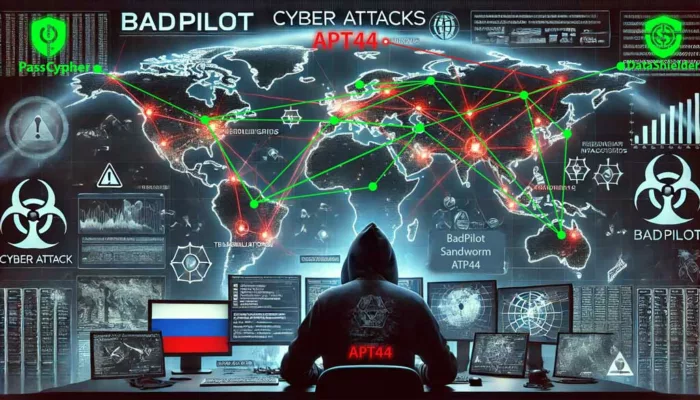
Illustration of a Russian APT44 (Sandworm) cyber spy exploiting QR codes to infiltrate Signal, highlighting advanced phishing techniques and vulnerabilities in secure messaging platforms.
APT44 QR Code Phishing: A New Era of Cyber Espionage — Jacques Gascuel unveils the latest phishing techniques exploiting QR codes, exposing vulnerabilities in secure messaging platforms like Signal. Learn how these attacks compromise communications and discover best practices to defend against evolving threats.

APT44 QR Code Phishing: How Russian Hackers Exploit Signal

APT44 (Sandworm), Russia’s elite cyber espionage unit, has launched a wave of QR Code Phishing attacks targeting Signal Messenger, leading to one of the largest Signal security breaches to date. Exploiting the growing use of QR codes, these state-sponsored cyber attacks compromised over 500 accounts, primarily within the Ukrainian military, media, and human rights communities. This article explores how QR code scams have evolved into sophisticated espionage tools and offers actionable steps for phishing prevention.

APT44 Sandworm: The Elite Russian Cyber Espionage Unit

Unmasking Sandworm’s sophisticated cyber espionage strategies and their global impact.

APT44, widely recognized as Sandworm, has been at the core of several global cyber espionage operations. The group’s latest method — QR code phishing — targets platforms trusted for privacy, exploiting their vulnerabilities to gain unauthorized access.

Specifically, Russian groups, such as UNC5792 and UNC4221, use malicious QR codes to link victims’ Signal accounts to attacker-controlled devices, enabling real-time interception of messages.

How APT44 Uses QR Codes to Infiltrate Signal

Breaking down APT44’s phishing process and how it targets Signal’s encryption loopholes.

The Google Threat Analysis Group (TAG) discovered that APT44 has been deploying malicious QR codes disguised as legitimate Signal invites or security notifications. When victims scan these QR codes, their devices unknowingly link to systems controlled by APT44, enabling real-time access to sensitive conversations.

APT44 QR Code Phishing Attack Flow

Step-by-step analysis of APT44’s QR code phishing methodology.

APT44 QR Code Phishing Attack Flow Diagram showing malicious QR code creation, distribution, data exfiltration, and remote control. APT44 QR Code Phishing Attack Flow Diagram showing malicious QR code creation, distribution, data exfiltration, and remote control.

APT44’s Cyber Espionage Timeline (2022-2025)

Tracking APT44’s evolution: From NotPetya to global QR code phishing campaigns.

📅 Date 💣 Attack 🎯 Target ⚡ Impact
June 2022 NotPetya Variant Ukrainian Government Critical infrastructure disruption
February 2024 QR Code Phishing Ukrainian Military & Journalists 500+ Signal accounts compromised
January 2025 QR Code Phishing 2.0 Global Signal Users Wider-scale phishing

Google Unveils Advanced Phishing Techniques

Insights from Google TAG on the most sophisticated QR code phishing tactics used by Russian hackers.

Recent investigations by the Google Threat Analysis Group (TAG), published on February 19, 2025, have exposed sophisticated phishing techniques used by Russian cyber units, notably UNC5792 and UNC4221, to compromise Signal Messenger accounts. These threat actors have refined their methods by deploying malicious QR codes that mimic legitimate Signal linking features, disguised as official security prompts or Signal invites.

When unsuspecting users scan these QR codes, their Signal accounts become silently linked to attacker-controlled devices, granting real-time access to private conversations and the ability to manipulate communications.

Key Discoveries:

  • Malicious QR Codes: Hackers use fake Signal invites and security warnings embedded with dangerous QR codes that trick users into linking their accounts.
  • Real-Time Access: Once connected, attackers gain instant access to sensitive conversations, allowing them to monitor or even alter the communication flow.
  • Expanded Target Base: While the initial campaign focused on Ukrainian military and media personnel, the phishing campaign has now expanded across Europe and North America, targeting dissidents, journalists, and political figures.

📖 Source: Google TAG Report on APT44

Expanding Global Impact of APT44’s Cyber Campaigns

How APT44’s QR code phishing campaigns went global, targeting high-profile individuals.

Initially focused on Ukrainian military personnel, journalists, and human rights activists, APT44’s QR code phishing campaign has now evolved into a global cyber espionage threat. Cybersecurity experts have observed a significant expansion of APT44’s operations, targeting dissidents, activists, and ordinary users across Europe and North America. This shift highlights APT44’s intention to influence political discourse, monitor critical voices, and destabilize democratic institutions beyond regional conflicts.

The widespread use of QR codes in secure communication platforms like Signal has made it easier for attackers to exploit unsuspecting users, despite the platform’s robust encryption protocols. The attackers’ focus on exploiting social engineering tactics rather than breaking encryption underscores a growing vulnerability in user behavior rather than technical flaws.

Global Implications:

  • Cross-Border Threats: Russian cyber units now pose risks to journalists, politicians, human rights defenders, and activists worldwide, extending their espionage campaigns far beyond Ukraine.
  • Application Vulnerabilities: Even platforms known for strong encryption, like Signal, are susceptible if users unknowingly link their accounts to compromised devices.
  • Rising QR Code Exploits: A 40% surge in QR code phishing attacks was reported globally in 2024 (CERT-UA), signaling a broader trend in cyber espionage techniques.

These developments highlight the urgent need for international cooperation and proactive cybersecurity measures. Governments, tech companies, and cybersecurity organizations must work together to improve user education, strengthen security protocols, and share threat intelligence to counter these evolving threats.

Why This Timeline Matters

  • Awareness: Helps cybersecurity teams predict APT44’s next move by analyzing past behaviors.
  • Real-Time Updates: Encourages regular threat monitoring as tactics evolve.
  • Proactive Defense: Organizations can fine-tune incident response plans based on historical attack patterns.

Who’s Been Targeted?

APT44 primarily focuses on:

  • Ukrainian military personnel using Signal for tactical communications.
  • Journalists and media personnel the ongoing conflict (Pegasus Spyware) have been prime targets.
  • Human rights activists and government officials.

Key Insights & Building Long-Term Resilience Against APT44’s QR Code Cyber Threats

Best practices and lessons learned to prevent future phishing attacks.

The Google Threat Analysis Group (TAG) has revealed how Russian cyber units, notably APT44, employ malicious QR codes that mimic legitimate Signal linking features. When unsuspecting users scan these codes, their Signal accounts are silently connected to attacker-controlled devices, granting real-time access to sensitive conversations. This sophisticated phishing method bypasses even the strongest encryption by targeting user behavior rather than exploiting technical vulnerabilities.

While QR codes have become a convenient tool for users, they have also opened new avenues for cyber espionage. The evolving tactics of APT44 emphasize the importance of proactive cybersecurity strategies, especially as QR code phishing continues to rise globally.

Lessons Learned from APT44’s Attacks

  • Messaging Security Isn’t Bulletproof: Even end-to-end encrypted platforms like Signal can be compromised if attackers manipulate users into linking their accounts to malicious devices.
  • Vigilance Is Global: The expansion of APT44’s operations beyond Ukraine highlights that users worldwide—including journalists, activists, and politicians—are increasingly at risk.
  • QR Code Phishing Is Rising: The 40% increase in QR code phishing attacks (CERT-UA, 2024) shows that these techniques are becoming a preferred tool for state-sponsored hackers.
  • High-Value Targets Remain Vulnerable: Journalists, activists, and dissidents continue to be primary targets, echoing tactics seen in other high-profile spyware campaigns like Pegasus.

Best Practices for Long-Term Resilience

Simple yet effective strategies to protect against QR code phishing attacks.

To mitigate risks and strengthen defenses against QR code phishing attacks, individuals and organizations should implement the following measures:

  • Keep apps and systems up to date to patch potential vulnerabilities.
  • Verify the authenticity of QR codes before scanning—especially in messaging platforms.
  • Regularly audit linked devices within apps like Signal to detect unauthorized connections.
  • Follow official cybersecurity alerts from trusted agencies like CISA and CERT-UA for the latest threat updates.

The Broader Lessons: Safeguarding Global Communications

The critical need for user awareness and international cooperation in combating state-sponsored cyber threats.

APT44’s phishing campaigns highlight the fragility of even the most secure communication systems when user trust is exploited. State-sponsored cyber espionage will continue to evolve, focusing on social engineering tactics rather than technical hacks.

  • Education Is Key: Raising awareness about QR code phishing is critical in safeguarding both individual users and organizations.
  • Collaboration Is Crucial: International cooperation between governments, tech companies, and cybersecurity agencies is essential to build more resilient defenses.
  • Technical Safeguards Matter: Enhanced security features—such as device linking verifications and multi-factor authentication—can help prevent unauthorized access.

As cybercriminal tactics grow more sophisticated, vigilance, education, and proactive security strategies remain the strongest lines of defense against global cyber threats.

International Efforts & Strategic Insights to Counter APT44’s QR Code Phishing

How governments and tech companies are collaborating to neutralize global phishing threats.

As APT44’s cyber campaigns expand globally, the response from governmental agencies, tech companies, and cybersecurity bodies has intensified. The evolution of APT44’s tactics—from traditional malware attacks like NotPetya to advanced QR code phishing—has highlighted the urgent need for collaborative defense strategies and strengthened cybersecurity protocols.

Consistent Evolution of APT44’s Tactics

APT44’s shift from malware to social engineering: What cybersecurity teams need to know.

APT44 has demonstrated its ability to adapt and diversify its attack strategies over time, continually evolving to exploit emerging vulnerabilities:

  • From Malware to Social Engineering: Transitioning from large-scale malware like the NotPetya variant to more targeted QR code phishing and supply chain exploits.
  • Infrastructure Disruption: APT44 has prioritized attacks on critical infrastructures, including energy grids and water supplies, causing widespread disruptions.
  • Global Expansion in 2025: Initially focused on Ukrainian targets, the group has broadened its reach, now actively targeting users across Europe and North America.

International Countermeasures Against QR Code Phishing

The global response to APT44’s expanding cyber campaigns and what’s being done to stop them.

Recognizing the growing threat of APT44’s cyber campaigns, both government bodies and tech companies have stepped up efforts to contain the spread and impact of these attacks.

Collaborative Countermeasures

  • Google & Messaging Platforms: Tech companies like Google are partnering with messaging platforms (e.g., Signal) to detect phishing campaigns early and eliminate platform vulnerabilities exploited by malicious QR codes.
  • CERT-UA & Global Cybersecurity Agencies: Agencies such as CERT-UA are actively sharing real-time threat intelligence with international partners, creating a united front against evolving APT44 tactics.

Policy Updates & User Protections

  • Signal’s Enhanced Security Protocols: In response to these breaches, Signal has rolled out stricter device-linking protocols and strengthened two-factor authentication to prevent unauthorized account access.
  • Awareness Campaigns: Government and private organizations have launched global initiatives aimed at educating users about the risks of scanning unverified QR codes, promoting cyber hygiene and encouraging regular device audits.

Proactive Strategies for Users & Organizations

Empowering individuals and companies to defend against APT44’s evolving phishing tactics.

Building resilience against APT44’s phishing attacks requires both policy-level changes and individual user awareness:

  • Always verify the authenticity of QR codes before scanning.
  • Regularly audit linked devices in messaging platforms to identify unauthorized connections.
  • Stay informed through official alerts from cybersecurity bodies like CERT-UA and CISA.
  • Encourage education and awareness on evolving phishing tactics among both end-users and organizations.

The Bigger Picture: A Global Call for Cyber Resilience

Why international collaboration is key to protecting digital infrastructures worldwide.

APT44’s ability to consistently evolve and scale its operations from regional conflicts to global cyber campaigns underlines the importance of international cooperation in cybersecurity. By working together, governments, tech companies, and users can build a stronger defense against increasingly sophisticated state-sponsored attacks.

As cyber threats continue to adapt, only a coordinated and proactive approach can ensure the integrity of critical systems and protect the privacy of global communications.

Proactive Cybersecurity Measures Against QR Code Phishing

Techniques and tools to detect and block advanced QR code phishing attacks.

In response to APT44’s phishing techniques Digital Security, it is crucial to educate users about the risks of scanning unsolicited QR codes. Enforcing security protocols can mitigate potential breaches, and implementing cutting-edge technology to detect and block phishing attempts is more crucial than ever.

To stay protected from APT44 QR Code Phishing attacks:

  • Scrutinize QR Codes Before Scanning
  • Update Messaging Apps Regularly
  • Monitor Linked Devices
  • Use QR Code Scanners with Threat Detection

🆔 Protecting Against Identity Theft with DataShielder NFC HSM Auth

How Freemindtronic’s DataShielder protects users from phishing attacks and identity theft.

Phishing attacks often aim to steal user identities to bypass security systems. DataShielder NFC HSM Auth enhances security by providing robust identity verification, ensuring that even if attackers gain access to messaging platforms, they cannot impersonate legitimate users.

Its AES-256 CBC encryption and unique NFC-based authentication block unauthorized access, even during advanced phishing attempts like APT44’s QR code scams.

🔗 Learn more about DataShielder NFC HSM Auth and how it combats identity theft

Stopping Cyber Espionage Before It Starts with DataShielder NFC HSM & DataShielder HSM PGP

The role of hardware-based encryption in preventing cyber espionage.

With DataShielder NFC HSM, even if attackers successfully link your Signal account through QR code phishing, your messages remain encrypted and unreadable. Only the hardware-stored key can decrypt the data, ensuring absolute privacy—even during a breach.

Cyber espionage techniques, such as QR code phishing used by groups like APT44, expose serious vulnerabilities in secure messaging platforms like Signal. Even when sophisticated attacks succeed in breaching a device, the use of advanced encryption solutions like DataShielder NFC HSM and DataShielder HSM PGP can prevent unauthorized access to sensitive data.

💡 Why Use DataShielder for Messaging Encryption?

  • End-to-End Hardware-Based Encryption: DataShielder NFC HSM and HSM PGP employ AES-256 CBC encryption combined with RSA 4096-bit key sharing, ensuring that messages remain unreadable even if the device is compromised.
  • Protection Against Advanced Threats: Since encryption keys are stored offline within the NFC HSM hardware and never leave the device, attackers cannot extract them—even if they gain full control over the messaging app.
  • Independent of Device Security: Unlike software-based solutions, DataShielder operates independently of the host device’s security. This means even if Signal or another messaging app is compromised, the attacker cannot decrypt your messages without physical access to the DataShielder module.
  • Offline Operation for Ultimate Privacy: DataShielder works without an internet connection or external servers, reducing exposure to remote hacking attempts and ensuring complete data isolation.
  • PGP Integration for Enhanced Security: The DataShielder HSM PGP browser extension enables PGP encryption for emails and messaging platforms, allowing users to protect communications beyond Signal, including Gmail, Outlook, and other web-based services.

🔒 How DataShielder Counters QR Code Phishing Attacks

QR code phishing attacks often trick users into linking their accounts to malicious devices. However, with DataShielder NFC HSM, even if a phishing attempt is successful in gaining access to the app, the contents of encrypted messages remain inaccessible without the physical NFC HSM key. This ensures that:

  • Messages remain encrypted even if Signal is hijacked.
  • Attackers cannot decrypt historical or future communications without the hardware key.
  • Real-time encryption and decryption occur securely within the DataShielder module, not on the vulnerable device.

💬 Protecting More Than Just Signal

Expanding DataShielder’s protection to email, cloud storage, and instant messaging platforms.

While this article focuses on Signal, DataShielder NFC HSM and DataShielder HSM PGP support encryption across various messaging platforms, including:

  • 📱 Signal
  • ✉️ Email services (Gmail, Outlook, ProtonMail, etc.)
  • 💬 Instant messaging apps (WhatsApp, Telegram, etc.)
  • 📂 Cloud services and file transfers

Even If Hacked, Your Messages Stay Private

Unlike standard encryption models where attackers can read messages once they gain account access, DataShielder NFC HSM ensures that only the physical owner of the NFC HSM key can decrypt messages.

🛡️ Zero-Access Security: Even if attackers link your Signal account to their device, they cannot read your messages without the physical NFC HSM.

💾 Hardware-Based Encryption: AES-256 CBC and RSA 4096 ensure that all sensitive data remains locked inside the hardware key.

Post-Attack Resilience: Compromised devices can’t expose past or future conversations without the NFC HSM.

🚀 Strengthen Your Defense Against Advanced ThreatsCyber Threats

Why organizations need hardware-based encryption to protect sensitive data from sophisticated attacks.

In an era where phishing attacks and cyber espionage are increasingly sophisticated, relying solely on application-level security is no longer enough. DataShielder NFC HSM Lite or Master and DataShielder HSM PGP provide an extra layer of defense, ensuring that even if attackers breach the messaging platform, they remain locked out of your sensitive data.

Collaborative Efforts to Thwart APT44’s Attacks

Cybersecurity experts and organizations worldwide are joining forces to prevent QR code phishing:

  • Google Threat Intelligence Group — Continues to track APT44’s evolving tactics. (Google TAG Report)
  • CERT-UA — Provides real-time alerts to Ukrainian organizations. (CERT-UA Alert)
  • Signal Developers — Introduced stricter device-linking protocols in response to these attacks. (Signal Security Update)

Strategies for Combating APT44’s Phishing Attacks

Collaboration among cybersecurity professionals is essential to develop effective defenses against sophisticated threats like those posed by APT44. Sharing knowledge about QR code phishing and other tactics enhances our collective security posture.

The Broader Lessons: Safeguarding Global Communications

The revelations surrounding APT44’s phishing campaigns offer critical lessons on the evolving landscape of state-sponsored cyber espionage:

  • Messaging Security Isn’t Bulletproof: Even end-to-end encrypted platforms like Signal can be compromised through social engineering tactics like QR code phishing.
  • Global Awareness Is Key: Users beyond conflict zones are now prime targets, emphasizing the importance of widespread cybersecurity education.
  • QR Code Phishing on the Rise: The surge in QR code-based scams underscores the need for both user vigilance and technical safeguards.

As cybercriminal tactics evolve, so too must our defenses. Collaborative efforts between tech companies, governments, and end-users are essential to protect global communications.

Additional Resources

📖 Official Reports and Alerts

🔗 Related Freemindtronic Articles

Russian Espionage Hacking Tools Revealed

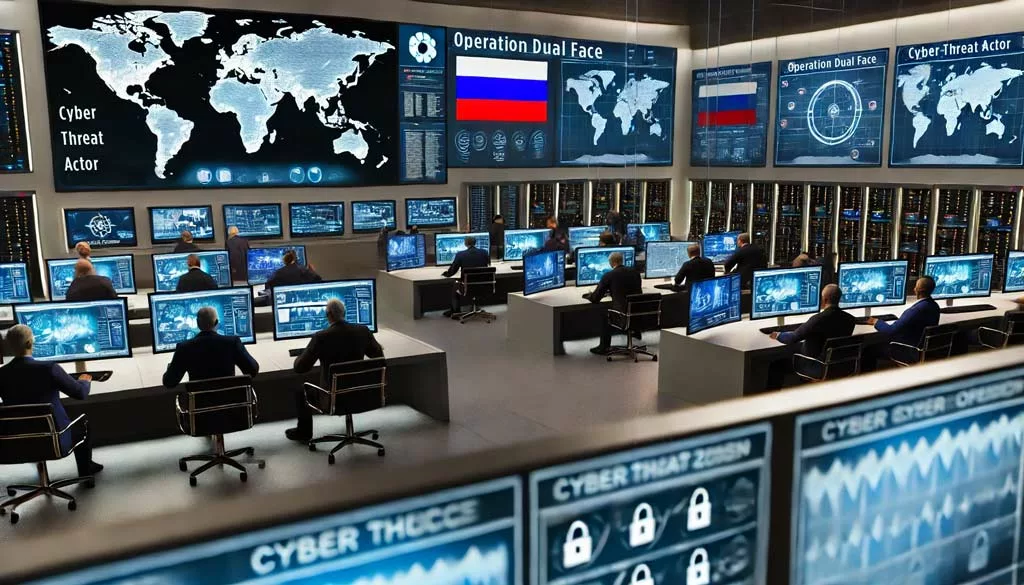
Operation Dual Face - Russian Espionage Hacking Tools in a high-tech cybersecurity control room showing Russian involvement
Jacques Gascuel provides an in-depth analysis of Russian espionage hacking tools in the “Digital Security” topic, focusing on their technical details, legal implications, and global cybersecurity impact. Regular updates keep you informed about the evolving threats, defense strategies from companies like Freemindtronic, and their influence on international cybersecurity practices and regulations.

Russian Espionage: How Western Hacking Tools Were Turned Against Their Makers

Russian espionage hacking tools came into focus on August 29, 2024, when operatives linked to the SVR (Foreign Intelligence Service of Russia) adapted and weaponized Western-developed spyware. This espionage campaign specifically targeted Mongolian government officials. The subject explored in this “Digital Security” topic delves into the technical details, methods used, global implications, and strategies nations can implement to detect and protect against such sophisticated threats.

Russian Espionage Hacking Tools: Discovery and Initial Findings

Russian espionage hacking tools were uncovered by Google’s Threat Analysis Group (TAG) on August 29, 2024, during an investigation prompted by unusual activity on Mongolian government websites. These sites had been compromised for several months. Russian hackers, linked to the SVR, embedded sophisticated malware into these sites to target the credentials of government officials, particularly those from the Ministry of Foreign Affairs.

Compromised Websites can be accessed at the Government of Mongolia. It’s recommended to use secure, up-to-date devices when visiting.

Historical Context of Espionage

Espionage has been a fundamental part of statecraft for centuries. The practice dates back to ancient civilizations, with documented use in places like ancient China and Egypt, where it played a vital role in military and political strategies. In modern times, espionage continues to be a key tool for nations to protect their interests, gather intelligence, and navigate the complex web of international relations.

Despite its prevalence, espionage remains largely unregulated by international law. Countries develop or acquire various tools and technologies to conduct espionage, often pushing the boundaries of legality and ethics. This lack of regulation means that espionage is widely accepted, if not officially sanctioned, as a necessary element of national security.

Global Dynamics of Cyber Espionage

In the evolving landscape of cyber espionage, the relationships between nation-states are far from straightforward. While Russia’s Foreign Intelligence Service (SVR) has notoriously employed cyberattacks against Western nations, it’s critical to note that these tactics aren’t limited to clear-cut adversaries. Recently, Chinese Advanced Persistent Threat (APT) groups have targeted Russian systems. This development underscores that cyber espionage transcends traditional geopolitical boundaries, illustrating that even ostensibly neutral or allied nations may engage in sophisticated cyber operations against one another. Even countries that appear neutral or allied on the global stage engage in sophisticated cyber operations against one another. This complexity underscores a broader trend in cyber espionage, where alliances in the physical world do not always translate to cyberspace. Consider splitting complex sentences like this to improve readability: “As a result, this growing web of cyber operations challenges traditional perceptions of global espionage. It compels nations to reassess their understanding of cyber threats, which may come from unexpected directions. Nations must now consider potential cyber threats from all fronts, including those from unexpected quarters.

Recent Developments in Cyber Espionage

Add a transitional sentence before this, such as “In recent months, the landscape of cyber espionage has evolved, with new tactics emerging that underscore the ongoing threat. APT29, known for its persistent cyber operations, has recently weaponized Western-developed spyware tools, turning them against their original creators. This alarming trend exemplifies the adaptive nature of cyber threats. In particular, the group’s activities have exploited new vulnerabilities within the Mongolian government’s digital infrastructure, demonstrating their ongoing commitment to cyber espionage. Moreover, these developments signal a critical need for continuous vigilance and adaptation in cybersecurity measures. As hackers refine their methods, the importance of staying informed about the latest tactics cannot be overstated. This topic brings the most current insights into focus, ensuring that readers understand the immediacy and relevance of these cyber threats in today’s interconnected world.

Who Are the Russian Hackers?

The SVR (Sluzhba Vneshney Razvedki), Russia’s Foreign Intelligence Service, manages intelligence and espionage operations outside Russia. It succeeded the First Chief Directorate (FCD) of the KGB and operates directly under the president’s oversight. For more information, you can visit their official website.

APT29, also known as Cozy Bear, is the group responsible for this operation. With a history of conducting sophisticated cyber espionage campaigns, APT29 has consistently targeted governmental, diplomatic, and security institutions worldwide. Their persistent activities have made APT29 a significant threat to global cybersecurity.

Methodology: How Russian Espionage Hacking Tools Were Deployed

Compromise Procedure:

  1. Initial Breach:
    To begin with, APT29 gained unauthorized access to several official Mongolian government websites between November 2023 and July 2024. The attackers exploited known vulnerabilities that had, unfortunately, remained effective on outdated systems, even though patches were available from major vendors such as Google and Apple. Furthermore, the tools used in these attacks included commercial spyware similar to those developed by companies like NSO Group and Intellexa, which had been adapted and weaponized by Russian operatives.
  2. Embedding Malicious Code:
    Subsequently, after gaining access, the attackers embedded sophisticated JavaScript code into the compromised web pages. In particular, this malicious code was meticulously designed to harvest login credentials, cookies, and other sensitive information from users visiting these sites. Moreover, the tools employed were part of a broader toolkit adapted from commercial surveillance software, which APT29 had repurposed to advance the objectives of Operation Dual Face.
  3. Data Exfiltration:
    Finally, once the data was collected, Russian operatives exfiltrated it to SVR-controlled servers. As a result, they were able to infiltrate email accounts and secure communications of Mongolian government officials. Thus, the exfiltrated data provided valuable intelligence to the SVR, furthering Russia’s geopolitical objectives in the region.

Detecting Russian Espionage Hacking Tools

Effective detection of Russian espionage hacking tools requires vigilance. Governments must constantly monitor their websites for unusual activity. Implement advanced threat detection tools that can identify and block malicious scripts. Regular security audits and vulnerability assessments are essential to protect against these threats.

Enhancing Defense Against Operation Dual Face with Advanced Cybersecurity Tools

In response to sophisticated espionage threats like Operation Dual Face, it is crucial to deploy advanced cybersecurity solutions. Russian operatives have reverse-engineered and adapted elements from Western-developed hacking tools to advance their own cyber espionage goals, making robust defense strategies more necessary than ever. Products like DataShielder NFC HSM Master, PassCypher NFC HSM Master, PassCypher HSM PGP Password Manager, and DataShielder HSM PGP Encryption offer robust defenses against the types of vulnerabilities exploited in this operation.

DataShielder NFC HSM secures communications with AES-256 CBC encryption, preventing unauthorized access to sensitive emails and documents. This level of encryption would have protected the Mongolian government’s communications from interception. PassCypher NFC HSM provides strong defenses against phishing and credential theft, two tactics prominently used in Operation Dual Face. Its automatic URL sandboxing feature protects against phishing attacks, while its NFC HSM integration ensures that even if attackers gain entry, they cannot extract stored credentials without the NFC HSM device.

DataShielder HSM PGP Encryption revolutionizes secure communication for businesses and governmental entities worldwide. Designed for Windows and macOS, this tool operates serverless and without databases, enhancing security and user privacy. It offers seamless encryption directly within web browsers like Chromium and Firefox, making it an indispensable tool in advanced security solutions. With its flexible licensing system, users can choose from various options, including hourly or lifetime licenses, ensuring cost-effective and transient usage on any third-party computer.

Additionally, DataShielder NFC HSM Auth offers a formidable defense against identity fraud and CEO fraud. This device ensures that sensitive communications, especially in high-risk environments, remain secure and tamper-proof. It is particularly effective in preventing unauthorized wire transfers and protecting against Business Email Compromise (BEC).

These tools provide advanced encryption and authentication features that directly address the weaknesses exploited in Operation Dual Face. By integrating them into their cybersecurity strategies, nations can significantly reduce the risk of falling victim to similar cyber espionage campaigns in the future.

Global Reactions to Russian Espionage Hacking Tools

Russia’s espionage activities, particularly their use of Western hacking tools, have sparked significant diplomatic tensions. Mongolia, backed by several allied nations, called for an international inquiry into the breach. Online forums and cybersecurity communities have actively discussed the implications. Many experts emphasize the urgent need for improved global cyber norms and cooperative defense strategies to combat Russian espionage hacking tools.

Global Strategy of Russian Cyber Espionage

Russian espionage hacking tools, prominently featured in the operation against Mongolia, are part of a broader global strategy. The SVR, leveraging the APT29 group (also known as Cozy Bear), has conducted cyber espionage campaigns across multiple countries, including North America and Europe. These campaigns often target key sectors, with industries like biotechnology frequently under threat. When mentioning specific industries, ensure accurate references based on the most recent data or reports. If this is speculative or generalized, it may be appropriate to state, “…and key industries, including, but not limited to, biotechnology.”

The Historical Context of Espionage

Espionage is a practice as old as nations themselves. Countries worldwide have relied on it for centuries. The first documented use of espionage dates back to ancient civilizations, where it played a vital role in statecraft, particularly in ancient China and Egypt. In modern times, nations continue to employ espionage to safeguard their interests. Despite its widespread use, espionage remains largely unregulated by international law. Like many other nations, Russia develops or acquires espionage tools as part of its strategy to protect and advance its national interests.

Mongolia’s Geopolitical Significance

Mongolia’s geopolitical importance, particularly its position between Russia and China, likely made it a target for espionage. The SVR probably sought to gather intelligence not only on Mongolia but also on its interactions with Western nations. This broader strategy aligns with Russia’s ongoing efforts to extend its geopolitical influence through cyber means.

The Need for International Cooperation

The persistence of these operations, combined with the sophisticated methods employed, underscores the critical need for international cooperation in cybersecurity. As espionage remains a common and historically accepted practice among nations, the development and use of these tools are integral to national security strategies globally. However, the potential risks associated with their misuse emphasize the importance of vigilance and robust cybersecurity measures.

Global Reach of Russian Espionage Hacking Tools

In the evolving landscape of modern cyber espionage, Russian hacking tools have increasingly gained significant attention. Specifically, while Mongolia was targeted in the operation uncovered on August 29, 2024, it is important to recognize that this activity forms part of a broader, more concerning pattern. To confirm these findings, it is essential to reference authoritative reports and articles. For instance, according to detailed accounts by the UK National Cyber Security Centre (NCSC) and the US Cybersecurity and Infrastructure Security Agency (CISA), the SVR, acting through APT29 (Cozy Bear), has executed cyber espionage campaigns across multiple countries. These reports highlight the SVR’s extensive involvement in global cyber espionage, which significantly reinforces the credibility of these claims. Moreover, these operations frequently target governmental institutions, critical infrastructure, and key industries, such as biotechnology.

Given Mongolia’s strategic location between Russia and China, it was likely selected as a target for specific reasons. The SVR may have aimed to gather intelligence on Mongolia’s diplomatic relations, especially its interactions with Western nations. This broader strategy aligns closely with Russia’s ongoing efforts to extend its geopolitical influence through cyber means.

The sophistication and persistence of these operations clearly underscore the urgent need for international cooperation in cybersecurity. As nations continue to develop and deploy these tools, the global community must, therefore, remain vigilant and proactive in addressing the formidable challenges posed by cyber espionage.

Historical Context and Comparative Analysis

Historical Precedents
Russia’s use of reverse-engineered spyware mirrors previous incidents involving Chinese state-sponsored actors who adapted Western tools for cyber espionage. This pattern highlights the growing challenge of controlling the spread and misuse of advanced cyber tools in international espionage. Addressing these challenges requires coordinated global responses.

Future Implications and Predictions

Long-Term Impact
The proliferation of surveillance technologies continues to pose a significant threat to global cybersecurity. Nations must urgently collaborate to establish robust international agreements. These agreements will govern the sale, distribution, and use of such tools. Doing so will help prevent their misuse by hostile states.

Visual and Interactive Elements

Operation Dual Face: Timeline and Attack Flow

Timeline:
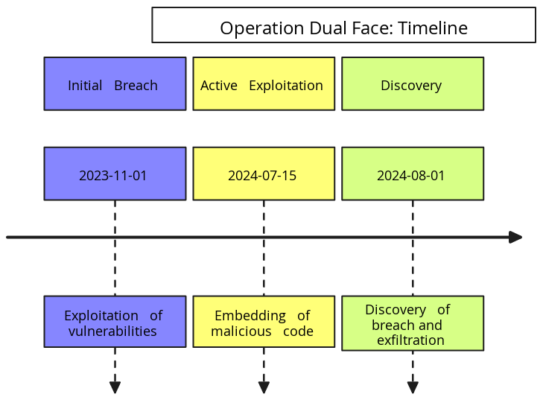
This visual representation spans from November 2023, marking the initial breach, to the discovery of the cyberattack in August 2024. The timeline highlights the critical stages of the operation, showcasing the progression and impact of the attack.

Attack Flow:
The flowchart details the attackers’ steps, showing the process from exploiting vulnerabilities, embedding malicious code, to exfiltrating data.

Global Impact:
A map (if applicable) displays the geographical spread of APT29’s activities, highlighting other nations potentially affected by similar tactics.

A detailed timeline illustrating the stages of the Operation Dual Face cyberattack, from the initial breach in November 2023 to the discovery in August 2024.
The timeline of Operation Dual Face showcases the critical stages from the initial breach to the discovery of the cyberattack, highlighting the progression and impact of the attack.

Moving Forward

The Russian adaptation and deployment of Western-developed spyware in Operation Dual Face underscore the significant risks posed by the uncontrolled proliferation of cyber-surveillance tools. The urgent need for international collaboration is clear. Establishing ethical guidelines and strict controls is essential, especially as these technologies continue to evolve and pose new threats.

For further insights on the spyware tools involved, please refer to the detailed articles:

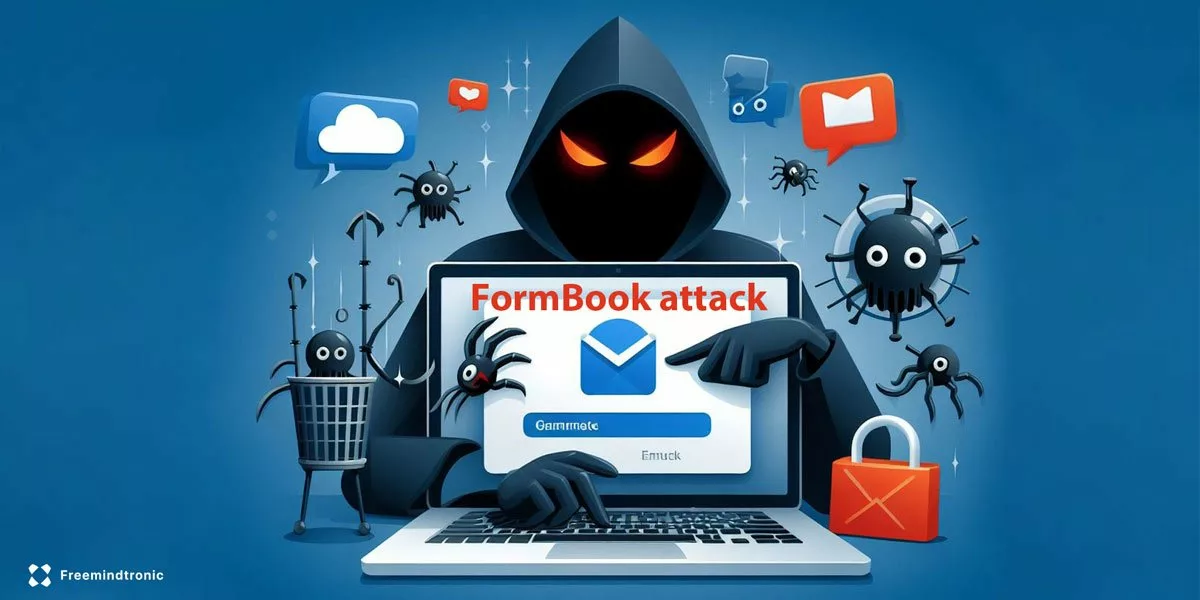
FormBook Malware: How to Protect Your Gmail and Other Data

FormBook Malware: how to protect your gmail and other data
Protect your Gmail Account FormBook malware – Jacques Gascuel: This article will be updated with any new information on the topic.

Secure Your Gmail from FormBook Attacks

FormBook is a malware that can steal your Gmail credentials, messages, and attachments. Learn how to use the Freemindtronic devices to encrypt your Gmail data and use passwordless and 2FA.

How to Protect Your Gmail Account from FormBook Malware

Introduction

Imagine that you receive an email from your bank, asking you to confirm your identity by clicking on a link. You open the link, and you find yourself on a page that looks like your bank’s website, but it is actually a fake. You enter your credentials, and you think you are done. But in reality, you have just given access to your bank account to hackers, who will use it to steal your money, or worse. This is what FormBook can do, a malware that can steal your sensitive data, and that Google cannot stop. In this article, we will explain what FormBook is, how it works, and how to protect yourself from this malware.

What is FormBook and why is it a threat?

FormBook is a malware that can record your keystrokes, take screenshots, and steal your passwords, cookies, and clipboard data. It can also download and execute other malicious files on your device.

FormBook is distributed through phishing emails that contain malicious attachments. These attachments are usually disguised as invoices, receipts, or shipping confirmations. When you open them, they ask you to enable macros or content. If you do, the malware will be installed on your device.

FormBook can target any web browser, but it has a special feature for Chrome. It can inject a fake Gmail login page into your browser, and trick you into entering your credentials. The malware will then send your Gmail username and password to a remote server controlled by the hackers.

FormBook is a threat because it can compromise your Gmail account and access your personal and professional information. It can also use your Gmail account to send spam or phishing emails to your contacts, or to access other online services that are linked to your Gmail account, such as Google Drive, Google Photos, or Google Pay.

How to protect yourself from FormBook?

Google has not yet found a way to detect and block FormBook. Therefore, you need to be extra careful when you use Gmail and other online services. Here are some tips to protect yourself from FormBook and other malware:

  • Do not open or download attachments from unknown or suspicious senders. If you are not sure about the legitimacy of an email, contact the sender directly or check the official website of the company or organization.
  • Do not enable macros or content in any document unless you trust the source. Macros are small programs that can run malicious code on your device.
  • Use a strong and unique password for your Gmail account and other online accounts. Do not reuse the same password for different services. Change your password regularly and use a password manager to store and generate your passwords.
  • Enable two-factor authentication (2FA) for your Gmail account and other online accounts. 2FA adds an extra layer of security by requiring a code or a device confirmation in addition to your password.
  • Use a reputable antivirus software and keep it updated. Antivirus software can scan your device for malware and remove it. You can also use a browser extension that can block malicious websites and pop-ups.

How to encrypt your Gmail messages and attachments with DataShielder NFC HSM

DataShielder NFC HSM is a device that allows you to encrypt and decrypt your Gmail messages and attachments with your own encryption keys that you create and store offline. It uses the EviCypher NFC HSM technology, which is a contactless hardware security module (NFC HSM) that won the Gold Medal for International Inventions in Geneva on March 2021.

With DataShielder NFC HSM, you can encrypt and decrypt your data with AES-256 keys that are randomly generated and stored in the NFC HSM. You can store up to 100 keys and one pair of RSA-4096 keys in the NFC HSM. You can also use different keys for the message and the attachment.

To encrypt your Gmail message and attachment, you need to use the EviCrypt and EviFile applications that are embedded in the DataShielder NFC HSM. These applications allow you to encrypt and decrypt your data with a simple tap of your NFC phone on the DataShielder NFC HSM. You can also share your encrypted data with other users who have the same device and the same key.

By using DataShielder NFC HSM, you can protect your Gmail messages and attachments from FormBook or any other malware that can access your Gmail account. Even if your Gmail account is hacked, your encrypted data will remain encrypted and unreadable by the hackers. Only you and the authorized recipients can decrypt your data with the DataShielder NFC HSM.

How to protect your web Gmail account with passwordless and 2FA using PassCypher NFC HSM

Do you want to manage your web accounts with complicated and complex passwords that you do not need to know, remember, or type? If yes, then you should try PassCypher NFC HSM. This device uses the EviPass NFC HSM technology, which is a contactless hardware password manager that won the Silver Medal for International Inventions in Geneva on March 2021.

With PassCypher NFC HSM, you can create and store your usernames and passwords of more than 256-bit in the NFC HSM. Moreover, you can store your OTP TOTP or HOTP secret keys in the NFC HSM to generate the 2FA code for your web accounts. The NFC HSM can store up to 100 web accounts and one pair of RSA-4096 keys.

To use PassCypher NFC HSM, you need to install the Freemindtronic extension for your web browser based on Chromium or Firefox. This extension uses the EviCore NFC HSM Browser technology, which allows you to communicate with the NFC HSM via your NFC phone. You also need to use the EviPass and EviOTP applications that are embedded in the PassCypher NFC HSM. These applications allow you to create, edit, and delete your web accounts and OTP secret keys with a simple tap of your NFC phone on the PassCypher NFC HSM.

By using PassCypher NFC HSM, you can secure your web accounts with passwordless and 2FA. You do not need to display, know, or type your username and password. You just need to tap your NFC phone on the PassCypher NFC HSM and the extension will autofill and auto login your web account. You also do not need to check for a typosquatting attack, since the extension will verify the URL of the website before logging in. And you do not need to use another device or application to generate the 2FA code, since the PassCypher NFC HSM will do it for you.

How to protect your Gmail account from FormBook with PassCypher NFC HSM

FormBook is a dangerous malware that can access your Gmail account and other sensitive data. Google has not yet found a solution to stop it. Therefore, you need to be vigilant and follow the best practices to protect yourself from cyberattacks. One of them is to use PassCypher NFC HSM to secure your Gmail account with passwordless and 2FA.

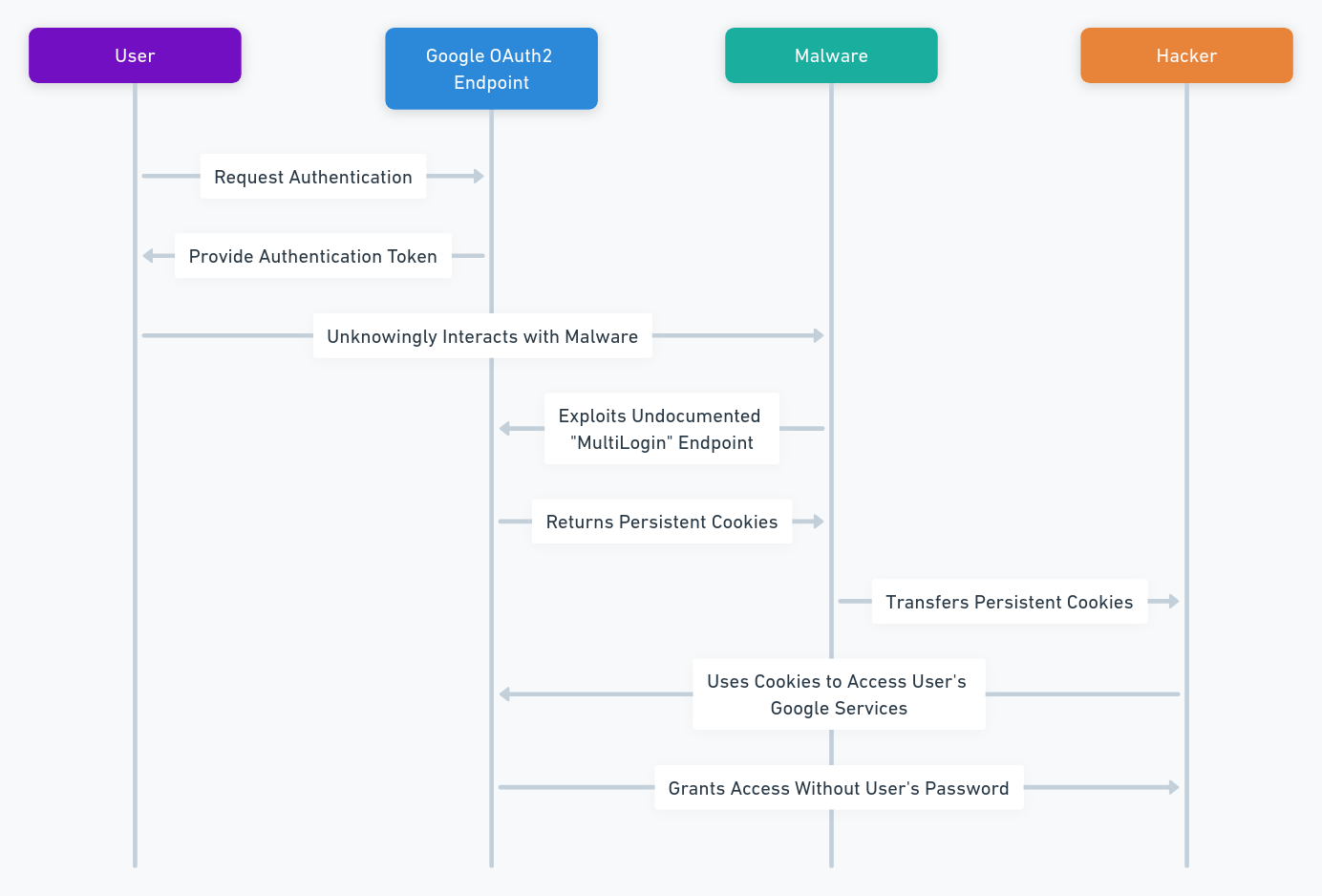
By using PassCypher NFC HSM, you can protect your Gmail account from FormBook or any other malware that can access your web browser. Even if your web browser is hacked, your usernames and passwords will remain encrypted and inaccessible by the hackers. Only you can decrypt your Gmail account with the PassCypher NFC HSM. And even if the hackers manage to steal your session cookies, they will not be able to log in to your Gmail account without the 2FA code that is generated by the PassCypher NFC HSM.

To use PassCypher NFC HSM with your Gmail account, you need to follow these steps:

  • Create a Gmail account in the EviPass application on the PassCypher NFC HSM. You can use the default username and password, or you can generate a random and complex password with the EviPass application.
  • Enable 2FA for your Gmail account on the Google website.
  • Choose the option to use an authenticator app, and scan the QR code with the EviOTP application on the PassCypher NFC HSM. This will store your OTP secret key in the NFC HSM.
  • Log in to your Gmail account with the Freemindtronic extension on your web browser. Tap your NFC phone on the PassCypher NFC HSM and the extension will autofill and auto login your Gmail account. You will also see a pop-up window with the 2FA code that you need to enter on the Google website.

By following these steps, you can use PassCypher NFC HSM to secure your Gmail account with passwordless and 2FA. You can also use PassCypher NFC HSM with other web accounts that support 2FA, such as Facebook, Twitter, or Amazon. This way, you can protect yourself from FormBook and other malware that can access your web browser.

Recent statistics on FormBook

FormBook is a malware that was first discovered in 2016, but it remains very active and dangerous. According to the Check Point report on cybersecurity in 2022, FormBook was the third most widespread malware in 2021, attacking 5% of enterprise networks. It was also the most prolific infostealer malware, accounting for 16% of attacks worldwide.

FormBook spreads mainly through phishing emails that contain malicious attachments. These attachments are often RAR self-extracting archives, which are compressed files that can run malicious code when opened. The RAR files contain a legitimate document, such as a PDF or a Word file, and a hidden executable file, which is the FormBook malware. When the user opens the RAR file, the document is displayed, but the malware is also installed in the background.

FormBook can also spread through other methods, such as drive-by downloads, malicious links, or removable media. The malware can infect any Windows device, from Windows XP to Windows 10. The malware can also evade detection and removal by using various techniques, such as encryption, obfuscation, or anti-analysis.

Here are some recent statistics on FormBook, based on the data from Check Point and ANY.RUN:

  • FormBook was the most popular malware in August 2021, affecting 4.5% of organizations worldwide, followed by Trickbot and Agent Tesla, affecting respectively 4% and 3% of organizations worldwide.
  • FormBook was the fourth most common malware in 2020, according to the ranking of malware families by ANY.RUN. It accounted for 8% of the samples analyzed by the online sandboxing service.
  • FormBook was used in many phishing campaigns targeting various industries, such as defense, aerospace, health, education, finance, retail, etc. It was also used to attack Ukrainian targets during the war between Russia and Ukraine in 2022.
  • FormBook has a successor called XLoader, which appeared in 2020 and which is able to infect macOS users. XLoader is sold on the dark web for $59 for a Windows license and $49 for a macOS license.

Danger level of FormBook compared to other malware

FormBook is a very dangerous malware, because it can steal sensitive information, such as credentials, passwords, credit card numbers, 2FA codes, etc. It can also download and execute other malware, such as ransomware, banking trojans, spyware, etc. It can also remotely control the infected device and perform various malicious actions, such as deleting browser cookies, taking screenshots, restarting or shutting down the system, etc.

FormBook is also hard to detect and remove, because it uses advanced evasion techniques, such as code injection, string obfuscation, data encryption, anti-analysis, etc. It also changes frequently its name, path, and file extension, and uses random Windows registry keys to maintain its persistence.

To compare the danger level of FormBook with other known malware in its category, we can use the following criteria:

  • The number of organizations affected worldwide
  • The type and amount of information stolen
  • The ability to download and execute other malware
  • The ability to remotely control the infected device
  • The evasion techniques used
  • The ease of detection and removal

Here is a table that compares FormBook with other popular infostealer malware, such as Trickbot, Agent Tesla, LokiBot, and Raccoon:

Malware Number of organizations affected Type and amount of information stolen Ability to download and execute other malware Ability to remotely control the infected device Evasion techniques used Ease of detection and removal
FormBook 4.5% in August 2021 Credentials, passwords, credit card numbers, 2FA codes, screenshots, keystrokes, etc. Yes Yes Code injection, string obfuscation, data encryption, anti-analysis, etc. Hard
Trickbot 4% in August 2021 Credentials, passwords, banking information, personal data, etc. Yes Yes Code injection, string obfuscation, data encryption, anti-analysis, etc. Hard
Agent Tesla 3% in August 2021 Credentials, passwords, banking information, personal data, screenshots, keystrokes, etc. No Yes String obfuscation, data encryption, anti-analysis, etc. Medium
LokiBot 1.5% in August 2021 Credentials, passwords, banking information, personal data, etc. No Yes String obfuscation, data encryption, anti-analysis, etc. Medium
Raccoon 0.8% in August 2021 Credentials, passwords, banking information, personal data, etc. No Yes String obfuscation, data encryption, anti-analysis, etc. Medium

From this table, we can see that FormBook is the most dangerous infostealer malware, because it affects the most organizations, steals the most types of information, and can download and execute other malware. It is also the hardest to detect and remove, because it uses more evasion techniques than the other malware.

Forms of attacks of FormBook

FormBook can be delivered through different forms of attacks, depending on the delivery mechanism chosen by the malicious actor. Here are some forms of attacks of FormBook:

  • Phishing: FormBook can be sent by email as a malicious attachment, such as a Word, Excel, PDF, or ZIP or RAR file. The email can have a misleading subject, such as an invoice, a receipt, a contract, a job offer, etc. When the user opens the attachment, the malware runs and infects the device.
  • Exploitation of vulnerabilities: FormBook can exploit vulnerabilities in popular software, such as Microsoft Office, Windows, Adobe Reader, etc. For example, FormBook used the vulnerability CVE-2017-8570 in Microsoft Office to run malicious code from a RTF file. FormBook also used the vulnerability CVE-2021-40444 in Microsoft MSHTML to run malicious code from a CAB file.
  • Drive-by downloads: FormBook can be downloaded without the user’s knowledge when they visit a compromised or malicious website. The website can use a script or an exploit kit to trigger the download and execution of the malware on the user’s device.
  • Removable media: FormBook can be copied to removable media, such as USB drives, external hard drives, memory cards, etc. When the user connects the removable media to their device, the malware runs automatically and infects the device.
  • Social media: FormBook can be spread by messages or posts on social media, such as Facebook, Twitter, Instagram, etc. These messages or posts can contain links or images that redirect to malicious websites or infected files. When the user clicks on the link or image, the malware is downloaded and executed on their device.

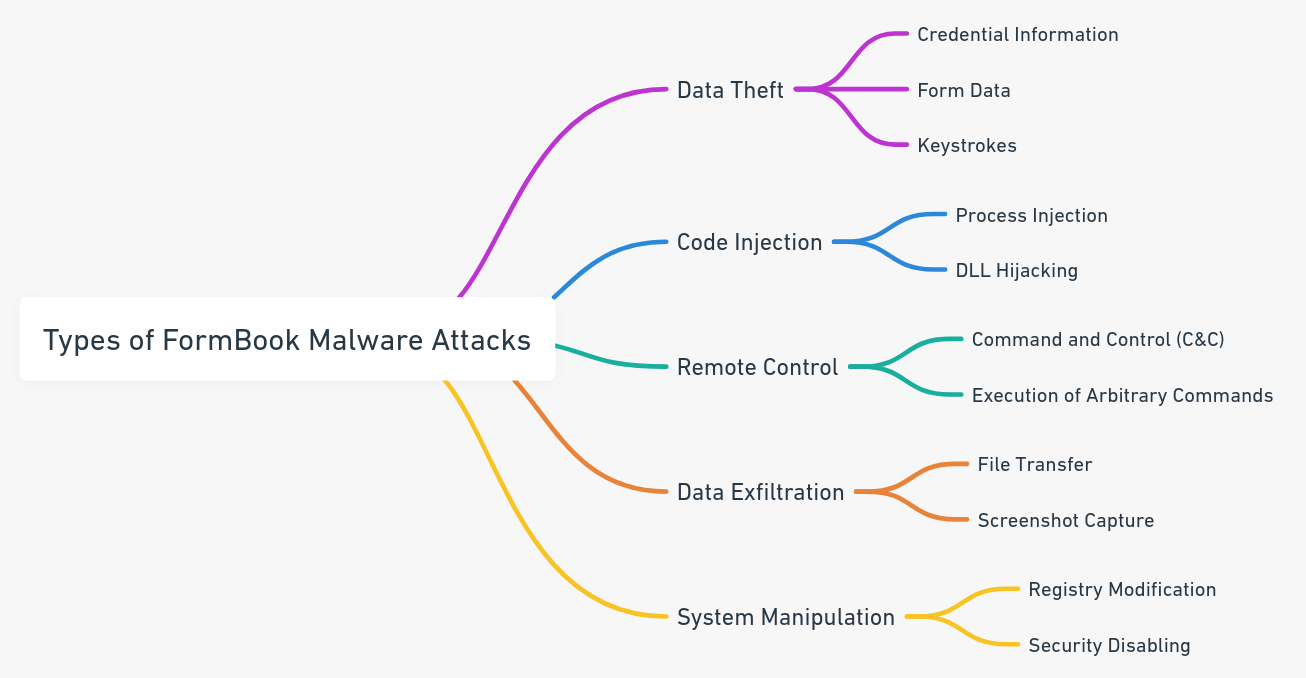
Here is a type of formbook malware attacks image:

Type of Formbook MalwareAttacks

How PassCypher NFC HSM and DataShielder NFC HSM can protect you from FormBook attacks

PassCypher NFC HSM and DataShielder NFC HSM are two devices that use the EviPass NFC HSM technology from Freemindtronic, which is a contactless hardware password manager that won the Silver Medal for International Inventions in Geneva on March 2021. These devices can help you protect your web accounts and your Gmail messages and attachments from FormBook attacks, by using passwordless, 2FA, and encryption.

PassCypher NFC HSM can create and store your usernames and passwords of more than 256-bit in the NFC HSM. It can also store your OTP TOTP or HOTP secret keys in the NFC HSM to generate the 2FA code for your web accounts. The NFC HSM can store up to 100 web accounts and one pair of RSA-4096 keys.

DataShielder NFC HSM can encrypt and decrypt your Gmail messages and attachments with your own encryption keys that you create and store offline. It uses the EviCypher NFC HSM technology, which is a contactless hardware security module (NFC HSM) that won the Gold Medal for International Inventions in Geneva on March 2021. It can store up to 100 keys and one pair of RSA-4096 keys in the NFC HSM.

To use PassCypher NFC HSM and DataShielder NFC HSM, you need to install the Freemindtronic extension for your web browser based on Chromium or Firefox. This extension uses the EviCore NFC HSM Browser technology, which allows you to communicate with the NFC HSM via your NFC phone. You also need to use the EviPass, EviOTP, EviCrypt, and EviFile applications that are embedded in the PassCypher NFC HSM and DataShielder NFC HSM. These applications allow you to create, edit, delete, encrypt, and decrypt your web accounts, OTP secret keys, messages, and attachments with a simple tap of your NFC phone on the PassCypher NFC HSM or DataShielder NFC HSM.

By using PassCypher NFC HSM and DataShielder NFC HSM, you can secure your web accounts and your Gmail messages and attachments with passwordless, 2FA, and encryption. You do not need to display, know, or type your username, password, or encryption key. You just need to tap your NFC phone on the PassCypher NFC HSM or DataShielder NFC HSM and the extension will autofill, auto login, encrypt, or decrypt your web account, message, or attachment. You also do not need to use another device or application to generate the 2FA code, since the PassCypher NFC HSM will do it for you.

Here is a table that shows how PassCypher NFC HSM and DataShielder NFC HSM can protect you from different FormBook attack vectors, such as keylogger, password stealer, file transfer, screenshot, etc. I used a check mark or a cross mark to show visually what PassCypher NFC HSM and DataShielder NFC HSM protect.


FormBook PassCypher DataShielder
Keylogger ✔️ ✔️
Password stealer ✔️ ✔️
File transfer ✔️
Screenshot ✔️ ✔️
Remote control
Phishing ✔️ ✔️
Exploit kit
Drive-by download
Removable media ✔️
Social media

This table shows that PassCypher NFC HSM and DataShielder NFC HSM can protect your web accounts from FormBook’s keylogger, password stealer, and phishing, by using passwordless and 2FA. They can also protect your Gmail messages and attachments from FormBook’s file transfer and screenshot, by using encryption and decryption. DataShielder NFC HSM can also protect your data stored in computers or removable media, by using encryption and decryption. However, neither device can protect your device from FormBook’s remote control, exploit kit, drive-by download, or unsecured social media, which can compromise your system and your data. Therefore, you should also use an antivirus software and a firewall to prevent FormBook from accessing your device.

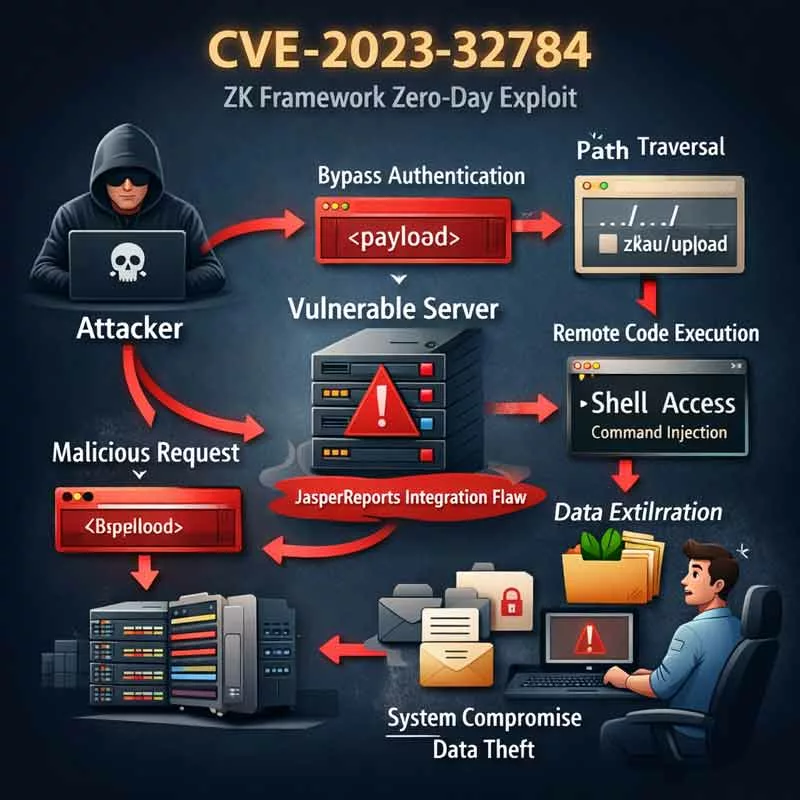
CVE-2023-32784 : Pourquoi PassCypher protège vos secrets

Affiche de cinéma pour CVE-2023-32784, illustrant comment PassCypher protège vos secrets numériques contre les vulnérabilités de mémoire et les attaques zero-day.

PassCypher HSM protège les secrets numériques. Il protège vos secrets numériques hors du périmètre du système d’exploitation compromis. Il utilise des dispositifs NFC /HSM PGP chiffrés en AES-256 CBC. Cela garantit une protection optimale contre des attaques avancées comme CVE-2023-32784, où les secrets stockés dans des fichiers mémoire comme hiberfil.sys et pagefile.sys peuvent être vulnérables à l’exfiltration. Découvrez comment PassCypher peut sécuriser vos données même en cas de compromission du système.

Résumé express — Sécurisez vos secrets numériques contre CVE-2023-32784 avec PassCypher

D’abord, ce résumé express (≈ 4 minutes) vous donnera une vue d’ensemble des enjeux de la vulnérabilité CVE-2023-32784 et de la protection des secrets avec PassCypher. Ensuite, le résumé avancé détaillera les mécanismes de cette vulnérabilité, les risques associés aux fichiers d’hibernation et de pagination, ainsi que les solutions spécifiques de PassCypher pour contrer ces attaques.

⚡ Découverte et Mécanismes de Sécurisation

La vulnérabilité CVE-2023-32784 a été découverte en avril 2023 et permet à un attaquant d’exfiltrer des secrets sensibles stockés dans des fichiers mémoire comme hiberfil.sys et pagefile.sys. Le patch correctif pour cette vulnérabilité a été publié en mai 2023 pour sécuriser ces points d’accès vulnérables et limiter les risques d’exfiltration. Vous pouvez consulter le lien officiel du patch ici : CVE Details – CVE-2023-32784.

PassCypher NFC HSM utilise une architecture Zero Trust et des mécanismes avancés tels que le chiffrement segmenté et l’authentification sans contact NFC pour protéger vos secrets contre ces attaques. Ces technologies garantissent que même si un attaquant parvient à accéder à la mémoire, les secrets restent protégés.

Source : CVE Details – CVE-2023-32784

✦ Impacts immédiats

  • D’une part, la compromission devient un état durable du terminal, et non un incident ponctuel. Une fois que les artefacts mémoire ont été extraits, il est difficile de garantir que le système n’est plus compromis.
  • D’autre part, les agents de sécurité logiciels perdent leur capacité à prouver qu’ils fonctionnent correctement sur un environnement potentiellement compromis.
  • Par conséquent, l’attribution et la réponse deviennent plus incertaines, tandis que la fenêtre d’exposition s’allonge.

Source : NIST Cybersecurity Framework

⚠ Message stratégique

Cependant, l’élément clé n’est pas seulement la vulnérabilité en elle-même, mais la logique de la confiance : un système compromis, même sans signature connue, ne peut plus garantir une sécurité fiable. La confiance dans un environnement où les secrets sont stockés devient fragile si ces secrets sont vulnérables à une exfiltration discrète via la mémoire.

Source : NIST Special Publication 800-53: Security and Privacy Controls for Information Systems and Organizations

🛑 Quand ne pas agir

  • Tout d’abord, ne réintroduisez pas de secrets (identifiants, clés, données sensibles) sur un terminal dont l’intégrité n’est pas attestée.
  • Ensuite, n’empilez pas des couches de sécurité logicielle qui peuvent compliquer l’audit et étendre la surface d’attaque.
  • Enfin, ne confondez pas retour au service et restauration de confiance : une reprise rapide peut masquer des compromissions persistantes.

✓ Principe de contre-espionnage souverain

Ainsi, la réduction du risque ne consiste pas à “nettoyer” un système compromis, mais à déplacer la confiance hors du périmètre compromis : hors OS, hors mémoire, et si nécessaire hors réseau. Cela garantit que les secrets restent protégés même si l’environnement principal du système est compromis.

Paramètres de lecture

Temps de lecture résumé express : ≈ 4 minutes
Temps de lecture résumé avancé : ≈ 6 minutes
Temps de lecture chronique complète : ≈ 35–40 minutes
Date de publication : 2023-05-10
Dernière mise à jour : 2026-01-23
Niveau de complexité : Avancé — Cyber-sécurité & souveraineté numérique
Densité technique : ≈ 65%
Langue principale : FR. EN.
Spécificité : Chronique stratégique — vulnérabilité CVE-2023-32784 & protection des secrets
Ordre de lecture : Résumé express → Résumé avancé → Exploits Zero-Day → Solutions passCypher → Risques résiduels

Note éditoriale

Cette chronique s’inscrit dans la rubrique Digital Security. Elle prolonge l’analyse des vulnérabilités zero-day et des implications de la perte de secrets via la mémoire, en explorant la manière dont PassCypher se positionne comme une solution robuste face à ce type de compromission. Elle ne propose pas de solution miracle, mais un cadre de sécurité alternatif, basé sur des points d’arrêt souverains. Cette chronique suit la déclaration de transparence IA de Freemindtronic Andorra — FM-AI-2025-11-SMD5.

Illustration showing the CVE-2023-32784 vulnerability and memory exfiltration risks, including hiberfil.sys, pagefile.sys, and RAM.
Pour aller plus loin Ensuite, le Résumé avancé explore la gestion de la vulnérabilité CVE-2023-32784 et les implications de la sécurité numérique avancée.
Confidentialité métadonnées e-mail — Risques, lois européennes et contre-mesures souveraines

La confidentialité des métadonnées e-mail est au cœur de la souveraineté numérique en Europe : [...]

1 Comment

Brute Force Attacks: What They Are and How to Protect Yourself

Brute-force Attacks: A Comprehensive Guide to Understand and Prevent Them Brute Force: danger and protection [...]

Quantum computer 6100 qubits ⮞ Historic 2025 breakthrough

A 6,100-qubit quantum computer marks a turning point in the history of computing, raising unprecedented [...]

1 Comment

APT36 SpearPhishing India: Targeted Cyberespionage | Security

Understanding Targeted Attacks of APT36 SpearPhishing India APT36 cyberespionage campaigns against India represent a focused [...]

2 Comments

Europol Data Breach: A Detailed Analysis

May 2024: Europol Security Breach Highlights Vulnerabilities In May 2024, Europol, the European law enforcement [...]

Clickjacking des extensions DOM : DEF CON 33 révèle 11 gestionnaires vulnérables

Clickjacking d’extensions DOM : DEF CON 33 révèle une faille critique et les contre-mesures Zero-DOM

14 Comments

ZenRAT: The malware that hides in Bitwarden and escapes antivirus software

How this malware hides in Bitwarden and escapes antivirus software to steal your information ZenRAT [...]

Silent Whisper espionnage WhatsApp Signal : une illusion persistante

Silent Whisper espionnage WhatsApp Signal est présenté comme une méthode gratuite permettant d’espionner des communications [...]

OpenAI Mixpanel Breach Metadata – phishing risks and sovereign security with PassCypher

AI Mixpanel breach metadata is a blunt reminder of a simple rule: the moment sensitive [...]

1 Comment

ViperSoftX How to avoid the malware that steals your passwords

ViperSoftX: The Malware that Steals Your Cryptocurrencies and Passwords ViperSoftX is a malware that steals [...]

1 Comment

BitLocker Security: Safeguarding Against Cyberattacks

Introduction to BitLocker Security If you use a Windows computer for data storage or processing, [...]

1 Comment

Android Spyware Threat Clayrat : 2025 Analysis and Exposure

Android Spyware Threat: ClayRat illustrates the new face of cyber-espionage — no exploits needed, just [...]

1 Comment

Dropbox Security Breach 2024: Phishing, Exploited Vulnerabilities

Phishing Tactics: The Bait and Switch in the Aftermath of the Dropbox Security Breach The [...]

Pegasus: The cost of spying with one of the most powerful spyware in the world

Pegasus: The Cost of Spying with the Most Powerful Spyware in the World Pegasus is [...]

APT29 Spear-Phishing Europe: Stealthy Russian Espionage

APT29 SpearPhishing Europe: A Stealthy LongTerm Threat APT29 spearphishing Europe campaigns highlight a persistent and [...]

3 Comments

Midnight Blizzard Cyberattack Against Microsoft and HPE: What are the consequences?

Midnight Blizzard Cyberattack against Microsoft and HPE: A detailed analysis of the facts, the impacts [...]

2 Comments

How to Recover and Protect Your SMS on Android

Recover and Protect Your SMS on Android: A Complete Guide First of all, SMS are [...]

Kevin Mitnick’s Password Hacking with Hashtopolis

Password hacking tool: how it works and how to protect yourself Password hacking is a [...]

FormBook Malware: How to Protect Your Gmail and Other Data

How to Protect Your Gmail Account from FormBook Malware Introduction Imagine that you receive an [...]

SSH Key PassCypher HSM PGP — Sécuriser l’accès multi-OS à un VPS

SSH Key PassCypher HSM PGP fournit une chaîne souveraine : génération locale de clés SSH [...]

1 Comment

OpenAI fuite Mixpanel : métadonnées exposées, phishing et sécurité souveraine

OpenAI fuite Mixpanel rappelle que même les géants de l’IA restent vulnérables dès qu’ils confient [...]

1 Comment

Spyware ClayRat Android : faux WhatsApp espion mobile

Spyware ClayRat Android illustre la mutation du cyberespionnage : plus besoin de failles, il exploite [...]

2 Comments

Bot Telegram Usersbox : l’illusion du contrôle russe

Le bot Telegram Usersbox n’était pas un simple outil d’OSINT « pratique » pour curieux [...]

DOM Extension Clickjacking — Risks, DEF CON 33 & Zero-DOM fixes

DOM extension clickjacking — a technical chronicle of DEF CON 33 demonstrations, their impact, and [...]

5 Comments

APT28 spear-phishing: Outlook backdoor NotDoor and evolving European cyber threats

Russian cyberattack on Microsoft by Midnight Blizzard (APT29) highlights the strategic risks to digital sovereignty. [...]

3 Comments

Protect US emails from Chinese hackers with EviCypher NFC HSM?

How EviCypher NFC HSM technology can protect emails from Chinese hackers The Chinese hack on [...]

How the attack against Microsoft Exchange on December 13, 2023 exposed thousands of email accounts

How the attack against Microsoft Exchange on December 13, 2023 exposed thousands of email accounts [...]

1 Comment

Microsoft Vulnerabilities 2025: 159 Flaws Fixed in Record Update

Microsoft: 159 Vulnerabilities Fixed in 2025 Microsoft has released a record-breaking security update in January [...]

5Ghoul: 5G NR Attacks on Mobile Devices

5Ghoul: How Contactless Encryption Can Secure Your 5G Communications from Modem Attacks 5Ghoul is a [...]

1 Comment

Persistent OAuth Flaw: How Tycoon 2FA Hijacks Cloud Access

Persistent OAuth Flaw — Tycoon 2FA Exploited — When a single consent becomes unlimited cloud [...]

1 Comment

Salt Typhoon & Flax Typhoon: Cyber Espionage Threats Targeting Government Agencies

Salt Typhoon – The Cyber Threat Targeting Government Agencies Salt Typhoon and Flax Typhoon represent [...]

2 Comments

Cyber espionnage zero day : marché, limites et doctrine souveraine

Cyber espionnage zero day : la fin des spywares visibles marque l’entrée dans une économie [...]

APT29 Exploits App Passwords to Bypass 2FA

A silent cyberweapon undermining digital trust Two-factor authentication (2FA) was supposed to be the cybersecurity [...]

Leidos Holdings Data Breach: A Significant Threat to National Security

A Major Intrusion Unveiled In July 2024, the Leidos Holdings data breach came to light, [...]

Cyberattaque HubEE : Rupture silencieuse de la confiance numérique

Cyberattaque HubEE : rupture silencieuse de la confiance numérique. Cette attaque, qui a permis l’exfiltration [...]

Terrapin attack: How to Protect Yourself from this New Threat to SSH Security

Protect Yourself from the Terrapin Attack: Shield Your SSH Security with Proven Strategies SSH is [...]

Enhancing Crypto Wallet Security: How EviSeed and EviVault Could Have Prevented the $41M Crypto Heist

EviSeed and EviVault NFC HSM Technologies could have prevented the $41 million crypto theft by [...]

Chinese hackers Cisco routers: how to protect yourself?

How Chinese hackers infiltrate corporate networks via Cisco routers A Chinese-backed hacker group, known as [...]

BadPilot Cyber Attacks: Russia’s Threat to Critical Infrastructures

BadPilot Cyber Attacks: Sandworm’s New Weaponized Subgroup Understanding the rise of BadPilot and its impact [...]

Snake Malware: The Russian Spy Tool

Snake: The Russian malware that steals sensitive information for 20 years Snake is a malware [...]

Why Encrypt SMS? FBI and CISA Recommendations

<div> </article></div> <script type=”application/ld+json”> { “@context”: “https://schema.org”, “@type”: “Article”, “mainEntityOfPage”: { “@type”: “WebPage”, “@id”: “https://freemindtronic.com/why-encrypt-sms-fbi-and-cisa-recommendations/” [...]

1 Comment

Quantum-Resistant Passwordless Manager — PassCypher finalist, Intersec Awards 2026 (FIDO-free, RAM-only)

Quantum-Resistant Passwordless Manager 2026 (QRPM) — Best Cybersecurity Solution Finalist by PassCypher sets a new [...]

4 Comments

BITB Attacks: How to Avoid Phishing by iFrame

BITB Attacks: How to Avoid Phishing by iFrame We have all seen phishing attacks aren’t [...]

What is Juice Jacking and How to Avoid It?

Juice Jacking: How to Avoid This Cyberattack Do you often use public USB chargers to [...]

Google Workspace Vulnerability Exposes User Accounts to Hackers

How Hackers Exploited the Google Workspace Vulnerability Hackers found a way to bypass the email [...]

Ivanti Zero-Day Flaws: Comprehensive Guide to Secure Your Systems Now

What are Zero-Day Flaws and Why are They Dangerous? A zero-day flaw is a previously [...]

Russian Cyberattack Microsoft: An Unprecedented Threat

Russian cyberattack on Microsoft by Midnight Blizzard (APT29) highlights the strategic risks to digital sovereignty. [...]

1 Comment

Browser Fingerprinting : le renseignement par métadonnées en 2026

Le browser fingerprinting constitue aujourd’hui l’un des instruments centraux du renseignement par métadonnées appliqué aux [...]

Predator Files: The Spyware Scandal That Shook the World

Predator Files: How a Spyware Consortium Targeted Civil Society, Politicians and Officials Cytrox: The maker [...]

WhatsApp Hacking: Prevention and Solutions

WhatsApp hacking zero-click exploit (CVE-2025-55177) chained with Apple CVE-2025-43300 enables remote code execution via crafted [...]

6 Comments

EviCore NFC HSM Credit Cards Manager | Secure Your Standard and Contactless Credit Cards

EviCore NFC HSM Credit Cards Manager is a powerful solution designed to secure and manage [...]

Espionnage invisible WhatsApp : quand le piratage ne laisse aucune trace

Espionnage invisible WhatsApp n’est plus une hypothèse marginale, mais une réalité technique rendue possible par [...]

Protect yourself from Pegasus spyware with EviCypher NFC HSM

How to protect yourself from Pegasus spyware with EviCypher NFC HSM Pegasus Spyware: what it [...]

APT44 QR Code Phishing: New Cyber Espionage Tactics

APT44 Sandworm: The Elite Russian Cyber Espionage Unit Unmasking Sandworm’s sophisticated cyber espionage strategies and [...]

1 Comment

Chrome V8 Zero-Day CVE-2025-10585 — Ton navigateur était déjà espionné ?

Chrome V8 zero-day CVE-2025-10585 — Votre navigateur n’était pas vulnérable. Vous étiez déjà espionné !

2 Comments

Clickjacking extensions DOM: Vulnerabilitat crítica a DEF CON 33

DOM extension clickjacking — el clickjacking d’extensions basat en DOM, mitjançant iframes invisibles, manipulacions del [...]

4 Comments

Andorra National Cyberattack Simulation: A Global First in Cyber Defense

Andorra Cybersecurity Simulation: A Vanguard of Digital Defense Andorra-la-Vieille, April 15, 2024 – Andorra is [...]

KingsPawn A Spyware Targeting Civil Society

  QuaDream: KingsPawn spyware vendor shutting down in may 2023 QuaDream was a company that [...]

Coinbase blockchain hack: How It Happened and How to Avoid It

How to Prevent Coinbase Blockchain Hack with EviVault NFC HSM Technology What happened to Coinbase [...]

Ordinateur quantique 6100 qubits ⮞ La percée historique 2025

Ordinateur quantique 6100 qubits marque un tournant dans l’histoire de l’informatique, soulevant des défis sans [...]

Passkeys Faille Interception WebAuthn | DEF CON 33 & PassCypher

Conseil RSSI / CISO – Protection universelle & souveraine EviBITB (Embedded Browser‑In‑The‑Browser Protection) est une [...]

3 Comments

Chrome V8 confusió RCE — Actualitza i postura Zero-DOM

Chrome V8 confusió RCE: aquesta edició exposa l’impacte global i les mesures immediates per reduir [...]

CVE-2023-32784 : Pourquoi PassCypher protège vos secrets

PassCypher HSM protège les secrets numériques. Il protège vos secrets numériques hors du périmètre du [...]

Ledger Security Breaches from 2017 to 2026: How to Protect Yourself from Hackers

Ledger Security Breaches have become a major indicator of vulnerabilities in the global crypto ecosystem. [...]

4 Comments

Google Sheets Malware: The Voldemort Threat

Sheets Malware: A Growing Cybersecurity Concern Google Sheets, a widely used collaboration tool, has shockingly [...]

Microsoft Outlook Zero-Click Vulnerability: Secure Your Data Now

Microsoft Outlook Zero-Click Vulnerability: How to Protect Your Data Now A critical Zero-Click vulnerability (CVE-2025-21298) [...]

Strong Passwords in the Quantum Computing Era

How to create strong passwords in the era of quantum computing? Quantum computing is a [...]

2 Comments

Chrome V8 confusion RCE — Your browser was already spying

Chrome v8 confusion RCE: This edition addresses impacts and guidance relevant to major English-speaking markets [...]

2 Comments

How to protect yourself from stalkerware on any phone

What is Stalkerware and Why is it Dangerous? Stalkerware, including known programs like FlexiSpy, mSpy, [...]

Reputation Cyberattacks in Hybrid Conflicts — Anatomy of an Invisible Cyberwar

Synchronized APT leaks erode trust in tech, alliances, and legitimacy through narrative attacks timed with [...]

EviVault NFC HSM vs Flipper Zero: The duel of an NFC HSM and a Pentester

EviVault NFC HSM vs Flipper Zero: The duel of an NFC HSM and a Pentester [...]

WhatsApp Gold arnaque mobile : typologie d’un faux APK espion

WhatsApp Gold arnaque mobile — clone frauduleux d’application mobile, ce stratagème repose sur une usurpation [...]

Browser Fingerprinting Tracking: Metadata Surveillance in 2026

Browser Fingerprinting Tracking today represents one of the true cores of metadata intelligence. Far beyond [...]
2 Comments

Are fingerprint systems really secure? How to protect your data and identity against BrutePrint

Fingerprint Biometrics: An In-Depth Exploration of Security Mechanisms and Vulnerabilities It is a widely recognized [...]

Remote activation of phones by the police: an analysis of its technical, legal and social aspects

What is the new bill on justice and why is it raising concerns about privacy? [...]

Générateur de mots de passe souverain – PassCypher Secure Passgen WP

Générateur de mots de passe souverain PassCypher Secure Passgen WP pour WordPress — le premier [...]

Cybersecurity Breach at IMF: A Detailed Investigation

Cybersecurity Breach at IMF: A Detailed Investigation Cybersecurity breaches are a growing concern worldwide. The [...]

Missatgeria P2P WebRTC segura — comunicació directa amb CryptPeer

Missatgeria P2P WebRTC segura al navegador és l’esquelet tècnic i sobirà de la comunicació directa [...]

1 Comment

Google OAuth2 security flaw: How to Protect Yourself from Hackers

Google OAuth2 security flaw: Strategies Against Persistent Cookie Threats in Online Services Google OAuth2 security [...]

PrintListener: How to Betray Fingerprints

PrintListener: How this Technology can Betray your Fingerprints and How to Protect yourself PrintListener revolutionizes [...]

Kapeka Malware: Comprehensive Analysis of the Russian Cyber Espionage Tool

Kapeka Malware: The New Russian Intelligence Threat   In the complex world of cybersecurity, a [...]

Kismet iPhone: How to protect your device from the most sophisticated spying attack?

Kismet iPhone: How to protect your device from the most sophisticated spying attack using Pegasus [...]

RockYou2024: 10 Billion Reasons to Use Free PassCypher

RockYou2024: A Cybersecurity Earthquake The RockYou2024 data leak has shaken the very foundations of global [...]

Darknet Credentials Breach 2025 – 16+ Billion Identities Stolen

Underground Market: The New Gold Rush for Stolen Identities The massive leak of over 16 [...]

Fuite données ministère interieur : messageries compromises et ligne rouge souveraine

Fuite données ministère intérieur. L’information n’est pas arrivée par une fuite anonyme ni par un [...]

CryptPeer messagerie P2P WebRTC : appels directs chiffrés de bout en bout

La messagerie P2P WebRTC sécurisée constitue le fondement technique et souverain de la communication directe [...]

2 Comments

How BIP39 helps you create and restore your Bitcoin wallets

How BIP39 helps you create and restore your Bitcoin wallets Do you struggle to manage [...]

Signal Clone Breached: Critical Flaws in TeleMessage

TeleMessage: A Breach That Exposed Cloud Trust and National Security Risks TeleMessage, marketed as a [...]

1 Comment

Cyberattack Exploits Backdoors: What You Need to Know

Cyberattack Exploits Backdoors: What You Need to Know In October 2024, a cyberattack exploited backdoors [...]

Side-Channel Attacks via HDMI and AI: An Emerging Threat

Understanding the Impact and Evolution of Side-Channel Attacks in Modern Cybersecurity Side-channel attacks, also known [...]

CVE-2023-32784 Protection with PassCypher NFC HSM

CVE-2023-32784 Protection with PassCypher NFC HSM safeguards your digital secrets. It protects your secrets beyond [...]

Protect Meta Account Identity Theft with EviPass and EviOTP

Protecting Your Meta Account from Identity Theft Meta is a family of products that includes [...]

Les chroniques affichées ci-dessus ↑ appartiennent à la section Digital Security. Elles prolongent l’analyse des vulnérabilités zero-day et des risques systémiques dans le domaine de la cybersécurité. En conséquence, elles fournissent une perspective stratégique sur la réduction des risques en matière de secrets numériques et l’importance de “points d’arrêt” souverains.

Résumé avancé — Comprendre la vulnérabilité CVE-2023-32784

⮞ Reading Note

D’abord, ce résumé avancé propose une analyse détaillée de la vulnérabilité CVE-2023-32784, ses implications techniques et les risques d’exfiltration de secrets à travers des artefacts de mémoire comme les fichiers d’hibernation et de pagination. Ensuite, la chronique complète fournira des stratégies pratiques pour minimiser l’impact de cette vulnérabilité, y compris les solutions de sécurité robustes comme PassCypher.

Exploitation de CVE-2023-32784 — L’attaque Zero-Day sur les secrets numériques

Tout d’abord, il est essentiel de comprendre comment la vulnérabilité CVE-2023-32784 peut être exploitée. Cette faille permet à un attaquant d’accéder à des secrets numériques stockés dans des fichiers mémoire sensibles, comme les fichiers d’hibernation (hiberfil.sys) et de pagination (pagefile.sys). Ces fichiers peuvent contenir des informations critiques, telles que des mots de passe, des clés de chiffrement et d’autres secrets utilisateurs.

En effet, les attaquants peuvent utiliser cette vulnérabilité pour exfiltrer des données sans laisser de traces visibles, rendant l’attaque difficile à détecter jusqu’à ce que des informations sensibles aient déjà été compromises.

Dump mémoire et vulnérabilités de pagefile

Les fichiers d’hibernation et de pagination sont des composants essentiels pour la gestion des ressources système dans les environnements Windows. Cependant, ces fichiers peuvent devenir des cibles privilégiées pour les attaquants, car ils contiennent des portions de la mémoire du système, qui peuvent inclure des secrets non chiffrés.

En effet, lorsque des informations sensibles sont présentes dans la mémoire, elles sont souvent écrites dans ces fichiers sans aucune forme de protection, ce qui les rend vulnérables à l’accès non autorisé. Une fois cette vulnérabilité exploitée, un attaquant peut extraire ces secrets et les utiliser à des fins malveillantes, comme le vol d’identifiants ou l’accès à des systèmes sécurisés.

Hiberfil et exfiltration de données sensibles

Un autre vecteur d’attaque majeur est l’exfiltration des secrets stockés dans le fichier hiberfil.sys. Ce fichier, utilisé pour la gestion des états de mise en veille prolongée, contient une copie complète du contenu de la mémoire vive. Par conséquent, si un attaquant parvient à accéder à ce fichier, il peut facilement y extraire des données sensibles.

Cependant, l’utilisation de solutions de sécurité comme PassCypher permet de chiffrer ces fichiers mémoire sensibles, de manière à empêcher l’exfiltration de données en cas de compromission.

Protéger vos secrets : PassCypher NFC HSM

PassCypher NFC HSM protège vos secrets numériques en les stockant en dehors du système d’exploitation compromis, avec un chiffrement segmenté et un authentification sans contact NFC. Ces mécanismes offrent une protection maximale contre les attaques de type CVE-2023-32784, qui exploitent les vulnérabilités dans les fichiers mémoire sensibles comme hiberfil.sys et pagefile.sys. Grâce à ces technologies, même en cas de compromission du système d’exploitation, vos secrets restent protégés.

Par conséquent, cette solution offre une couche supplémentaire de protection qui limite les risques associés aux attaques zero-day, tout en permettant une gestion de la sécurité des données au niveau physique et réseau, en dehors du périmètre OS compromis.

Recommandations stratégiques pour la gestion de CVE-2023-32784

Les entreprises et les utilisateurs doivent mettre en place des stratégies de défense multi-couches pour contrer les risques liés à cette vulnérabilité. Voici quelques recommandations stratégiques :

  • Chiffrez les fichiers d’hibernation et de pagination : Cela permet d’empêcher l’accès non autorisé aux informations sensibles stockées dans la mémoire système.
  • Utilisez des solutions de protection avancées : Comme PassCypher, qui protège vos secrets, même en dehors du système d’exploitation.
  • Surveillez les accès aux fichiers mémoire sensibles : Mettre en place une surveillance continue des fichiers d’hibernation et de pagination pour détecter toute tentative d’accès non autorisé.
  • Revue des mécanismes de stockage sécurisé : Utiliser des solutions de stockage sécurisé hors du périmètre système pour les données sensibles, telles que des clés physiques NFC ou des dispositifs de stockage chiffrés.

En résumé, la protection des secrets sensibles dans un environnement numérique devient une priorité à mesure que les vulnérabilités comme CVE-2023-32784 sont découvertes et exploitées. PassCypher se présente comme une solution de défense efficace, mais il est essentiel de maintenir une approche proactive de la sécurité en appliquant des mesures de prévention et en intégrant des outils robustes dans l’architecture de votre système de sécurité.

Transition
À présent, la chronique complète détaillera les implications à long terme de cette vulnérabilité et la manière dont des solutions comme PassCypher contribuent à sécuriser les systèmes dans un environnement numérique en constante évolution.

Chronique complète — Comprendre et contrer CVE-2023-32784

D’abord, cette chronique complète explore en profondeur la vulnérabilité CVE-2023-32784 et ses impacts sur la sécurité numérique. Ensuite, nous examinerons les mécanismes de cette faille et les meilleures pratiques pour la prévenir. Vous découvrirez également comment des solutions comme PassCypher peuvent vous protéger.

Analyse de CVE-2023-32784 : Une faille critique dans la gestion de la mémoire

La vulnérabilité CVE-2023-32784 est liée à une faille dans la gestion de la mémoire des systèmes informatiques. Les artefacts de mémoire, tels que les fichiers d’hibernation (hiberfil.sys) et de pagination (pagefile.sys), peuvent contenir des informations sensibles. Ces fichiers, utilisés pour améliorer la performance du système, deviennent une cible idéale pour les attaquants.

En effet, ces fichiers peuvent stocker des secrets tels que des identifiants, des clés de chiffrement et d’autres informations sensibles. Une fois extraites, ces données peuvent être utilisées pour des attaques malveillantes. Ce phénomène représente un risque majeur pour la confidentialité des entreprises.

Oui : des failles liées à la mémoire existent toujours

Les vulnérabilités qui exposent des secrets numériques en mémoire — que ce soit dans :

  • le fichier d’hibernation (hiberfil.sys),
  • le fichier de pagination (pagefile.sys),
  • ou même la mémoire RAM active

continuent d’être une préoccupation réelle en 2025–2026.

Cela tient à la nature fondamentale de l’informatique : pour exécuter des programmes, des données sensibles doivent parfois vivre temporairement en mémoire vive, y compris des clés, mots de passe ou jetons d’authentification. C’est un risque inhérent, et pas une vulnérabilité ponctuelle unique.

Comment ces classes de failles se manifestent aujourd’hui

Exfiltration mémoire

C’est une classe d’attaque où un attaquant accède à la mémoire ou à des artefacts système pour extraire des secrets. Ce type d’attaque peut se produire par :

  • Dump mémoire (extraction complète de la RAM)
  • Accès aux fichiers d’échange/pagination
  • Débogage accessible
  • Malware avec privilèges élevés
  • Exploits zero-day dans le système d’exploitation ou dans des pilotes

Même si un patch corrige une vulnérabilité spécifique, un autre vecteur mémoire pourrait être exploité tant que des données sensibles transitent en clair en mémoire.

Failles Zero-Day plus larges

Chaque année, de nouvelles vulnérabilités de type zero-day sont découvertes. Certaines permettent à un attaquant de lire la mémoire ou d’intercepter des secrets en clair — indépendamment des fichiers d’hibernation/pagination. Par exemple :

  • Failles dans le noyau OS
  • Failles dans des pilotes systèmes
  • Failles dans des outils de virtualisation
  • Failles dans des gestionnaires de mémoire

La simplicité d’exécution varie, mais l’effet potentiel reste : exfiltration de données sensibles en mémoire.

Fuites de mémoire dans les applications

Beaucoup de logiciels, notamment ceux lisant des secrets et clés, ont encore :

  • des buffers non nettoyés
  • des allocations de mémoire non effacées
  • des chaînes sensibles laissées en clair en RAM

Même des produits modernes peuvent présenter ce type de risque si l’accès à la mémoire n’est pas strictement géré.

Évolution des contre‑mesures en 2025–2026

Les éditeurs ont continué à améliorer les protections :

  • Chiffrement renforcé en mémoire
  • Windows utilise Virtual Secure Mode,
  • Linux intègre des distributions avec protections renforcées (SELinux, AppArmor),
  • et macOS a des protections en écriture de la mémoire (AMFI).

Mais aucune mesure n’élimine complètement la mémoire non chiffrée tant que des secrets y transitent en clair.

Caractéristiques modernes de mitigation

Mitigation But
Memory encryption (TPM/SEV/SME) Chiffrement de la mémoire vive en hardware
ASLR / CFG / DEP Mitigation d’exploitation d’applications
Credential Guard (Windows) Isolation des secrets dans un conteneur protégé
Kernel hardening Réduction des vecteurs d’exploitation

Ces technologies réduisent les risques mais ne les éliminent pas complètement.

Exemples récents (2024–2026)

Bien qu’aucune faille ne soit exactement identique à CVE-2023-32784, plusieurs vulnérabilités récentes ont montré que :

  • des secrets pouvaient être extraits via des attaques mémoire
  • des clés sensibles pouvaient être récupérées si elles furent stockées non protégées en RAM.

Par exemple, dans les années 2024–2025, il y a eu :

  • Vulnérabilités dans les hyperviseurs permettant d’accéder à la mémoire VM
  • Exploits dans des outils de conteneurs laissant les secrets en mémoire
  • Défaillances de sécurité dans certains antivirus ou outils de diagnostic exposant la mémoire

Ces vulnérabilités sont souvent classées CVE avec des amplitudes différentes mais une conséquence similaire : données sensibles en mémoire exposées.

Leçons et bonnes pratiques durables

Ce qui cause encore des risques aujourd’hui :

  • Les programmes stockant des secrets en clair
  • Les dumps mémoire accessibles à un attaquant
  • Les processus mal isolés
  • Les privilèges inadéquats

Source pour l’évolution des failles mémoire :

PassCypher : Une solution pour protéger vos secrets numériques

Pour contrer cette vulnérabilité, PassCypher offre une protection de haute qualité. PassCypher utilise un chiffrement segmenté et une authentification à clé segmentée pour sécuriser vos secrets numériques. Cela garantit que, même si un attaquant accède à la mémoire, les données restent protégées.

En plus, PassCypher permet de stocker vos clés et secrets à l’extérieur du système d’exploitation compromis. Cette sécurité supplémentaire limite l’impact d’une compromission. De ce fait, vous pouvez garder vos informations sensibles en sécurité contre les attaques zero-day.

Risques de la compromission de la mémoire système avec CVE-2023-32784

L’exploitation de CVE-2023-32784 a des conséquences importantes. L’impact principal réside dans la compromission de la confiance logicielle. Une fois qu’un attaquant accède aux artefacts mémoire, il peut modifier ou exfiltrer des données sensibles sans laisser de trace.
Ainsi, la compromission devient un état persistant. L’intégrité du système est alors mise en question, ce qui complique les tâches de détection et de réparation. Les mécanismes de sécurité traditionnels ne suffisent plus face à de telles menaces.

Stratégie de contre-espionnage souverain : La confiance au-delà de l’OS

La solution efficace face à ces menaces repose sur le principe de “contre-espionnage souverain”. Ce principe consiste à déplacer la confiance hors du périmètre compromis : hors OS, hors mémoire, et même hors réseau. Ainsi, même en cas de compromission du terminal, vos secrets restent protégés.

Par conséquent, PassCypher joue un rôle crucial en garantissant la sécurité de vos données sensibles. Il protège vos informations critiques, même lorsque l’OS est compromis. Cela minimise les risques d’exfiltration et garantit la souveraineté numérique de vos systèmes.

Recommandations stratégiques pour les entreprises

Voici quelques recommandations pratiques pour les entreprises et les utilisateurs afin de se protéger contre la vulnérabilité CVE-2023-32784 :

  • Chiffrez toutes les informations sensibles : Utilisez des solutions robustes pour protéger les secrets dans la mémoire et les fichiers système.
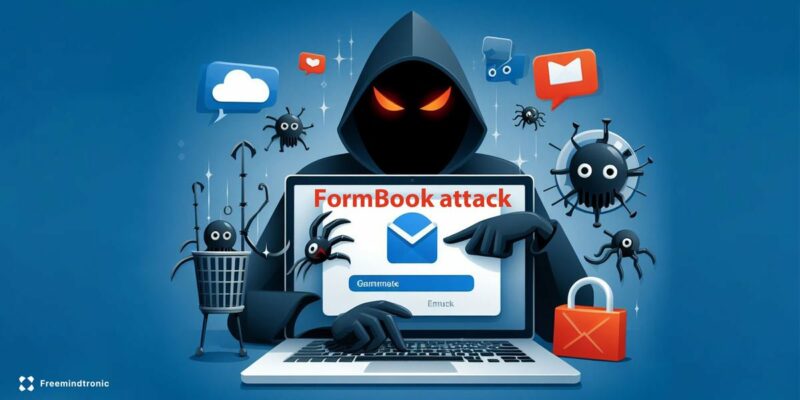
  • Appliquez une sécurité multi-couches : Combinez des stratégies physiques et logiques pour renforcer la protection des secrets numériques.

  • Optez pour un stockage sécurisé : Protégez vos secrets avec des dispositifs comme PassCypher NFC, stockés hors du système compromis.
  • Surveillez les fichiers sensibles : Mettez en place une surveillance continue des fichiers tels que hiberfil.sys et pagefile.sys pour détecter toute tentative d’accès non autorisé.
  • Formez vos équipes : Sensibilisez vos équipes à la sécurité des secrets et à la gestion proactive des attaques zero-day.

Résilience et défense contre les attaques zero-day

Face aux attaques zero-day, il est essentiel de renforcer la résilience des systèmes. La protection ne se limite pas aux failles connues, mais inclut aussi la préparation face aux menaces inconnues. Une approche proactive de la sécurité est cruciale, intégrant des outils avancés comme le chiffrement et la gestion des secrets hors OS.

En résumé, une défense multi-couches et proactive est primordiale pour se prémunir contre les attaques complexes et persistantes.

À présent, explorez la section suivante sur les solutions de détection des failles CVE, où nous détaillerons les stratégies de détection avancée des vulnérabilités et des attaques zero-day pour renforcer la résilience de vos systèmes.

L’Impact de CVE-2023-32784 sur la Confidentialité des Utilisateurs

L’exploitation de CVE-2023-32784 met en lumière un problème majeur concernant la confidentialité des informations personnelles et professionnelles. Les artefacts mémoire, tels que les fichiers d’hibernation (hiberfil.sys) et de pagination (pagefile.sys), peuvent contenir des données sensibles. Si un attaquant parvient à y accéder, il peut récupérer des informations critiques, souvent sans que la victime ne le sache. Ce genre de compromission peut impacter la réputation des entreprises et entraîner des pertes financières.

Une étude menée par le Ponemon Institute sur le coût des violations de données révèle que les entreprises dépensent en moyenne 3,86 millions de dollars pour une violation de données, ce qui montre l’ampleur de l’impact financier pour une organisation.

Les Meilleures Pratiques pour Contourner les Failles Zero-Day

Face à la nature insidieuse des attaques zero-day, il est essentiel pour les entreprises de prendre des mesures proactives pour éviter de devenir une cible. Cela inclut non seulement l’application régulière de mises à jour et de correctifs mais aussi l’adoption de stratégies de défense en profondeur qui rendent difficile l’accès à des secrets numériques, même si un attaquant parvient à exploiter une vulnérabilité inconnue.

Des pratiques telles que la gestion rigoureuse des clés de chiffrement et le chiffrement des fichiers mémoire sensibles (hiberfil.sys, pagefile.sys) peuvent réduire le risque d’exploitation de CVE-2023-32784. CIS Controls recommande des stratégies de sécurité efficaces pour la gestion des risques liés à ces vulnérabilités.

La Sécurisation de la Mémoire du Système : Un Combat Permanent

Les fichiers mémoire, comme hiberfil.sys et pagefile.sys, sont des éléments critiques pour le fonctionnement des systèmes Windows. Toutefois, leur gestion pose un dilemme pour les administrateurs en matière de sécurité. En effet, bien qu’ils améliorent les performances du système, leur contenu peut être utilisé à des fins malveillantes si une vulnérabilité est exploitée.

Les meilleures pratiques de sécurité recommandent de désactiver les fichiers d’hibernation et de pagination lorsque cela est possible. Si ces fichiers doivent être utilisés, leur chiffrement doit être appliqué pour assurer qu’aucune donnée sensible n’est exposée lors d’une intrusion. Source : Microsoft Docs – Windows Hibernation and Paging Files

Exploitation de CVE-2023-32784 — L’attaque invisible

Tout d’abord, il est essentiel de comprendre comment la vulnérabilité CVE-2023-32784 peut être exploitée. Cette faille permet à un attaquant d’accéder à des secrets numériques stockés dans des fichiers mémoire sensibles, comme les fichiers d’hibernation (hiberfil.sys) et de pagination (pagefile.sys). Ces fichiers peuvent contenir des informations critiques telles que des mots de passe, des clés de chiffrement et d’autres secrets utilisateurs.

En effet, les attaquants peuvent utiliser cette vulnérabilité pour exfiltrer des données sans laisser de traces visibles, rendant l’attaque difficile à détecter jusqu’à ce que des informations sensibles aient déjà été compromises. Cette exploitation rend la compromission d’autant plus insidieuse et difficile à contrer avec les mécanismes de sécurité traditionnels.

Dump mémoire et vulnérabilités de pagefile

Les fichiers d’hibernation et de pagination sont des composants essentiels pour la gestion des ressources système dans les environnements Windows. Cependant, ces fichiers peuvent devenir des cibles privilégiées pour les attaquants, car ils contiennent des portions de la mémoire du système, qui peuvent inclure des secrets non chiffrés.

En effet, lorsque des informations sensibles sont présentes dans la mémoire, elles sont souvent écrites dans ces fichiers sans aucune forme de protection, ce qui les rend vulnérables à l’accès non autorisé. Une fois cette vulnérabilité exploitée, un attaquant peut extraire ces secrets et les utiliser à des fins malveillantes, comme le vol d’identifiants ou l’accès à des systèmes sécurisés.

Hiberfil et exfiltration de données sensibles

Un autre vecteur d’attaque majeur est l’exfiltration des secrets stockés dans le fichier hiberfil.sys. Ce fichier, utilisé pour la gestion des états de mise en veille prolongée, contient une copie complète du contenu de la mémoire vive. Par conséquent, si un attaquant parvient à accéder à ce fichier, il peut facilement y extraire des données sensibles.

Cependant, l’utilisation de solutions de sécurité comme PassCypher permet de chiffrer ces fichiers mémoire sensibles, de manière à empêcher l’exfiltration de données en cas de compromission.

Exfiltration de données sensibles via la mémoire : un risque pour tous les gestionnaires de mots de passe

La faille CVE-2023-32784 dans KeePass est un exemple de ce que l’on appelle une vulnérabilité de “dump mémoire”, où un attaquant peut récupérer un mot de passe maître depuis la mémoire d’un système compromis. Bien que cette vulnérabilité concerne directement KeePass, elle met en lumière un problème plus large qui touche tous les logiciels qui manipulent des données sensibles telles que des mots de passe, des clés de chiffrement et des tokens d’authentification.

Gestionnaires de mots de passe et logiciels vulnérables

Bien que la vulnérabilité CVE-2023-32784 soit spécifique à des attaques d’exfiltration via des artefacts mémoire (hiberfil.sys et pagefile.sys), d’autres gestionnaires de mots de passe, tels que Bitwarden, LastPass, et Dashlane, peuvent également être vulnérables à des attaques de clickjacking et exploitation DOM lorsqu’ils utilisent des extensions de navigateur non sécurisées. Ces vulnérabilités peuvent permettre à un attaquant de manipuler les données sensibles via l’interface du navigateur, bien que la gestion en mémoire des données sensibles dans ces outils soit généralement protégée par des mécanismes de chiffrement.
Cependant, les fichiers mémoire (hiberfil.sys, pagefile.sys) restent une cible théorique pour les attaquants si les données ne sont pas correctement protégées en mémoire. Bien que ces gestionnaires chiffrent généralement les données stockées, la mémoire volatile (RAM), où les informations sont temporairement stockées pendant une session active, reste une cible potentielle si elle n’est pas correctement sécurisée.

De plus, PassCypher se distingue en offrant un stockage sécurisé hors du périmètre du système d’exploitation, assurant que les données sensibles restent protégées même si le système est compromis. Cette approche élimine le risque d’exfiltration de données depuis la RAM ou des fichiers système.

Solutions de protection : chiffrement et stockage sécurisé hors OS

Le chiffrement avancé AES-256 CBC et la gestion des clés segmentées de PassCypher NFC HSM permettent de protéger les secrets numériques, même si les fichiers mémoire comme hiberfil.sys et pagefile.sys sont compromis. De plus, le stockage sécurisé hors OS garantit que vos informations restent protégées, même dans des environnements hostiles.
Pour contrer ce type d’attaque, il est essentiel de mettre en place des solutions de sécurité robustes. L’utilisation de dispositifs comme PassCypher NFC HSM permet de sécuriser les données sensibles hors du périmètre du système d’exploitation. Ces dispositifs utilisent des mécanismes de chiffrement avancés (AES-256 CBC) et des clés segmentées, garantissant que même si un attaquant parvient à accéder à la mémoire, les secrets restent protégés. L’intégration de ces solutions réduit considérablement le risque d’exfiltration de données sensibles via la mémoire.

PassCypher NFC HSM : Une Solution Avancée pour la Sécurisation des Secrets

PassCypher NFC HSM protège les secrets numériques en stockant les données sensibles hors du périmètre du système d’exploitation compromis. Utilisant un dispositif NFC sans contact, PassCypher assure une sécurité maximale grâce au chiffrement avancé AES-256 CBC. Cela permet de se prémunir contre les attaques de type CVE-2023-32784, où les secrets stockés dans les fichiers mémoire comme hiberfil.sys et pagefile.sys sont vulnérables.

PassCypher NFC HSM est un gestionnaire de mots de passe matériel sans contact qui permet de stocker et protéger vos secrets numériques, même face à des attaques avancées comme celles exploitant des vulnérabilités telles que vulnérabilité CVE-2023-32784. Ce système de gestion sans contact élimine le besoin d’une connexion Internet ou d’une source d’alimentation pour fonctionner, tout en assurant une sécurité maximale grâce à des technologies comme la segmentation des clés et le chiffrement AES 256 CBC.

Avec sa technologie NFC HSM, PassCypher sécurise vos données en dehors du système d’exploitation, garantissant que vos informations sensibles restent protégées même si le système est compromis. L’authentification sans contact avec une carte NFC ou un dispositif compatible protège vos informations sans exposer vos identifiants ou mots de passe à des attaques de type keylogging ou shoulder surfing.

Stockage sécurisé hors OS avec PassCypher NFC

Pour améliorer encore la sécurité des secrets numériques, PassCypher offre une fonctionnalité de stockage sécurisé hors OS via des dispositifs de stockage NFC. Cette approche permet de protéger les secrets clés et autres données sensibles en dehors des systèmes compromis, garantissant leur sécurité même dans les environnements les plus hostiles.

En effet, l’utilisation de dispositifs NFC comme PassCypher ajoute une couche physique de protection qui empêche l’accès aux secrets, même en cas de compromission totale du système d’exploitation. Ces dispositifs sont également équipés de mécanismes de chiffrement avancés, assurant que les données restent protégées contre toute tentative d’exfiltration ou de vol.

Stockage Sécurisé Hors OS avec PassCypher NFC HSM

Pour renforcer la sécurité des secrets numériques, PassCypher NFC HSM propose un stockage sécurisé hors OS via des dispositifs NFC. En cas de vulnérabilité comme CVE-2023-32784, où des fichiers sensibles comme hiberfil.sys et pagefile.sys peuvent être compromis, PassCypher assure que ces informations restent hors de portée grâce à son système de stockage décentralisé.

L’usage de dispositifs NFC comme PassCypher ajoute une couche de sécurité physique qui empêche l’accès non autorisé aux secrets, même si l’intégrité du système d’exploitation est mise en péril. Grâce à un chiffrement avancé, les données sont protégées contre les tentatives d’exfiltration, qu’elles proviennent d’un logiciel malveillant ou d’un attaquant ayant compromis le terminal.

Technologie NFC et Architecture Zero Trust

L’architecture Zero Trust de PassCypher NFC HSM assure qu’aucune donnée n’est jamais stockée sur un serveur ou une base de données externe. Toutes les données restent localisées sur le dispositif physique, garantissant une sécurité renforcée. En plus, grâce à l’authentification sans contact NFC, l’accès aux secrets numériques est ultra-sécurisé, ne nécessitant aucune intervention manuelle pour gérer les clés de chiffrement ou les mots de passe.

Avantages et Flexibilité de PassCypher NFC HSM

PassCypher NFC HSM se distingue par sa flexibilité, sa compatibilité avec différents systèmes d’exploitation (Windows, Linux, MacOS, Android, iOS) et navigateurs web (Chromium, Firefox). Ce dispositif vous permet de sécuriser vos mots de passe, clé secréte OTP (TOTP/HOTP), et autres informations sensibles sans avoir besoin d’une connexion réseau constante, tout en offrant des fonctionnalités avancées comme la gestion des clés segmentées et la protection contre le phishing grâce à son Authenticator Sandbox.

PassCypher HSM PGP : Protection Avancée Contre les Exfiltrations de Secrets (CVE-2023-32784)

PassCypher HSM PGP est une solution de gestion des mots de passe de pointe, entièrement automatisée, conçue pour protéger vos secrets numériques même en cas de compromission système. Grâce à son chiffrement AES-256 CBC PGP, PassCypher HSM PGP garantit la sécurité des informations, en particulier contre des vulnérabilités telles que CVE-2023-32784, où des secrets stockés dans des fichiers mémoire comme hiberfil.sys et pagefile.sys peuvent être compromis. L’architecture Zero Trust et Zero Knowledge assure que les secrets restent privés et sécurisés, sans laisser d’accès non autorisé à vos informations.

Le système chiffre vos identifiants de connexion à l’aide de l’AES-256 CBC PGP, les stocke dans des conteneurs sécurisés, et les décrypte instantanément en mémoire volatile. Cette approche garantit qu’aucune information sensible n’est exposée en clair, même en cas d’attaque exploitant des vulnérabilités comme CVE-2023-32784. Les données sont immédiatement effacées de la mémoire une fois utilisées, minimisant ainsi le risque d’exfiltration via des artefacts mémoire compromis.
Cela garantit une sécurité maximale tout en assurant un accès instantané et sans compromis à vos identifiants.

Grâce à PassCypher HSM PGP, même si un attaquant exploite une vulnérabilité comme CVE-2023-32784, vos secrets sont protégés par des technologies de chiffrement de pointe, et ils sont éliminés de la mémoire immédiatement après leur utilisation, ce qui réduit considérablement le risque d’exfiltration de données.

Pour plus de détails sur son fonctionnement, consultez la documentation officielle de PassCypher HSM PGP.

Protection Automatisée et Stockage Sécurisé des Secrets

PassCypher HSM PGP offre un système de conteneurs sécurisés qui chiffre automatiquement vos informations sensibles, telles que vos mots de passe et identifiants, en utilisant le chiffrement AES-256 CBC PGP. Ces informations sont stockées sur des supports physiques sécurisés (USB, SSD, NAS, etc.), et sont instantanément décryptées en mémoire volatile uniquement lors de l’utilisation. Même si un attaquant parvient à accéder à la mémoire du système via des vulnérabilités comme CVE-2023-32784, les informations restent protégées grâce au stockage sécurisé et à l’effacement immédiat des données après leur utilisation.

Une fois que vos identifiants sont injectés dans les champs de connexion, les données décryptées sont immédiatement effacées de la mémoire, garantissant ainsi qu’aucune trace de vos informations ne demeure après leur utilisation. Cette approche garantit la sécurité de vos informations même si un système est compromis.

Zero Trust et Zero Knowledge : Des Architectures de Sécurité Renforcées

L’architecture Zero Trust de PassCypher HSM PGP repose sur l’idée fondamentale que rien ni personne ne peut être implicitement approuvé. Cela signifie que chaque demande d’accès aux secrets est validée, qu’elle provienne d’un utilisateur interne ou externe.

En combinant cette architecture avec Zero Knowledge, PassCypher HSM PGP garantit que le système ne conserve aucune donnée sensible sur des serveurs externes et ne nécessite aucune identification ou création de comptes utilisateurs. Tout est traité localement sur l’appareil, ce qui réduit considérablement les risques liés à l’exfiltration de données.

Cela permet à PassCypher HSM PGP de se protéger contre des attaques comme CVE-2023-32784, en veillant à ce que les données ne soient jamais exposées en clair ou stockées sur un serveur, ce qui rend l’accès à vos informations extrêmement difficile pour un attaquant.

Gestion des Clés Segmentées : Sécurisation Maximale des Informations

PassCypher HSM PGP utilise une approche innovante de gestion des clés segmentées, où chaque clé de chiffrement est divisée en plusieurs segments stockés sur des dispositifs physiques séparés (comme des clés USB, SSD externes, etc.). Même si un segment de la clé est compromis, les autres segments restent protégés, assurant ainsi que les informations ne peuvent pas être décryptées sans un accès complet aux différents segments de la clé.

Ce modèle ajoute une couche supplémentaire de sécurité et empêche toute extraction non autorisée des données. Si un attaquant parvient à accéder à une partie de votre système, il ne pourra pas déchiffrer vos identifiants sans l’accès aux autres segments physiques de la clé.

Protection Anti-Phishing et Détection des Menaces Avancées

PassCypher HSM PGP intègre des mécanismes de protection avancée contre le phishing et autres attaques malveillantes, comme les redirections vers des sites malveillants (typosquatting). La technologie Sandbox URL encapsule et chiffre l’URL du site de connexion, empêchant toute tentative de manipulation ou de redirection vers un site malveillant. Cette protection est renforcée contre les attaques exploitant des vulnérabilités comme CVE-2023-32784, bloquant les tentatives avant qu’elles ne réussissent.

En outre, PassCypher HSM PGP détecte et neutralise automatiquement les attaques Browser-in-the-Browser (BITB) et les redirections malveillantes. Ces protections renforcent la sécurité des utilisateurs, garantissant qu’ils se connectent toujours à des sites légitimes, même si l’attaquant tente de les induire en erreur.

Pourquoi PassCypher HSM est une solution de confiance

Dans un environnement numérique de plus en plus complexe et vulnérable aux attaques comme CVE-2023-32784, PassCypher HSM se distingue comme une solution de sécurité essentielle. PassCypher HSM protège les secrets numériques en les stockant à l’extérieur du système d’exploitation compromis et en utilisant des mécanismes avancés comme le chiffrement segmenté et l’authentification sans contact NFC.

Récompensé parmi les meilleures solutions de cybersécurité 2026

PassCypher HSM a récemment été reconnu comme l’une des 5 meilleures solutions de cybersécurité en 2026 lors des InterSec Awards, une distinction qui témoigne de son efficacité et de sa fiabilité face aux menaces avancées, comme celles introduites par CVE-2023-32784. Cette reconnaissance confirme l’engagement de PassCypher à offrir une protection de pointe contre les attaques visant les données sensibles, même lorsque le système d’exploitation est compromis.

Pour en savoir plus sur cette distinction et comment PassCypher continue de repousser les limites de la cybersécurité, vous pouvez consulter PassCypher : Finaliste aux InterSec Awards 2026.

Pourquoi PassCypher HSM est une solution de confiance

Dans un environnement numérique de plus en plus complexe et vulnérable aux attaques comme CVE-2023-32784, PassCypher HSM se distingue comme une solution de sécurité essentielle. PassCypher HSM protège les secrets numériques en les stockant à l’extérieur du système d’exploitation compromis et en utilisant des mécanismes avancés comme le chiffrement segmenté et l’authentification sans contact NFC.

Récompensé parmi les meilleures solutions de cybersécurité 2026

PassCypher HSM a récemment été reconnu comme l’une des 5 meilleures solutions de cybersécurité en 2026 lors des InterSec Awards, une distinction qui témoigne de son efficacité et de sa fiabilité face aux menaces avancées, comme celles introduites par CVE-2023-32784. Cette reconnaissance confirme l’engagement de PassCypher à offrir une protection de pointe contre les attaques visant les données sensibles, même lorsque le système d’exploitation est compromis.

Pour en savoir plus sur cette distinction et comment PassCypher continue de repousser les limites de la cybersécurité, vous pouvez consulter PassCypher : Finaliste aux InterSec Awards 2026.

Solutions de détection des failles CVE

La détection des failles CVE comme CVE-2023-32784 nécessite l’utilisation de solutions avancées pour repérer les tentatives d’exploitation de vulnérabilités avant qu’elles n’entraînent une compromission. L’intégration de solutions de détection en temps réel permet de surveiller l’intégrité des fichiers mémoire sensibles et d’identifier rapidement les tentatives d’accès non autorisé.

En plus, des outils d’analyse de comportement peuvent être utilisés pour détecter les activités suspectes sur les fichiers système, notamment les fichiers hiberfil.sys et pagefile.sys, afin d’interrompre les attaques avant qu’elles ne causent des dommages.

Analyse des menaces avancées : CVE et attaques Zero-Day

Les attaques zero-day, comme celles exploitant CVE-2023-32784, sont particulièrement difficiles à détecter, car elles utilisent des vulnérabilités inconnues des éditeurs de logiciels. Ces attaques ciblent souvent des failles dans les composants critiques du système, tels que la gestion de la mémoire, pour voler des informations sensibles sans déclencher d’alertes.

Par conséquent, une analyse des menaces avancées est essentielle pour renforcer la résilience des systèmes contre ces attaques. L’utilisation d’outils de détection comportementale et d’analyse des menaces permet d’identifier les indicateurs de compromission avant qu’une attaque ne réussisse à exfiltrer des données sensibles.

L’Approche Zero Trust et la Protection des Secrets

Le modèle Zero Trust repose sur le principe fondamental qu’aucun utilisateur ou appareil, interne ou externe, ne doit être implicitement approuvé. Chaque tentative d’accès, qu’elle provienne d’un utilisateur interne ou d’un système externe, doit être vérifiée. En appliquant ce modèle, les entreprises peuvent limiter l’accès aux secrets numériques, en s’assurant qu’aucune donnée sensible n’est accessible par des systèmes compromis.

Recommandations stratégiques de sécurité

Face à la vulnérabilité CVE-2023-32784, il est impératif de mettre en place des mesures de sécurité robustes et d’adopter une stratégie de défense multi-couches. Voici quelques recommandations pratiques :

  • Chiffrez les fichiers d’hibernation et de pagination : Cela permet d’empêcher l’accès non autorisé aux informations sensibles stockées dans la mémoire système.
  • Utilisez des solutions de protection avancées : Comme PassCypher, qui protège vos secrets, même en dehors du système d’exploitation.
  • Surveillez les accès aux fichiers mémoire sensibles : Mettre en place une surveillance continue des fichiers d’hibernation et de pagination pour détecter toute tentative d’accès non autorisé.
  • Revue des mécanismes de stockage sécurisé : Utiliser des solutions de stockage sécurisé hors du périmètre système pour les données sensibles, telles que des clés physiques NFC ou des dispositifs de stockage chiffrés.

Défense multi-couches : comprendre la résilience avec PassCypher NFC HSM

Pour renforcer la résilience des systèmes contre les vulnérabilités de type Zero-Day, une approche multi-couches est indispensable. PassCypher NFC HSM offre une protection robuste avec le chiffrement des fichiers mémoire sensibles, le stockage hors OS, et la surveillance proactive des fichiers système sensibles comme hiberfil.sys et pagefile.sys.

La Gestion de la Souveraineté Numérique Face aux Attaques Zero-Day

La souveraineté numérique est une question clé dans la gestion des risques associés aux attaques zero-day. Les entreprises et les gouvernements doivent être capables de protéger leurs infrastructures critiques contre des intrusions invisibles. L’implémentation de solutions comme PassCypher, qui offre une protection au-delà du système d’exploitation, garantit la confidentialité et la sécurité des données sensibles, même face à des vulnérabilités encore non découvertes.

L’adoption de technologies qui garantissent une souveraineté numérique est essentielle pour limiter l’exposition aux cybermenaces internationales. Source : The Role of Digital Sovereignty in Cybersecurity

Réduire les risques : Sécurisation des secrets numériques

Face aux vulnérabilités de type “exfiltration mémoire”, il est crucial de protéger les secrets numériques via des solutions de sécurité avancées. PassCypher NFC HSM offre une solution robuste pour le stockage sécurisé des données sensibles hors du périmètre du système d’exploitation, garantissant ainsi que même en cas de compromission du système, les secrets restent protégés grâce à des mécanismes de sécurité renforcés, comme le chiffrement AES-256 CBC et la segmentation des clés.

FAQ – CVE-2023-32784 et mesures de mitigation

Q : Comment la vulnérabilité CVE-2023-32784 est-elle exploitée ?
R : Cette vulnérabilité permet à un attaquant d’exfiltrer des données sensibles en accédant aux fichiers mémoire, comme les fichiers d’hibernation (hiberfil.sys) et de pagination (pagefile.sys).
Q : Quelle est la solution pour protéger mes secrets contre cette vulnérabilité ?
R : Utilisez des solutions de chiffrement avancées comme PassCypher, qui sécurisent les fichiers mémoire sensibles et les données stockées hors OS.

Glossaire : Terminologie CVE et sécurité

CVE : Common Vulnerabilities and Exposures. Base de données publique des vulnérabilités de sécurité qui permet de référencer des failles découvertes.
Zero-Day : Attaque qui exploite une vulnérabilité non corrigée et inconnue des développeurs.
Hiberfil.sys : Fichier d’hibernation utilisé pour stocker l’état du système lors de la mise en veille prolongée.
Pagefile.sys : Fichier de pagination utilisé pour stocker des informations de la mémoire virtuelle lorsque la RAM est insuffisante.

Ressources supplémentaires

Pour des informations supplémentaires sur les failles CVE, la sécurité numérique et les attaques zero-day, consultez les ressources suivantes :

What is Juice Jacking and How to Avoid It?

what is juice jacking and how to avoid it

Juice Jacking by Jacques gascuel This article will be updated with any new information on the topic, and readers are encouraged to leave comments or contact the author with any suggestions or additions.  

How to protect yourself from Juice Jacking”

Do you often use public USB chargers to recharge your smartphone or tablet? If so, you may be exposing your device to a cyberattack called Juice Jacking. In this article, we will explain what Juice Jacking is and how to protect yourself from it.

Juice Jacking: How to Avoid This Cyberattack

Do you often use public USB chargers to recharge your smartphone or tablet? If so, you may be exposing your device to a cyberattack called Juice Jacking. This is a type of attack that can steal your data or infect your device when you use a public USB charger. In this article, we will explain what Juice Jacking is and how to protect yourself from it.

What is Juice Jacking?

Juice Jacking is an attack that hackers can perform. They put malware on the public charger’s USB port. When you plug your device into the charger, the malware can access your data or infect your device.
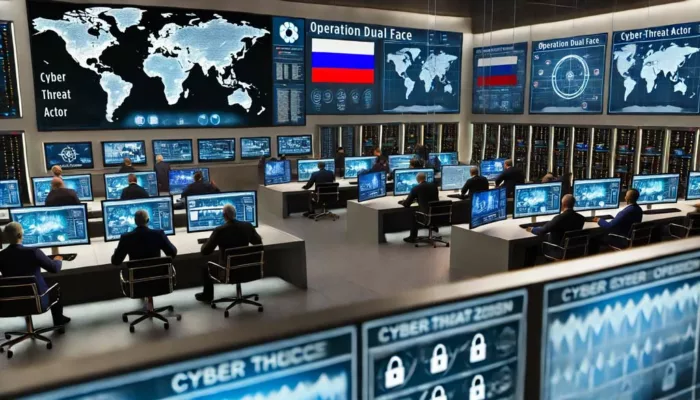
Juice Jacking can take two forms:

  • Data theft: the malware can copy your contacts, photos, messages, passwords or any other sensitive information stored on your device.

  • Malware installation: the malware can install a program that will do malicious things to your device.
The Lack of Awareness and Protection of Juice Jacking Among Users Worldwide

One of the reasons why juice jacking is a serious threat is that many people are unaware of it or do not take precautions when using public USB ports. According to a 2019 study by the University of Illinois at Urbana-Champaign, 64% of Americans use public USB ports to charge their devices, and 15% of them do not know what juice jacking is. The study also found that only 8% of the participants used a USB data blocker or a power-only cable to protect their devices from potential attacks. A similar situation exists in other countries, such as the United Kingdom and Australia. A 2020 study by Comparitech surveyed more than 2,000 people in the UK and found that 45% of them used public USB ports to charge their devices, and 50% of them had never heard of juice jacking. A 2019 study by Finder analyzed the behavior of more than 1,000 people in Australia and found that 41% of them used public USB ports at least once a month, and 21% of them did not know what juice jacking was. These studies show that there is a need for more education and awareness on the risks and prevention of juice jacking.

How to prevent Juice Jacking?

To prevent Juice Jacking, don’t use public USB chargers. Instead, you can use your own charger or a portable battery. However, if you have no choice but to use a public charger, you can take some precautions:

  • Use a USB data blocker. This is a device that blocks the data transfer between the charger and your device. It only allows the power to pass through.
  • Turn off your device before plugging it into the charger. This may reduce the risk of data theft or infection.
  • Use a VPN app on your device. This can encrypt your data and make it harder for hackers to access it.

How to protect yourself from Juice Jacking with EviCore NFC HSM and EviCypher Technology

Juice Jacking is a cyberattack that steals or modifies your data through malicious USB chargers. You need a secure and portable encryption solution to protect yourself from this threat. EviCore NFC HSM and EviCypher technology can help you.

EviCore NFC HSM is a contactless hardware security module (HSM). It stores your sensitive data and protects it with configurable multi-factor authentication. You can access your data with your smartphone via NFC (Near Field Communication).

EviCypher is a hardware encryption device that works with EviCore NFC HSM. It encrypts and decrypts your documents, emails and messages with your smartphone. You can use it with any messaging service and enjoy an advanced electronic signature system.

With EviCore NFC HSM and EviCypher, you can avoid hackers who use malicious USB chargers. Your data are safe and secure offline, without any server or database. To learn more about this innovative technology, visit the website EviCore NFC HSM by Freemindtronic.

EviCore NFC HSM and EviCypher are products and services from Freemindtronic. Freemindtronic is a company specialized in NFC security solutions. It offers the best encryption products on the market.

A more technical explanation by ethical hackers

The Juice Jacking is a cyberattack that exploits the vulnerability of the USB ports that are used for both charging and data transfer. Ethical hackers, who are security professionals who use their skills for good, have demonstrated how this attack works and how to prevent it.

One of the first demonstrations of Juice Jacking was made by researchers from the University of Michigan in 2011 at the DEF CON hacker convention. They set up an informative kiosk on Juice Jacking to raise awareness among visitors about the danger of plugging their devices into public charging stations. When a visitor plugged in their phone, the screen turned red and displayed a warning message: “You should not trust public kiosks with your smart phoneYou should not trust public kiosks with your smart phoneYou should not trust public kiosks with your smart phone”.

The researchers also showed how malicious actors could use the kiosk to steal data, track devices, or compromise them. They also provided information on how to compromise charging kiosks.

Another demonstration was made by security researchersecurity researcher Kyle Osborn in 2012. He published an attack framework called P2P-ADB that uses a USB On-The-Go cable to connect an attacker’s phone to a victim’s device. The framework includes examples and proofs of concept that would allow hackers to unlock locked phones, steal data from a phone, including authentication keys that would allow the attacker to access the owner’s Google account.

In 2013, security researchers from Georgia Tech published a proof of concept of a malicious tool called Mactans that uses the USB charging port of an Apple mobile device. They used low-cost hardware components to build a small malicious wall charger that can inject malware into an iPhone running

In 2014, security researchers Karsten Nohl and Jakob Lell from srlabs published their research on the BadUSB attack at the Black Hat USA conference . They showed how hackers can reprogram USB devices such as flash drives or cables to act as keyboards or network cards and send commands or data to a connected device.

These demonstrations show how Juice Jacking can be performed by skilled hackers who have access to the USB ports or cables in public places. They also show how users can protect themselves by using their own chargers or batteries, using data blockers, turning off their devices, or using VPN apps.

Some examples and testimonials

Juice Jacking is a serious threat for users of public USB chargers. It can compromise your data and your device’s security. Here are some examples and testimonials that illustrate the risks of Juice Jacking:

  • In 2011, at the DEF CON hacker convention, an informative kiosk on Juice Jacking was set up to raise awareness among visitors about the danger of plugging their devices into public charging stations . When a visitor plugged in their phone, the screen turned red and displayed a warning message: “You should not trust public kiosks with your smart phone” .
  • In 2013, security researchers from Georgia Tech presented a proof of concept of a malicious wall charger that could inject malware into an iPhone running the latest version of iOS while it was being charged. The malware bypasses all the built-in security measures in iOS and hides itself in the same way that Apple hides background processes in iOS .
  • In 2019, the Los Angeles County District Attorney warned travelers about Juice Jacking in airports. He advised travelers to use electrical outlets rather than USB ports to charge their devices.
  • In 2020, a French journalist testified that she was a victim of Juice Jacking during a trip to India. She said that her phone was infected by malware after plugging it into a USB port in a hotel. The malware sent her messages asking her to pay a ransom to get her data back.

To illustrate the phenomenon of Juice Jacking further, you can also check out these videos:

  • A video explanation from ZDNet that presents Juice Jacking and its consequences.
  • A video demonstration from ETX Studio that shows how to protect yourself from Juice Jacking with a USB data blocker.
  • A video information from Slate that explains why you should not be afraid of Juice Jacking and how it is unlikely to happen.

Some scientific and statistical sources

Juice Jacking is a topic that interests security researchers and public authorities. Here are some scientific and statistical sources that address Juice Jacking:

  • An academic paper published in 2011 by researchers from the University of Michigan that analyzes the risks associated with using public USB ports and proposes solutions to reduce them.
  • A technical report published in 2014 by researchers from Johns Hopkins University that describes a method to detect and prevent Juice Jacking on Android devices.
  • A study conducted in 2017 by Kaspersky Lab that reveals that 25% of French users have already used a public USB charger and that 12% of them have already suffered a loss or theft of data as a result of such use.

Conclusion

Juice Jacking is a cyberattack that targets users of public USB chargers. It can compromise your data and your device’s security. To avoid it, you should use your own charger or battery whenever possible. If you have to use a public charger, you should use a USB data blocker, turn off your device, or use a VPN app.

We hope this article helped you understand what Juice Jacking is and how to protect yourself from it.

Protect Your Data from AMOS Malware

AMOS malware protection with Keepser NFC Cold Xallet


AMOS Malware Protection by Jacques gascuel
This article will be updated with any new information on the topic, and readers are encouraged to leave comments or contact the author with any suggestions or additions.
Related topic :
CryptBot malware

Protect Your Mac from AMOS Malware

Are you worried about the threat of AMOS malware on your Mac? Keep your data safe with Keepser Cold Wallet. Learn how this technology can protect your sensitive information from this dangerous malware.

2026 Awards Cyberculture Digital Security Distinction Excellence EviOTP NFC HSM Technology EviPass EviPass NFC HSM technology EviPass Technology finalists PassCypher PassCypher

Quantum-Resistant Passwordless Manager — PassCypher finalist, Intersec Awards 2026 (FIDO-free, RAM-only)

2025 Cyberculture Legal information

French IT Liability Case: A Landmark in IT Accountability

2025 PassCypher Password Products Technical News

Passwordless Password Manager: Secure, One-Click Simplicity to Redefine Access

2024 Articles Technical News

Best 2FA MFA Solutions for 2024: Focus on TOTP & HOTP

2024 Articles Cyberculture Legal information

ANSSI Cryptography Authorization: Complete Declaration Guide

2024 Articles Technical News

New Microsoft Uninstallable Recall: Enhanced Security at Its Core

2024 Articles Cyberculture

EAN Code Andorra: Why It Shares Spain’s 84 Code

2024 Articles Digital Security News

Russian Espionage Hacking Tools Revealed

AMOS Malware Protection with Keepser Cold Wallet

The Threat of AMOS Malware on macOS

AMOS malware is a growing threat to macOS users. Hackers are marketing a new malware for the macOS operating system. Named Atomic Macos Stealer or AMOS, this malicious software is designed to steal user data for $1,000 per month. It extracts passwords from the keychain, steals files on disks, cookies, as well as cards and identification information stored in the browser and tries to extract data from 50 different cryptocurrency wallets. Buyers also benefit from a complete web dashboard to brute force MetaMask.

How AMOS Malware Works

AMOS is capable of accessing iCloud keychain passwords, system information, files from the desktop and documents folder, as well as the Mac password. It is able to infiltrate applications such as Chrome and Firefox and extract autofill information, passwords, cookies, wallets and credit card information. Cryptocurrency wallets such as Electrum, Binance and Atomic are specific targets.

The malware is being propagated using an unsigned disk image file called Setup.dmg. Once executed, the file prompts the victim to enter their system password on a bogus prompt. This allows the malware to escalate privileges and carry out its malicious activities. This technique is similar to that used by other macOS malware, such as MacStealer.

How to Protect Against AMOS Malware

The increase in the deployment of macOS stealer malware by non-state actors highlights the need for users to be cautious when downloading and installing software. The cybersecurity industry recommends that users only download and install software from trustworthy sources, enable two-factor authentication, review app permissions, and refrain from opening suspicious links received via email or SMS messages.

The Solution: Keepser Cold Wallet with EviVault Technology

However, there is a solution to protect your sensitive data against AMOS malware. For only €387, you can purchase two NFC Cold Wallet Keepser from Keepser Group with EviVault technology from Freemindtronic SL. These wallets allow you to store offline and physically externalized from macOS and/or PC computers the private keys and/or seed phrases of cryptocurrency wallets as well as identifier and password pairs. Thus, it will simply be impossible to extract sensitive data from a computer that is not physically present in these computers, even for this AMOS malware.

By using EviVault NFC Cold Wallet technologies from Freemindtronic embedded in Keepser products, you can protect your sensitive data against malware attacks such as AMOS or Cryptbot. These wallets also work on macOS, providing additional protection to Mac users.

The Benefits of EviVault Technology

Thanks to EviVault technology developed by Freemindtronic, the Keepser Cold Wallet is a unique ultra-secure cold storage solution for cryptocurrency wallets, offering anonymous, offline and contactless use via NFC technology, as well as compatibility with NFC Android phones and computer systems via a browser extension.

It’s like they say: “Why pay €1,000 per month to steal sensitive data when you can pay €387 one shot for AMOS malware protection without subscription to protect against it (and other malware like Cryptbot)!” 😉

It is important to take seriously the threats posed by malware such as AMOS and to take the necessary measures to protect your sensitive data. By using advanced technologies such as EviVault NFC Cold Wallet from Freemindtronic embedded in Keepser products, you can ensure that your data is secure.