Author Archives: FMTAD

Recovery Phrase Backup: How to Secure It

Recovery phrase backup how to secure it article by Jacques Gascuel from Freemindtronic Andorra

Recovery Phrase Backup by Jacques Gascuel This article will be updated with any new information on the topic, and readers are encouraged to leave comments or contact the author with any suggestions or additions.

Recovery Phrase Backup: a beginner’s guide

If you own a crypto wallet, you probably have heard of a recovery phrase backup. This is a series of words that allows you to access your crypto funds in case you lose or damage your wallet. It is one of the most important things you need to know and protect when dealing with cryptocurrencies. What is a seed phrase and how does it work? How to create and store it securely? What are the risks and challenges? And what are the best practices and tools to safeguard it?
Articles Crypto Currency Digital Security EviSeed EviVault Technology News

Enhancing Crypto Wallet Security: How EviSeed and EviVault Could Have Prevented the $41M Crypto Heist
Articles EviVault Technology News Uncategorized

Why choose a Cold Wallet NFC HSM to secure your cryptocurrencies?
Articles Digital Security EviVault Technology NFC HSM technology Technical News

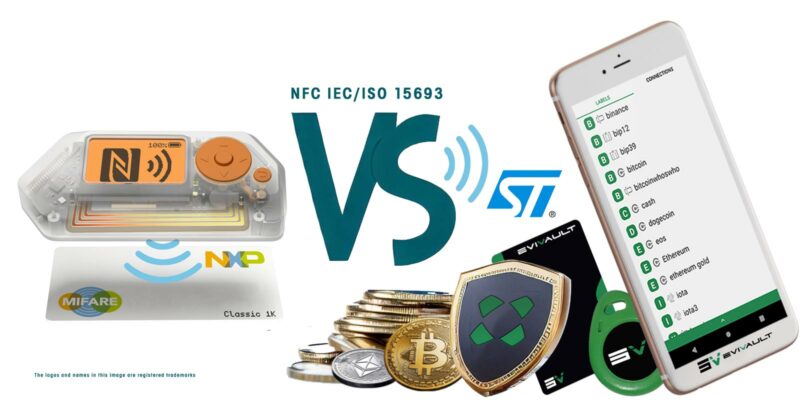
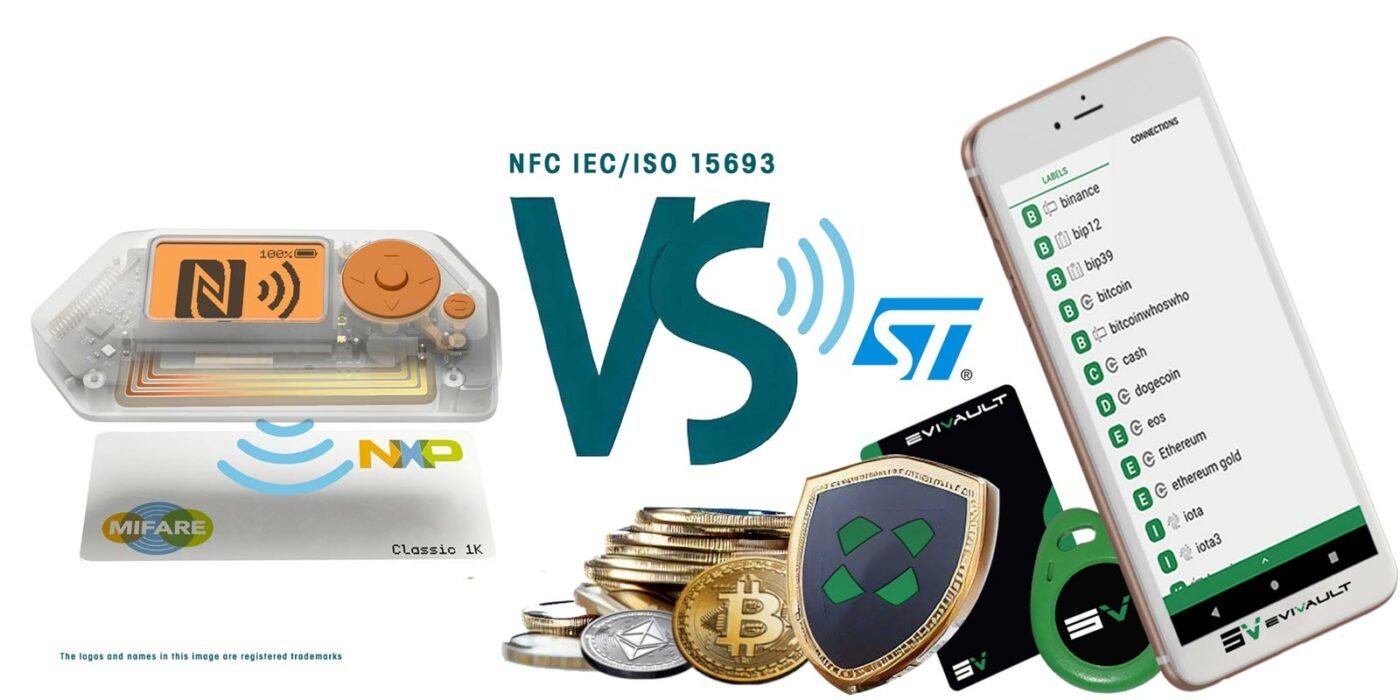
EviVault NFC HSM vs Flipper Zero: The duel of an NFC HSM and a Pentester
Articles EviVault Technology Phishing

Cryptbot malware steals data cryptocurrencies

This article will be updated with any new information on the topic, and readers are encouraged to leave comments or contact the author with any suggestions or additions.

How to make a physical backup of your secret phrase

The Mnemonic Phrase is the ultimate key to access your crypto assets. If you lose it or share it, you risk losing control of your funds. That’s why it’s essential to physically backup your seed phrase and store it in a safe and secret place. Here’s how to do it.

Recovery Phrase Backup vs Private Key

Before explaining what to do if you lose your seed phrase, let’s understand the difference between a seed phrase and a private key.
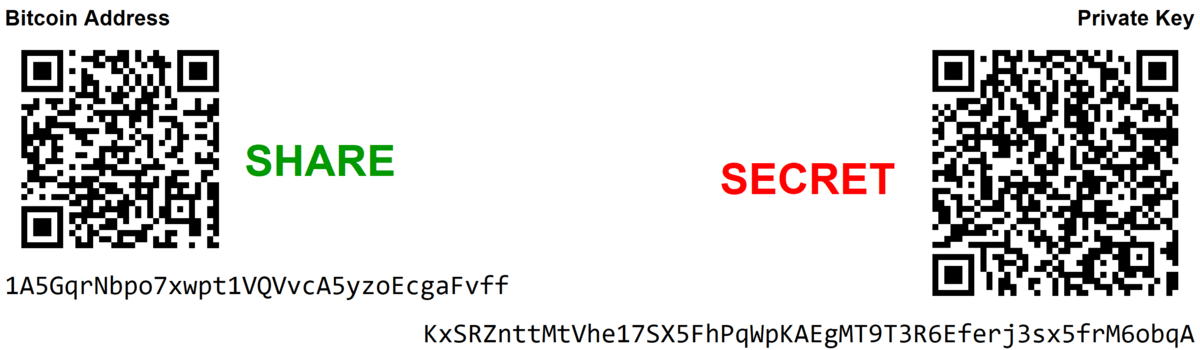
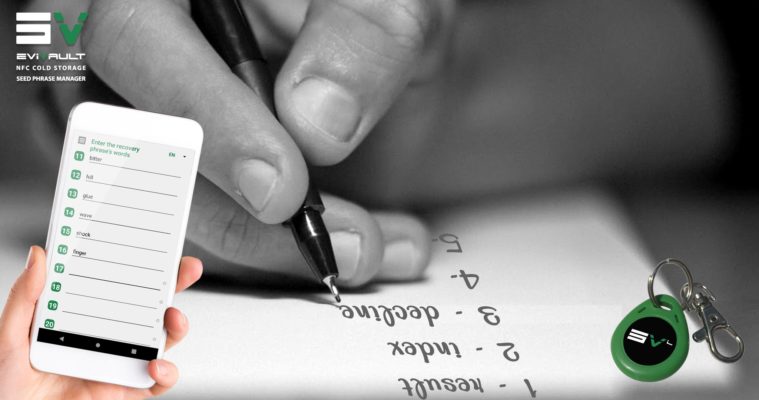
Evivault rugged nfc tag contactless easily, store, share, manage and use, recovery seed, mnemonic phrase, passphrase, seed recovery phrase, backup seed phrase, bip39 A private key is a secret code that allows you to control your crypto-assets on the blockchain. It is generated from your seed phrase, which is a list of words that stores all the information needed to recover cryptographic funds on the blockchain. It consists of 12 to 24 randomly generated words that allow you to access or restore your wallet on another device. You must keep it in a safe place and never share it with anyone.

What to do if you lose your Recovery Phrase? The solutions to recover your crypto-assets safely.

If you lose your seed phrase, you risk losing permanent access to your crypto-assets. It is used to create your private keys. You don’t need it to access your cryptocurrencies on a daily basis, but it is mainly a backup method. You can restore your crypto-assets in case of a problem with your device or wallet. However, if you lose your hardware wallets (cold wallets) and access to your online wallets (hot wallets), you will not be able to recover your cryptocurrencies without your seed phrase.In case you have correctly noted down your seed phrase, there are some possible recovery solutions:

• If you can still log in to your wallet with your password, you can find or export your seed phrase via the wallet.

• If you have lost your wallet but have your seed phrase, you can restore your wallet on a new hardware or software wallet. Enter the 12 to 24 words at startup.

• If you have forgotten or lost your seed phrase and have no other way to access your wallet, there are specialized services that can try to find it. They use a part of the words or other clues, but they are expensive and not always reliable.

Can you avoid using a Recovery Phrase?

You may wonder if there is a way to avoid using a seed phrase to secure your crypto-assets. The answer is no. The mnemonic Phrase is the only way to guarantee that you can always access your funds. Even if you lose or damage your device or wallet. Without a seed phrase, you depend entirely on the service or provider that you use to store your cryptocurrencies. If the service is hacked, closed or inaccessible for any reason, you also risk losing your assets. The seed phrase is an essential element to protect your financial independence and digital sovereignty.

Introduction: What is a recovery phrase and why is it important?

If you are new to the world of cryptocurrencies, you may have heard of the term “seed phrase” or “mnemonic phrase” or “backup phrase” or “seed recovery phrase” or “recovery phrase”. This is a set of words that allows you to access your crypto wallet and funds. It is one of the most important things you need to know and protect when dealing with cryptocurrencies.

How does a recovery phrase work and what are its formats?

But what exactly is a seed recovery phrasehrase and how does it work? How can you create and store it securely? What are the risks and challenges involved? And what are the best practices and tools to help you safeguard your recovery phrase backup?

This article answers these questions and more. It covers what a seed recovery phrase is, its importance, how it functions, and the steps to back it up and restore it. Additionally, it discusses the methods and materials to create and store physical backups (e.g., paper, metal, plastic, wood, or NFC devices). Furthermore, it explores the pros and cons of each option, along with some tips and tricks to make your backup easier and safer.

How to create a recovery phrase?

When you create a crypto wallet, a seed phrase is automatically generated for you. You do not need to choose or invent the words yourself. You just need to write them down and store them safely.

To create a recovery phrase backup, you can use any crypto wallet that supports the BIP39 standard, such as BitPay, Coinbase Wallet, Ledger, Trezor, or Trust Wallet. These wallets will generate a random sequence of 12 or 24 words for you, depending on the level of security you want.

You can also use an online tool like https://iancoleman.io/bip39/ to generate a seed phrase manually. However, this method is not recommended as it exposes your seed phrase to potential hackers or malware. You should only use this tool offline and on a trusted device.

What does a recovery phrase look like?

A recovery phrase backup looks like a list of simple words, such as:

  • army
  • energy
  • fabric
  • lucky
  • opera
  • stereo
  • trash
  • void

These are eight words out of the 2,048 possible words in the BIP39 standard. You can find the complete list of words here: https://www.bitcoinsafety.com/blogs/bitcoin/seed-phrase-list2.

The order of the words matters, as it determines the private keys that are derived from the seed phrase. You should never change or shuffle the words in your seed phrase.

The number of words in your seed phrase also matters, as it determines the level of security and entropy of your wallet. A 12-word seed phrase offers 128 bits of security, while a 24-word seed phrase offers 256 bits of security. The more words, the more secure.

What is the most common term for a recovery phrase?

A recovery phrase can also be called by different names, such as:

  • recovery phrase
  • mnemonic phrase
  • backup phrase
  • seed recovery phrase

These terms are interchangeable and mean the same thing. However, according to web search results, the most common term used for a seed phrase in the world is Recovery Phrase. This term emphasizes the fact that you can use your seed phrase to recover your wallet and your funds in case of loss or damage.

How to physically save your mnemonic Phrase

The Mnemonic Phrase is the ultimate key to accessing your crypto assets. If you lose it or share it, you risk losing control of your funds. That’s why it’s essential to physically back up your seed phrase and store it somewhere safe and secret. Here’s how

The role and mechanism of a secret phrase

Your cryptocurrency wallet generates a set of 12 or 24 words, also known as a seed phrase, using a cryptographic algorithm. A seed phrase is a series of words generated by your crypto wallet that gives you access to the crypto associated with that wallet. For example, if you use the BitPay wallet, you will receive a 12-word seed phrase when you create your wallet. These words are drawn from a list of 2,048 English words called the BIP39 standard1, which offers 128-bit encryption.The seed phrase can derive all the private keys that are associated with your crypto addresses and acts as a master key. You can send or spend your crypto from your wallet with a secret code called a private key.

A standard format such as BIP39 or SLIP39, which uses a predefined list of words that are easy to spell and recognize, forms the basis of the seed phrase. The words have a unique and random order and combination, and they represent a very large number that is virtually impossible to guess or crack. The seed phrase can have different representations, such as QR codes or NFC tags, but it usually appears in a human-readable form, such as “army energy fabric lucky opera stereo trash void”.

This phrase is the ultimate backup for your crypto wallet. If you have your seed phrase, you can restore your wallet and access your funds on any compatible device or platform. You can also migrate your wallet from one service or device to another, or create multiple copies of your wallet for redundancy or convenience with your seed phrase.

However, the seed phrase also comes with great responsibility. Only you know your seed phrase and can access your funds with it. If you forget lose or share your seed phrase with someone else you will lose control over your crypto assets and no one can help you recover them. That’s why backing up your seed phrase physically and storing it safely is necessary.

How to test your recovery phrase backup

After you physically backup your seed phrase, you should test it to make sure it works and you can restore your wallet with it. To test your recovery phrase backup, you can use a different device or platform than the one you used to create your wallet. For example, if you created your wallet with a hardware wallet, you can test your Mnemonic phrase with a software wallet or another hardware wallet. You should also test your backup phrase periodically, especially if you use a paper or metal backup that can degrade over time.

To test your recovery phrase backup, follow these steps:

  1. Install or launch a compatible wallet on a different device or platform than the one you used to create your wallet.
  2. Choose the option to restore or import a wallet from a seed phrase.
  3. Enter your seed phrase exactly as you wrote it down, including the order and spelling of the words.
  4. Verify that the wallet shows the same balance and addresses as your original wallet.
  5. If everything matches, your recovery phrase backup works and you can safely delete or close the test wallet.
  6. If something doesn’t match, check for errors in your recovery phrase backup and try again.

Why you need a physical backup of your seed phrase

A digital backup has several disadvantages compared to a physical backup of your seed phrase. An electronic device such as a computer, smartphone or USB drive stores a copy of your seed phrase as a digital backup. A digital backup can be convenient and easy to access, but it also comes with some risks.

Hackers, malware or phishing attacks can access your device and steal your seed phrase by compromising your digital backup. Fire, water, power surge or hardware failure can also render your device unusable by losing or damaging your digital backup. Authorities or third parties can also access your device and demand your seed phrase by confiscating or seizing your digital backup.

Being offline and disconnected from any network or device helps a physical backup avoid these risks. Hacking, destroying or confiscating a physical backup is harder than a digital backup. You have more control and ownership over your seed phrase with a physical backup than with a digital backup.

However, you need to be aware of some drawbacks that a physical backup also has. Failing to store it in a safe and secret place can result in losing, stealing, or forgetting your physical backup. Additionally, without using a durable material or protecting it from environmental factors, your physical backup can be damaged by fire, water, corrosion, or wear and tear. Furthermore, not writing it down clearly or using a standard format can make your physical backup illegible or unreadable.

Following some best practices and using some tools is necessary when creating and storing your physical backup.

How to Divide Your recovery phrase backup for Enhanced Security
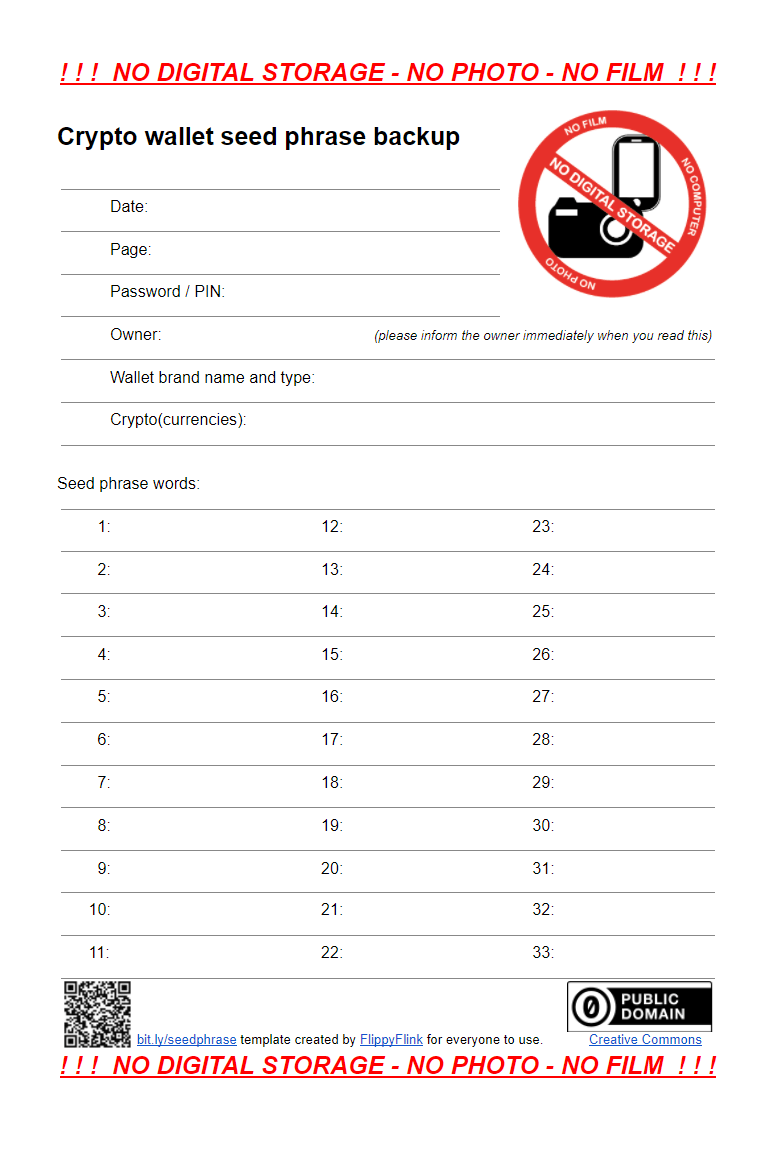
To protect your crypto assets, safeguard your recovery phrase backup. Secure it by splitting and storing it in different locations. This lowers the risk of losing or exposing the backup and boosts the recovery chances in emergencies. However, splitting the backup also has risks and challenges, like choosing the number, distribution and combination of parts.

You can split the backup using different methods, like paper or metal cards, QR codes, or NFC modules (e.g. EviSeed technology). You can also use cryptographic techniques like SSSS, a mathematical algorithm that divides the backup into shares that can be combined with a threshold number. For instance, you can split your backup phrase into 5 shares and require 3 shares to reconstruct it.

Using SSSS adds security and flexibility to your backup, as you do not need all the shares to recover it. You can also create share combinations for different scenarios or purposes (e.g. for yourself, your family or your lawyer). EviSeed technology also achieves this by sharing trust criteria among people in segments.

However, SSSS also has drawbacks, like more complexity and errors in your backup process. You need to use a compatible wallet that supports SSSS, such as Spectre or Unchained Capital. You should also regularly test your actions and ensure that you remember the threshold number and the location of the shares. By following these best practices, you can divide your recovery phrase backup for enhanced security and peace of mind.

How to cipher your secret phrase

To physically secure it and protect your privacy, encrypt your backup with a code or cipher. However, encryption also has risks and challenges, like choosing a secure and memorable code or cipher, following the method correctly, and avoiding errors.

You can encrypt your backup using various methods, like numbers, symbols, colors, or images. Cryptographic techniques such as BIP38 or BIP39 secret phrase encryption also work. They encrypt your private keys or seed phrase with a password. For example, BIP38 encrypts your private keys with a password and stores them on a paper wallet. Or BIP39 secret phrase encryption adds a password to your seed phrase and generates a different wallet.

Encryption adds privacy and security to your backup, as you need the encrypted seed phrase and password to access your funds. You can also create passwords for different scenarios or purposes (e.g. for yourself, your family or your lawyer). Freemindtronic’s EviSeed technology makes this possible.

However, encryption also has drawbacks, like more complexity and errors in your backup process. You also need a compatible wallet that supports encryption and regular tests of your encrypted backup, as well as the password and method. Freemindtronic’s EviSeed technology avoids these inconveniences by using NFC devices that natively feature two AES-256 encryption systems with keys over 256 bits and manage RSA-4096 keys.

How to Choose a Secure Wallet for Your Seed Phrase

Choose a secure wallet that generates and manages your starting phrase to physically safeguard it. A wallet is software or hardware that lets you create, store, and use your addresses and keys. You can choose from many types of wallets, such as online, mobile, desktop, or hardware wallets and hot wallets. Each wallet type has its pros and cons for security, convenience, and functionality.

A hardware wallet is the most secure type. It is a device that stores your keys offline and protects them from threats. It physical device also have features like PIN codes, secret phrases, recovery phrases, and some add trust criteria through segmented key systems for more security.

However, virtual and hardware wallets are not perfect and can have problems. That is why backing up your starting phrase physically and storing it safely is important. You should also pick a reputable and compatible hardware wallet that supports standard formats like BIP39 or SLIP39.Storage devices like the NFC module with Freemindtronic’s EviSeed technology also do this. They are secure for several reasons. Mainly, they are offline. They ensure end-to-end encryption of seed phrases from the module using AES 256 contactless and post-quantum encryption. Additionally, trust criteria can be added for each backup starting phrase, along with individual security measures. A user-defined multi-factor authentication system is also available to access the module.

In conclusion, pick a secure wallet to store your backups and protect your starting phrase.

How to Choose the Best Material for Your recovery phrase backup

You can use various materials to back up your seed phrase. Paper, metal, plastic, and wood are common. Now, hardened and waterproof NFC devices also exist. Each material has its pros and cons for cost, availability, quality, and security. Paper is cheap and easy to use, but easily damaged. Metal is strong and durable, but expensive and hard to write on. Plastic is lightweight and waterproof, but degrades over time. Wood is natural and biodegradable, but rots or burns.

However, hardened NFC devices (e.g. Freemindtronic’s IP89K NFC modules) are great. These devices resist many environmental factors and are durable. They don’t need a battery and preserve data for 40 years. The modules have EviSeed technology that controls errors through checksums when writing, reading, sharing or using. They are also affordable, available and secure (hardware and digital).

You can encrypt your backups in AES-256 by cloning or copying them between NFC modules (nearby or remotely via RSA-4096 encryption from the module) if you use NFC modules. You can also back up your seed phrases through RSA-4096 from the device in the cloud (via email USB key or other digital media) or on paper (by printing the encrypted QR Code in RSA-4096). The Freemindtronic Android NFC phone app scans the encrypted QR Code backup seed phrase easily.

An encrypted QR Code backup seed phrase is advantageous as it protects from prying eyes and brute force decryption. Your preferences budget and storage conditions determine the best material for your backup. You should also consider using multiple materials for redundancy and diversity. For example, you can use paper for a quick and easy backup, metal or NFC modules for secure and long-term backup, and plastic, wood, or NFC Tag for a backup that you can hide or disguise as an RFID door opening tag.

The best technique to backup the recovery phrase

Secret phrases, also known as recovery phrases or seed phrases, are key elements to use a physical wallet for cryptocurrencies. They consist of a set of 24 words randomly chosen, which serve as a backup for all the crypto-assets managed by the wallet. In case of loss or theft of the wallet, it is possible to restore access to the private keys by using the secret phrase.

There are different techniques to backup your secret phrase and protect it from risks related to loss, theft or deterioration. Here is an overview of the main options available:

Write down the secret phrase on a sheet of paper

This technique consists of writing the words of the secret phrase on a sheet of paper and keeping it in a safe place. You need to make sure that the phrase is correctly spelled, numbered and readable. You also need to avoid making a digital copy of the phrase, sharing it with anyone or entering it into a computer or smartphone.

Advantages and disadvantages

  • Advantages: this technique is simple, free and does not require any specific equipment. It allows you to keep full control over your secret phrase and your crypto-assets.
  • Disadvantages: this technique is vulnerable to physical hazards (fire, water, wear, etc.) and human errors (loss, theft, bad writing, etc.). It does not allow you to easily verify if the secret phrase is correct or compatible with the wallet.

Risks related to cyber security and cyber espionage

  • Risks related to cyber security: this technique does not involve exposure to networks or computer systems, so the risk of cyber security is low.
  • Risks related to cyber espionage: this technique involves physical exposure to malicious or indiscreet third parties, so the risk of cyber espionage is high.

The legal aspect and protection of sensitive data

  • Legal aspect: this technique does not pose any particular legal problem, unless the possession or use of crypto-assets is prohibited or regulated in the country concerned.
  • Protection of sensitive data: this technique does not guarantee optimal protection of sensitive data, as the secret phrase can be seen, copied or stolen by unauthorized third parties.
Another aspect that you need to consider when backing up your secret phrase is the legal aspect and protection of sensitive data. Depending on where you live and where you store your secret phrase, you may be subject to different laws and regulations regarding data privacy and security.

Data privacy refers to the right of individuals to control how their personal information is collected, used and shared by others. Data security refers to the technical measures taken to protect data from unauthorized access or disclosure.

Some examples of laws and regulations that may affect how you backup your secret phrase are:

  • GDPR (General Data Protection Regulation): A European Union law that aims to protect the personal data of EU citizens and residents by imposing strict rules on how data controllers and processors handle their data.
  • CCPA (California Consumer Privacy Act): A California state law that gives California consumers more control over their personal information by granting them rights such as access, deletion and opt-out.
  • HIPAA (Health Insurance Portability and Accountability Act): A US federal law that protects the privacy and security of health information by setting standards for how health care providers and other entities handle their data.

To comply with these laws and regulations, you need to be aware of:

  • The type of data that you backup: Is it personal data (such as name, email address or phone number) or sensitive data (such as health records, biometric data or financial information)?
  • The location where you backup your data: Is it within your country or jurisdiction, or is it in another country or region that may have different laws or standards?
  • The purpose for which you backup your data: Is it for personal use only, or is it for business or professional purposes?
  • The consent that you obtain from others: If you backup data that belongs to someone else (such as a client or a partner), do you have their permission and agreement on how you will use and protect their data?

To ensure that you respect the legal aspect and protection of sensitive data when backing up your secret phrase, you need to:

  • Choose a technique that suits your needs and preferences in terms of privacy and security.
  • Check the laws and regulations that apply to your situation and follow their requirements.
  • Inform yourself about the risks and responsibilities involved in backing up your secret phrase.
  • Respect the rights and interests of others whose data may be affected by your backup.

Use a metal device resistant to fire, water and corrosion

This technique consists of using a metal device resistant to fire, water and corrosion, such as a capsule or a plate, to engrave or insert the words of the secret phrase. This device can then be hidden or sealed in a safe place.

Advantages and disadvantages

  • Advantages: this technique offers better protection against natural elements, but it requires a higher financial investment and can attract the attention of malicious people.
  • Disadvantages: this technique requires a higher financial investment and can attract the attention of malicious people.

Risks related to cyber security and cyber espionage

  • Risks related to cyber security: this technique does not involve exposure to networks or computer systems, so the risk of cyber security is low.
  • Risks related to cyber espionage: this technique involves physical exposure to malicious or indiscreet third parties, so the risk of cyber espionage is high.

The legal aspect and protection of sensitive data

  • Legal aspect: this technique does not pose any particular legal problem, unless the possession or use of crypto-assets is prohibited or regulated in the country concerned.
  • Protection of sensitive data: this technique offers better protection of sensitive data than paper, as the metal device is more durable and less visible.
Another aspect that you need to consider when backing up your secret phrase is the legal aspect and protection of sensitive data. Depending on where you live and where you store your secret phrase, you may be subject to different laws and regulations regarding data privacy and security.

Data privacy refers to the right of individuals to control how their personal information is collected, used and shared by others. Data security refers to the technical measures taken to protect data from unauthorized access or disclosure.

Some examples of laws and regulations that may affect how you backup your secret phrase are:

  • GDPR (General Data Protection Regulation): A European Union law that aims to protect the personal data of EU citizens and residents by imposing strict rules on how data controllers and processors handle their data.
  • CCPA (California Consumer Privacy Act): A California state law that gives California consumers more control over their personal information by granting them rights such as access, deletion and opt-out.
  • HIPAA (Health Insurance Portability and Accountability Act): A US federal law that protects the privacy and security of health information by setting standards for how health care providers and other entities handle their data.

To comply with these laws and regulations, you need to be aware of:

  • The type of data that you backup: Is it personal data (such as name, email address or phone number) or sensitive data (such as health records, biometric data or financial information)?
  • The location where you backup your data: Is it within your country or jurisdiction, or is it in another country or region that may have different laws or standards?
  • The purpose for which you backup your data: Is it for personal use only, or is it for business or professional purposes?
  • The consent that you obtain from others: If you backup data that belongs to someone else (such as a client or a partner), do you have their permission and agreement on how you will use and protect their data?

To ensure that you respect the legal aspect and protection of sensitive data when backing up your secret phrase, you need to:

  • Choose a technique that suits your needs and preferences in terms of privacy and security.
  • Check the laws and regulations that apply to your situation and follow their requirements.
  • Inform yourself about the risks and responsibilities involved in backing up your secret phrase.
  • Respect the rights and interests of others whose data may be affected by your backup.

Use an online service to backup your seed phrase

One of the techniques to backup your seed phrase is to use an online service that connects it to your verified identity. This way, you can recover your keys with your ID and a selfie, and still keep control of your money. In this article, we will explore the advantages and disadvantages of this technique, as well as the risks and legal aspects involved.

Advantages and disadvantages of online seed phrase backup

  • Advantages: online seed phrase backup is easy and convenient. You don’t need to worry about storing or protecting a physical device or a paper backup. You can access your backup from anywhere with an internet connection and a compatible device. You can also benefit from the encryption and security features of the online service provider.
  • Disadvantages: online seed phrase backup exposes your secret phrase to risks of hacking, censorship or confiscation by third parties who can access the servers or the identification process. You need to trust that the online service provider and its servers are reliable, honest and secure. You also need to trust that your identity information is safe and not misused. You may face legal or regulatory issues depending on where you live and where the servers are located. You may also have to pay fees or subscriptions for using the online service.

Risks related to cyber security and cyber spying in online seed phrase backup

  • Risks related to cyber security: online seed phrase backup makes you use networks and computers, so the risk of cyber attacks is high. You need to trust that the online service and its servers protect your secret phrase and data well. You may face hackers, malware, ransomware, denial-of-service attacks or other threats that could compromise your backup or access to it. You may also face human errors, technical glitches or natural disasters that could damage or destroy the servers or your device.
  • Risks related to cyber spying: online seed phrase backup makes you use networks and computers, so the risk of cyber spying is high. You need to trust that the online service and its servers keep your secret phrase and data private. You may face spies, snoops, trackers, advertisers or other parties that could monitor, collect, analyze or share your backup or activity data. You may also face government agencies, law enforcement or courts that could request, subpoena or seize your backup or data for legal or national security reasons.
  • Risks related to phishing: online seed phrase backup makes you face fake messages and tricks that may make you give up your secret phrase or other information. Phishing is when someone pretends to be someone else, such as the online service or your wallet, to trick you into giving them your data or money. For example, you may receive an email that looks like it comes from the online service provider, asking you to verify your account or update your payment details by clicking on a link that leads to a fake website.
  • Risks related to bitb: online seed phrase backup makes you face bad browser add-ons that may change or see your web activity and take your secret phrase or other data. Bitb is when someone adds malicious code to a browser extension that can spy on or modify what you do online. For example, you may install an extension that claims to enhance your browsing experience, but actually records your keystrokes, screenshots your screen or redirects you to malicious websites.
  • Risks related to typosquatting: online seed phrase backup makes you face bad websites that look like the online service or your wallet, but have different spellings. Typosquatting is when someone registers a domain name that is similar to a legitimate one, but with a typo, to trick you into visiting their fake website. For example, you may type in www.onlineservice.com but end up on www.onlineservlce.com (with an L instead of an I), which looks identical but steals your login credentials or infects your device with malware.

The legal aspect and protection of sensitive data in online seed phrase backup

Online seed phrase backup may cause legal problems depending on the rules of the online service and its servers. You also need to think about the data privacy and security laws that affect you and follow them. Data privacy means the right of people to choose how their information is collected, used and shared by others. Data security means the ways to protect data from being seen or used by others who should not.

Some examples of laws and rules that may change how you backup your secret phrase are:

  • GDPR (General Data Protection Regulation): A European Union law that protects the information of EU people by making strict rules on how data controllers and processors handle their data.
  • CCPA (California Consumer Privacy Act): A California state law that gives California people more power over their information by giving them rights such as access, deletion and opt-out.
  • HIPAA (Health Insurance Portability and Accountability Act): A US federal law that protects the privacy and security of health information by making standards for how health care providers and other groups handle their data.

To follow these laws and rules, you need to know:

  • The kind of data that you backup: Is it personal data (such as name, email or phone) or sensitive data (such as health records, biometric data or money information)?
  • The place where you backup your data: Is it in your country or area, or is it in another country or area that may have different laws or standards?
  • The reason why you backup your data: Is it for yourself only, or is it for work or business purposes?
  • The permission that you get from others: If you backup data that belongs to someone else (such as a client or a partner), do you have their OK and agreement on how you will use and protect their data?

To make sure that you respect the legal aspect and protection of sensitive data when backing up your secret phrase, you need to:

  • Pick an online service that fits your needs and likes in terms of privacy and security.
  • Learn about the risks and duties involved in backing up your secret phrase.
  • Respect the rights and interests of others whose data may be affected by your backup.

Use a hybrid solution of cold wallet and online service

Another technique to backup your seed phrase is to use a hybrid solution of a cold wallet and an online service. A cold wallet is a device that stores your keys offline, such as a hardware wallet or a smart card. An online service is a platform that links your cold wallet to your verified identity and provides additional features, such as recovery, insurance or monitoring. This way, you can combine the security of a cold wallet with the convenience of an online service.

Advantages and disadvantages of hybrid seed phrase backup

  • Advantages: hybrid seed phrase backup is secure and flexible. You can store your keys on a cold wallet that is resistant to hacking, malware or network attacks. You can also access your backup from an online service that offers recovery options, identity verification or other benefits. You can choose the level of security and convenience that suits your needs and preferences.
  • Disadvantages: hybrid seed phrase backup is complex and costly. You need to buy and maintain a cold wallet device that is compatible with the online service. You also need to trust that the online service provider and its servers are reliable, honest and secure. You may face legal or regulatory issues depending on where you live and where the servers are located. You may also have to pay fees or subscriptions for using the online service or the cold wallet device. Some online services may also require you to renew your subscription annually or risk losing access to your backup. Some online services may also have access to your backup or keys, which could make them vulnerable to identity theft, fraud or coercion. Some online services may also split your backup into multiple servers or devices, which could increase the security but also the complexity of your backup.

Shamir’s Secret Sharing (SSS) method

Some online services use a technique called Shamir’s Secret Sharing (SSS) to split your seed phrase into multiple parts, called shares, that can be recombined to recover the original seed phrase. This technique allows you to distribute your backup across different locations, devices or people, and to set a threshold number of shares that are needed to restore your backup.

For example, you can split your seed phrase into 5 shares and store them on 5 different servers or devices. You can then set the threshold to 3, meaning that you need at least 3 out of 5 shares to recover your seed phrase. This way, you can protect your backup from being lost or stolen by one or two parties, but still be able to access it if you have 3 or more shares.

Some cold wallets use this technique to backup seed phrases in a secure way. They encrypt the parts of the seed phrase in a secure element in the device and send them to partners through a secure channel. When restoring, the parts are sent back by the partners and the seed phrase can be generated in the new device.

Advantages and disadvantages of SSS method
  • Advantages: SSS method is secure and resilient. You can increase the security of your backup by splitting it into multiple parts that are stored separately. You can also increase the resilience of your backup by setting a lower threshold that allows you to recover it even if some parts are lost or damaged.
  • Disadvantages: SSS method is complex and risky. You need to manage multiple parts of your backup and keep track of where they are stored and how they can be accessed. You also need to trust that the parties who hold the parts of your backup are reliable, honest and secure. You may face legal or regulatory issues depending on where the parts of your backup are located. You may also face technical or human errors that could compromise the integrity or availability of your backup.
Risks related to SSS method
  • Risks related to cyber security: SSS method makes you use networks and computers, so the risk of cyber attacks is moderate. You need to trust that the parties who hold the parts of your backup protect them well. You may face hackers, malware, ransomware, denial-of-service attacks or other threats that could compromise one or more parts of your backup or access to them. You may also face human errors, technical glitches or natural disasters that could damage or destroy one or more parts of your backup.
  • Risks related to cyber spying: SSS method makes you use networks and computers, so the risk of cyber spying is moderate. You need to trust that the parties who hold the parts of your backup keep them private. You may face spies, snoops, trackers, advertisers or other parties that could monitor, collect, analyze or share one or more parts of your backup or activity data. You may also face government agencies, law enforcement or courts that could request, subpoena or seize one or more parts of your backup for legal or national security reasons.
  • Risks related to collusion: SSS method makes you rely on multiple parties who hold the parts of your backup, so the risk of collusion is moderate. You need to trust that the parties who hold the parts of your backup do not cooperate with each other or with other parties to steal or misuse your backup. For example, if you split your seed phrase into 5 shares and set the threshold to 3, you need to trust that no 3 parties will collude to recover your seed phrase without your consent or knowledge.
  • Risks related to fragmentation: SSS method makes you split your seed phrase into multiple parts, so the risk of fragmentation is moderate. You need to ensure that the parts of your backup are compatible and consistent with each other and with the original seed phrase. You may face errors in splitting or recombining the parts of your backup that could result in an invalid or corrupted seed phrase. You may also face changes in formats or standards that could make some parts of your backup obsolete or incompatible.

The legal aspect and protection of sensitive data in hybrid seed phrase backup

Hybrid seed phrase backup may cause legal problems depending on the rules of the online service and its servers. You also need to think about the data privacy and security laws that affect you and follow them. Data privacy means the right of people to choose how their information is collected, used and shared by others. Data security means the ways to protect data from being seen or used by others who should not.

Some examples of laws and rules that may change how you backup your secret phrase are:

  • GDPR (General Data Protection Regulation): A European Union law that protects the information of EU people by making strict rules on how data controllers and processors handle their data.
  • CCPA (California Consumer Privacy Act): A California state law that gives California people more power over their information by giving them rights such as access, deletion and opt-out.
  • HIPAA (Health Insurance Portability and Accountability Act): A US federal law that protects the privacy and security of health information by making standards for how health care providers and other groups handle their data.

To follow these laws and rules, you need to know:

  • The kind of data that you backup: Is it personal data (such as name, email or phone) or sensitive data (such as health records, biometric data or money information)?
  • The place where you backup your data: Is it in your country or area, or is it in another country or area that may have different laws or standards?
  • The reason why you backup your data: Is it for yourself only, or is it for work or business purposes?
  • The permission that you get from others: If you backup data that belongs to someone else (such as a client or a partner), do you have their OK and agreement on how you will use and protect their data?

To make sure that you respect the legal aspect and protection of sensitive data when backing up your secret phrase, you need to:

  • Pick an online service that fits your needs and likes in terms of privacy and security.
  • Learn about the risks and duties involved in backing up your secret phrase.
  • Respect the rights and interests of others whose data may be affected by your backup.

Use a contactless technology

This technique consists of using a contactless technology that allows you to store your secret phrase in an electronic device, such as a card or a keychain, that works with NFC (Near Field Communication) technology. This device can be used with a compatible smartphone to backup and share your private keys, passwords or secret phrases.

Advantages and disadvantages

  • Advantages: this technique offers ease of transport and resistance to shocks. It also allows you to verify and restore your secret phrase at any time with your smartphone.
  • Disadvantages: this technique requires a compatible smartphone and a dedicated app. It also exposes you to the risks of loss or theft of your device. This can be dangerous if the NFC Cold Wallet does not have a digital backup system encrypted that can allow restoration in another device and/or a cloning or copying system between NFC devices, such as the EviSeed technology.

Risks related to cybersecurity and cyberespionage

  • Risks related to cybersecurity: this technique is not connected to networks, computer systems or servers in principle and has no database with the same properties as an HSM, so the cybersecurity risk is almost nil. You must ensure that your device and your smartphone are protected by PIN codes or passwords or a multi-authentication system, and that you use a reliable and secure app of origin.
  • Risks related to cyberespionage: in principle, a cold wallet is not connected and cannot be exposed to espionage on networks and computer systems. However, the attack by listening to the NFC signal is possible if the device is not equipped with a security and encryption system. The risk of remote espionage is therefore almost nil. As for proximity cyberespionage, whether invasive or non-invasive, the risk is nil to moderate depending on the type of security and access control implemented. You should avoid sharing your secret phrase with unauthorized third parties or using it in public or insecure places. Some technologies such as EviSeed have an encrypted sharing system with trust criteria defined by the sender that the recipient cannot modify and must also have an NFC device to access the secret phrase.

The legal aspect and the protection of sensitive data

  • Legal aspect: this technique does not pose any particular legal problem, unless the possession or use of crypto assets is prohibited or regulated in the country concerned.
  • Protection of sensitive data: this technique depends on the encryption and security measures implemented by the electronic device and its NFC technology. You should inquire about the technical characteristics and guarantees offered by the manufacturer or supplier of the device.
Another aspect that you need to consider when backing up your secret phrase is the legal aspect and protection of sensitive data. Depending on where you live and where you store your secret phrase, you may be subject to different laws and regulations regarding data privacy and security.

Data privacy refers to the right of individuals to control how their personal information is collected, used and shared by others. Data security refers to the technical measures taken to protect data from unauthorized access or disclosure.

Some examples of laws and regulations that may affect how you backup your secret phrase are:

  • GDPR (General Data Protection Regulation): A European Union law that aims to protect the personal data of EU citizens and residents by imposing strict rules on how data controllers and processors handle their data.
  • CCPA (California Consumer Privacy Act): A California state law that gives California consumers more control over their personal information by granting them rights such as access, deletion and opt-out.
  • HIPAA (Health Insurance Portability and Accountability Act): A US federal law that protects the privacy and security of health information by setting standards for how health care providers and other entities handle their data.

To comply with these laws and regulations, you need to be aware of:

  • The type of data that you backup: Is it personal data (such as name, email address or phone number) or sensitive data (such as health records, biometric data or financial information)?
  • The location where you backup your data: Is it within your country or jurisdiction, or is it in another country or region that may have different laws or standards?
  • The purpose for which you backup your data: Is it for personal use only, or is it for business or professional purposes?
  • The consent that you obtain from others: If you backup data that belongs to someone else (such as a client or a partner), do you have their permission and agreement on how you will use and protect their data?

To ensure that you respect the legal aspect and protection of sensitive data when backing up your secret phrase, you need to:

  • Choose a technique that suits your needs and preferences in terms of privacy and security.
  • Check the laws and regulations that apply to your situation and follow their requirements.
  • Inform yourself about the risks and responsibilities involved in backing up your secret phrase.
  • Respect the rights and interests of others whose data may be affected by your backup.

Use a mnemonic method

This technique consists of using a mnemonic method that consists of associating each word of the secret phrase with a mental image or a story. This method allows you to memorize your secret phrase more easily without having to write it down or store it. It requires however a good memory and regular repetition to not forget your secret phrase.

Advantages and disadvantages

  • Advantages: this technique offers discretion and total independence, but it exposes the secret phrase to risks of amnesia, confusion or interference.
  • Disadvantages: this technique exposes the secret phrase to risks of amnesia, confusion or interference.

Risks related to cyber security and cyber espionage

  • Risks related to cyber security: this technique does not involve exposure to networks or computer systems, so the risk of cyber security is low.
  • Risks related to cyber espionage: this technique does not involve exposure to networks or computer systems, so the risk of cyber espionage is low.

The legal aspect and protection of sensitive data

  • Legal aspect: this technique does not pose any particular legal problem, unless the possession or use of crypto-assets is prohibited or regulated in the country concerned.
  • Protection of sensitive data: this technique offers optimal protection of sensitive data as long as you do not reveal your mnemonic method or your secret phrase.
Another aspect that you need to consider when backing up your secret phrase is the legal aspect and protection of sensitive data. Depending on where you live and where you store your secret phrase, you may be subject to different laws and regulations regarding data privacy and security.

Data privacy refers to the right of individuals to control how their personal information is collected, used and shared by others. Data security refers to the technical measures taken to protect data from unauthorized access or disclosure.

Some examples of laws and regulations that may affect how you backup your secret phrase are:

  • GDPR (General Data Protection Regulation): A European Union law that aims to protect the personal data of EU citizens and residents by imposing strict rules on how data controllers and processors handle their data.
  • CCPA (California Consumer Privacy Act): A California state law that gives California consumers more control over their personal information by granting them rights such as access, deletion and opt-out.
  • HIPAA (Health Insurance Portability and Accountability Act): A US federal law that protects the privacy and security of health information by setting standards for how health care providers and other entities handle their data.

To comply with these laws and regulations, you need to be aware of:

  • The type of data that you backup: Is it personal data (such as name, email address or phone number) or sensitive data (such as health records, biometric data or financial information)?
  • The location where you backup your data: Is it within your country or jurisdiction, or is it in another country or region that may have different laws or standards?
  • The purpose for which you backup your data: Is it for personal use only, or is it for business or professional purposes?
  • The consent that you obtain from others: If you backup data that belongs to someone else (such as a client or a partner), do you have their permission and agreement on how you will use and protect their data?

To ensure that you respect the legal aspect and protection of sensitive data when backing up your secret phrase, you need to:

  • Choose a technique that suits your needs and preferences in terms of privacy and security.
  • Check the laws and regulations that apply to your situation and follow their requirements.
  • Inform yourself about the risks and responsibilities involved in backing up your secret phrase.
  • Respect the rights and interests of others whose data may be affected by your backup.

How to update your backup phrase

Sometimes, you may need to update your Backup phrase if you change your wallet settings or switch to a different custody model. For example, if you add a passphrase to your singlesig wallet, you need to update your backup phrase with the new passphrase. Or if you migrate from singlesig to multisig, you need to create new recovery phrase backups for each of the multisig keys.

To update your recovery phrase backup, follow these steps:

  1. Make sure you have access to your current recovery phrase backup and any other information that may affect your wallet, such as a passphrase or a derivation path.
  2. Create a new physical backup of your updated seed phrase using the same methods and materials as before.
  3. Test your new recovery phrase backupusing a different device or platform than the one you used to create or update your wallet.
  4. If everything matches, your new recovery phrase backup works and you can safely destroy or erase your old recovery phrase backup.
  5. If something doesn’t match, check for errors in your new recovery phrase backup and try again.

Why and How to Share Your Recovery Phrase Backup with Trusted Parties.

In some cases, If you choose to share your backup seed phrase with trusted individuals, such as family, friends, or lawyers, to ensure your cryptographic assets remain accessible in emergencies, accidents, or death. However, sharing your backup seed phrase has risks and challenges, such as choosing trustworthy individuals, secure communication, and preventing conflicts or disputes.

If you want to share your approved seed phrase with others, follow these steps:

  1. Choose trusted individuals who have knowledge about cryptography to access your backup seed phrase. Explain to them the risks and responsibilities associated with accessing it, as well as what a seed phrase is and how it works.
  2. Select a secure communication method that protects your privacy and prevents unauthorized access or interception. You can use encrypted messaging apps, password-protected files, or face-to-face meetings. For an added layer of security, you can use Freemindtronic’s EviSeed technology. EviSeed allows you to share your encrypted seed phrases offline via the Near Field Communication (NFC) encrypted communication protocol between end-to-end encrypted NFC devices. You can also share your seed phrases via an RSA-4096 encrypted QR code, which can be generated from an NFC device and shared through any means of communication, including air gap (webcam, proximity, email, SMS, chat, face-to-face).
  3. Share your backup seed phrase with chosen individuals using the secure communication method selected. Include any relevant information for accessing or managing your cryptographic assets, such as a secret phrase, derivation path, or wallet instructions. Use EviSeed’s patented technology for higher security, including segmented key authentication by adding trust criteria.
    For example, share one or more trust criteria to control access conditions to your AES-256 post-quantum encrypted seed phrases. Share a password associated with a unique geographic zone, which must be used in a specific location to decrypt your seed phrase. Provide this password to a trusted third party who does not know the geographic zone or who can only access it under complicated conditions, such as at a notary, sealed by a bailiff, or in a bank vault.
  4. Once you have shared your backup seed phrase with your chosen individuals, ask them to confirm that they have received and understood it, as well as any other relevant information.</li>
  5. Keep their contact information in a safe place in case you need to contact them in the future.
  6. With EviSeed technology, you have other options for sharing backup seed phrases. You can clone your NFC device with all of your trust criteria onto another Freemindtronic NFC device. Then, you can entrust it to a trusted third party or keep it in an easily remembered location. Choose an extremely rugged and waterproof IP89KNFC device to limit the risk of damage. Your recovery phrase backups are also protected against the risk of theft or loss since the device is physically locked with multi-factor physical and digital authentication. Additionally, if you have added trust criteria, even if the access controls are compromised, your recovery phrase backups will remain secure until all the trust criteria you have defined are validated. You can also share your individually encrypted and protected seed phrases by trust criteria, which you can also share in a segmented manner among various individuals, as explained above.
  7. Lastly, make sure to periodically review and update your list of trusted individuals, as well as your communication and security methods, to ensure the ongoing protection and accessibility of your cryptographic assets.
SeedNFC HSM Tag Format in Multiple Colors with Free Bluetooth Keyboard Emulator for Model 100
The SeedNFC HSM Tag format, available in multiple colors, includes a free Bluetooth keyboard emulator for the Model 100. Manage your cryptocurrency securely and conveniently.

Best practices for creating and storing your physical backup

Here are some best practices that you should follow when creating and storing your physical backup:

  • Write down or engrave your seed phrase on a durable material such as paper, metal or plastic. Avoid using materials that can fade, rust, melt or degrade over time.
  • Use a pen or a tool that produces clear and permanent marks on the material. Avoid using pencils, markers or stickers that can smudge, erase or peel off.
  • Use a standard format for writing down your seed phrase such as BIP39 or SLIP39. These formats use a predefined list of words that are easy to spell and recognize. Avoid using abbreviations, acronyms or symbols that can cause confusion or errors.
  • Make multiple copies of your physical backup and store them in different locations. This way, you can reduce the risk of losing all your backups in case of theft, loss or damage. You can also use different materials for each copy to increase the durability and diversity of your backups.
  • Store your physical backups in a safe and secret place that only you know and can access. You can use a safe, a lockbox, a hidden compartment or any other secure container that can protect your backups from unauthorized access or environmental factors.
  • Do not share your seed phrase with anyone or store it online. Your seed phrase is the key to your crypto wallet and funds. If you share it with anyone or store it online, you are exposing yourself to the risk of losing your funds to hackers, scammers or third parties.

Tools for Creating and Storing Your Physical Backups

Several tools help you create and store your physical backups easily and securely. These tools let you write or engrave your seed phrase on durable materials, protecting them from damage or tampering. Here are some examples:

CryptoSteel: This device engraves your seed phrase on stainless steel tiles that resist fire, water, and corrosion. The tiles assemble in a metal casing with a lock and a seal. CryptoSteel is compatible with BIP39 and SLIP39 formats and stores up to 24 words.

Billfodl: This device also engraves your seed phrase on stainless steel tiles that resist fire, water, and corrosion. The tiles arrange in a metal frame with a sliding cover and a seal. Billfodl is compatible with the BIP39 format and stores up to 24 words.

Cobo Tablet: This device also engraves your seed phrase on stainless steel tiles that resist fire, water, and corrosion. The tiles insert into a metal plate with holes for each word position. Cobo Tablet is compatible with the BIP39 format and stores up to 24 words.

Paper Wallet: This is the simplest way to create a physical backup. You just write your seed phrase on paper with a pen. You can also print your seed phrase if you prefer. However, paper wallets are not durable and can be damaged by fire, water, or wear and tear.

NFC Seed Backup: This device encrypts and saves your seed phrase on an NFC coin that resists fire, water, and corrosion. An app on your smartphone scans the NFC coin and views your seed phrase without leaving anything visible. NFC Seed Backup is compatible with the BIP39 format and stores up to 24 words.

EviSeed: EviSeed is a technology developed by Freemindtronic that allows you to save and share sensitive data such as private keys, recovery phrases, or passwords. It is integrated into physical devices such as electronic cards that work with NFC (Near Field Communication) technology. The EviSeed technology offers several advantages:</p>

  • The EviSeed technology uses two patented systems of multifactor authentication and advanced access control.


  • It encrypts data with the AES256 algorithm, ensuring a high level of security.
  • It stores data in EPROM memory, ensuring long-term durability without a battery.
  • It allows data sharing via QR code, NFC tag, NFC reader/writer, Bluetooth, Wi-Fi, SMS, email, etc.
  • It supports multiple languages, formats, standards, protocols, etc.
  • It protects data with patented physical blockchain technology, allowing user-defined access control, authentication, encryption, decryption, etc.
  • EviSeed is compatible with BIP39, SLIP39, and IOTA formats and can store up to 100 recovery phrases.
  • It protects data with two international patents on access control and segmented key authentication.


et=”_blank” rel=”noopener”>DataShielder HSM PGP: This device allows you to encrypt all your seed phrases using the EviSeed function</strong> for just €39 as a one-time cost. This enables users to duplicate the seed phrases multiple times and store them in different locations, ensuring cyber resilience.

et=”_blank” rel=”noopener”>SeedNFC HSM: This device incorporates advanced technologies such as AES-256 CBC to secure recovery phrases and an RSA 4096 key pair</strong> to share or duplicate them even remotely between NFC HSMs. This device can store up to 100 BIP39 seed phrases (12/15/18/21/24 words) in 8 languages: English, French, Italian, Spanish, Japanese, Korean, Simplified Chinese, and Traditional Chinese. It also manages up to 50 different wallets on the Bitcoin and Ethereum blockchains and is discreet and easy to carry.</p>

Keepser: Keepser is another product based on EviSeed technology created by Keepser Group. It allows you to store up to 100 recovery phrases on an electronic card embedded in military-grade resin. It offers the same features as EviSeed plus some additional benefits.

Understanding and Securing Your Recovery Phrase

In this article, we have explained what a recovery phrase is and how to secure it. A recovery phrase is a list of 12 or 24 words that can restore your crypto wallet and your private keys on any device. It is the ultimate key to access your crypto assets, so you need to keep it safe and secret.

Tips for Physically Backing Up and Storing Your Recovery Phrase

We have given some tips on how to physically back up your recovery phrase and store it in a safe and secret place. Some of the methods include:

  • Writing it down on paper and keeping it in a fireproof and waterproof container.
  • Engraving it on durable metals like stainless steel or titanium and hiding it in a secure location.
  • Encrypting it with a strong password and storing it on an offline device or a cloud service that you trust.
  • Using a legitimate and trustworthy hardware wallet and keeping it away from physical damage or malware.</p></li>
  • Using a decentralized digital vault that offers a high level of security and privacy and does not require you to trust a third party.
  • </p>

Introducing EviSeed Technology

We have introduced EviSeed, a technology developed by Freemindtronic that allows you to store and share your recovery phrase securely and contactlessly. EviSeed uses NFC technology to store your recovery phrase in a hardware device. This device can last for at least 40 years without a battery or maintenance. This provides a highly reliable method for securing your recovery phrase.

Furthermore, EviSeed employs its own patented segmented key technology to add criteria to the encryption keys of your recovery phrases. All segments must be reunited and validated to access your seed phrases. This gives you total control of the segmentation from end to end with your NFC HSM device by Freemindtronic. EviSeed is compatible with all BIP39 recovery phrases and offers several solutions for storing encrypted recovery phrases. These solutions include externalizing them from the NFC device. This ensures you can recover your recovery phrase in case of loss or theft.

In Summary

we hope this article has helped you understand the importance of securing your recovery phrase. Additionally, we have discussed the different options available to do so. Remember, your recovery phrase is the key to your crypto wealth. Therefore, treat it with care and respect.

Among the various solutions, we believe that EviSeed is the most innovative and reliable one. This solution combines the advantages of physical and digital backups. Furthermore, it adds an extra layer of security and convenience. With EviSeed, you can access your crypto funds with ease and confidence. Consequently, you won’t fear losing or compromising your recovery phrase.
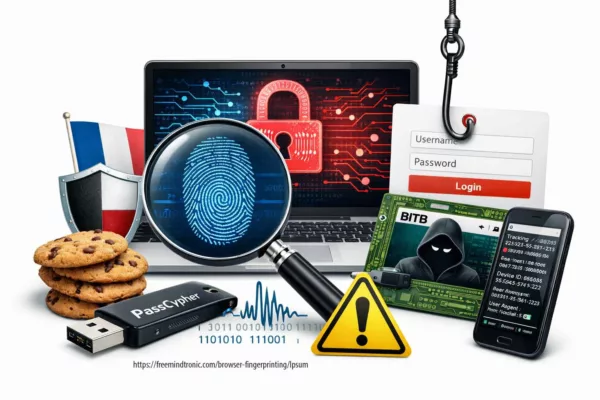
BITB Attacks: How to Avoid Phishing by iFrame

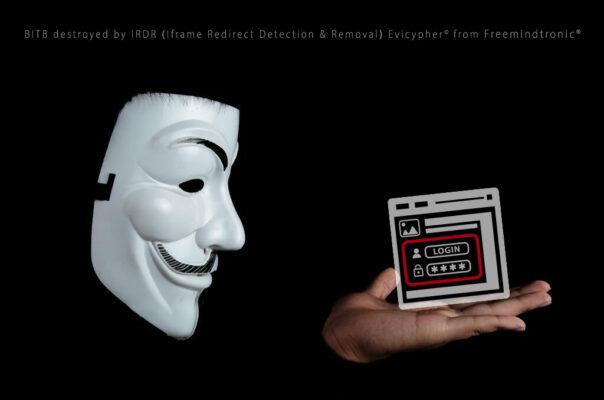
BITB attacks Browser-In-The-Browser remove delete destroy by IRDR Ifram Redirect Detection Removal since EviCypher freeware web extension open-source from Freemindtronic in Andorra

Browser-in-the-Browser (BITB) attacks: interface forgery through redirection iframes and the structural limits of browser trust. First published on May 10, 2023 and updated on February 27, 2026, this Chronicle documents an architectural shift in phishing methodology: credential compromise without breaking encryption, by relocating the attack surface from transport security to interface authority.

Originally demonstrated as visibly forged popup authentication windows rendered inside the browser viewport, BITB techniques have evolved toward more discreet DOM-integrated authentication simulations. The visual form may differ. The structural mechanism does not. In both cases, authentication is rendered inside a page-controlled context through redirection iframes and DOM authority abuse.

This Chronicle does not treat BITB as “advanced phishing.” It treats it as a browser authority boundary problem.

TL;DR
Browser-in-the-Browser (BITB) attacks do not break TLS. They exploit interface authority by rendering forged authentication flows inside page-controlled DOM contexts through redirection iframes. Visible popups and stealth layout-integrated variants share the same structural vector. Mitigation requires origin validation and reduction of DOM authority — not visual detection alone.

Executive summary

Context

Single Sign-On (SSO) adoption normalized the presence of third-party authentication windows inside web sessions. Users were trained to interpret visual familiarity as authenticity. However, modern web standards allow any page to render an interface visually indistinguishable from an external authority. Encryption protects payload confidentiality. It does not authenticate the legitimacy of what the user sees.

Purpose

This Chronicle provides a structural and doctrinal analysis of Browser-in-the-Browser attacks across both visible and stealth variants. It clarifies the boundary exploited, distinguishes perception from authority, and frames mitigation at the architectural level.

Scope

  • Visible popup-based BITB demonstrations (2022–2023)
  • Stealth DOM-integrated authentication forgeries (2024–2026 evolution)
  • Redirection iframe exploitation
  • Password manager autofill implications
  • Credential harvesting without TLS compromise

Out of scope: cryptographic TLS break, browser zero-day exploitation, vendor-specific code weaponization.

Design doctrine

Authentication integrity is not a transport property. It is a boundary property. When authentication UI is rendered inside a page-controlled DOM, authority collapses into that page. Visual cues become unverifiable.

Strategic differentiator

BITB is frequently categorized as phishing sophistication. This Chronicle frames it differently: a browser authority misplacement. Whether the interface is visibly simulated or seamlessly integrated into layout, the dependency remains identical — DOM authority combined with redirection control.

Key takeaway

HTTPS secures transport. It does not secure interface authority. Whether authentication appears as a visible popup or an integrated form, if it is rendered inside a page-controlled DOM through redirection iframe logic, its legitimacy cannot be cryptographically guaranteed. Mitigation must therefore address structural authority — not visual perception.

Technical note
Express: ≈ 3–4 minutes
Advanced: ≈ 5–6 minutes
Chronicle: ≈ 30–40 minutes
First publication: May 10, 2023
Major update: February 27, 2026
Level: Web Security / Authentication Integrity / UI Authority
Posture: Architectural boundary analysis
Category: Digital Security
Available languages: EN · FR · CAT · ES
Impact level: 8.9 / 10 — credential integrity compromise vector

Editorial note — This Chronicle belongs to Digital Security. It extends Freemindtronic’s R&D on sovereign authentication architectures. The subject is not decryption, but interface authority misplacement. It documents how redirection iframes and DOM overlays can simulate external authentication providers within encrypted sessions. It follows the Freemindtronic Andorra AI transparency statement — FM-AI-2025-11-SMD5.
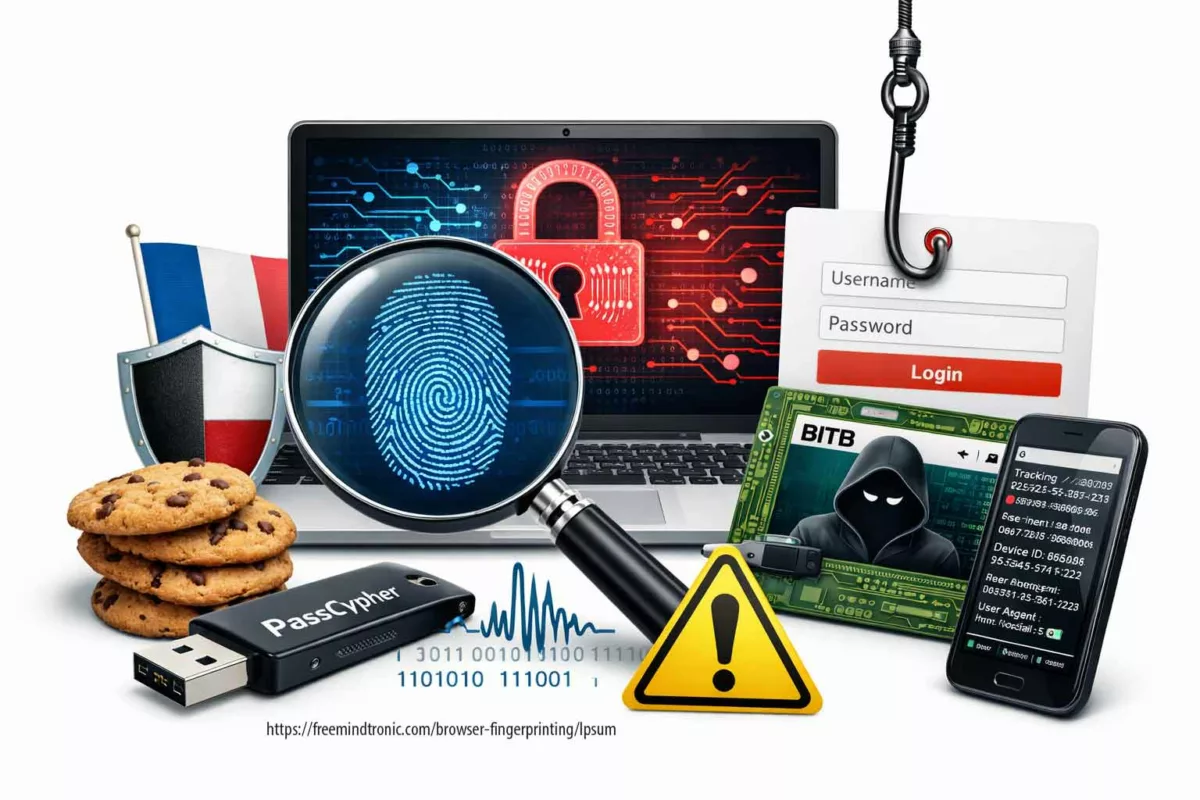
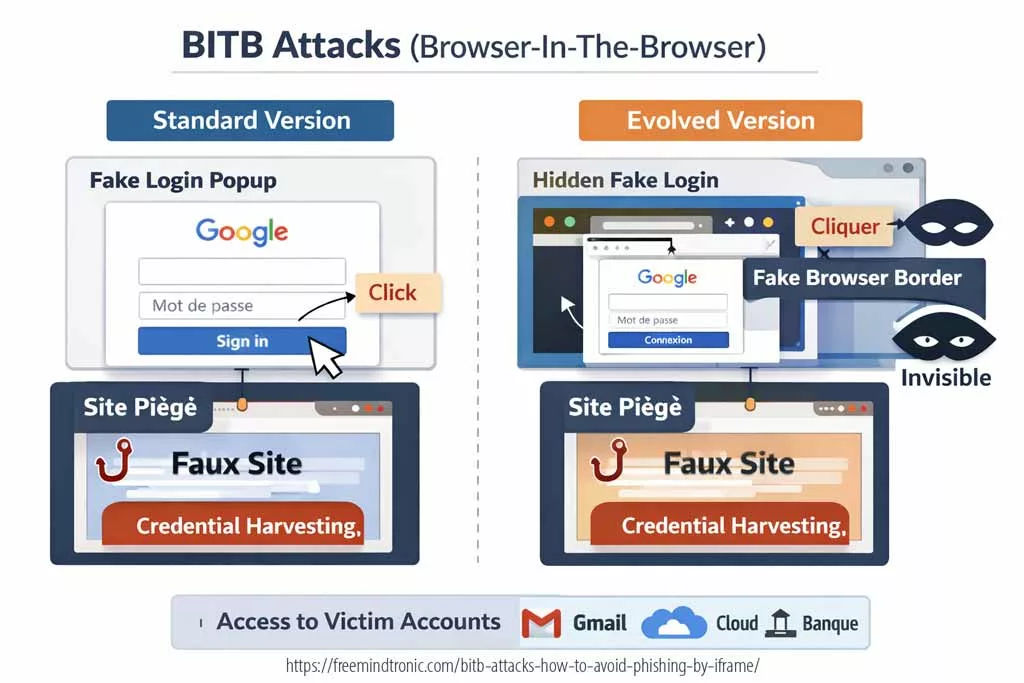
Diagram illustrating BITB attacks (Browser-in-the-Browser), including visible fake login popup and invisible redirection iframe phishing variants targeting SSO authentication

Key insights

  • Encryption does not authenticate interface authority.
  • BITB evolved perceptually, not structurally.
  • Redirection iframes remain the invariant attack vector.
  • Password managers can amplify risk if origin validation is weak.
  • Sovereign authentication boundaries neutralize DOM authority exposure.

2026 Cyber Doctrine Digital Security

Whisper Leak side-channel and LLM token leakage

2025 Cyber Doctrine Cyberculture

Souveraineté individuelle numérique : fondements et tensions globales

2024 Cyber Doctrine Cyberculture

Digital Authentication Security: Protecting Data in the Modern World

2025 Cyber Doctrine Cyberculture

Time Spent on Authentication: Detailed and Analytical Overview

2024 2025 Cyber Doctrine Cyberculture

Quantum Threats to Encryption: RSA, AES & ECC Defense

2025 Cyber Doctrine Cyberculture

Sovereign Passwordless Authentication — Quantum-Resilient Security

2024 Cyber Doctrine Cyberculture Legal information

ANSSI Cryptography Authorization: Complete Declaration Guide

Articles Cyber Doctrine EviCore NFC HSM Technology legal News Training

Dual-Use Encryption Products: a regulated trade for security and human rights

2024 Cyber Doctrine Cyberculture

ITAR Dual-Use Encryption: Navigating Compliance in Cryptography

2024 Cyber Doctrine Cyberculture

Encryption Dual-Use Regulation under EU Law

2025 Cyber Doctrine Cyberculture

Uncodified UK constitution & digital sovereignty

2026 Cyber Doctrine

Zero-knowledge governance 2026: cryptographic floors

Advanced summary

The initial public demonstrations of BITB rendered a visually convincing browser window inside the viewport, complete with simulated address bar and lock indicators.

Subsequent evolutions reduced overt visual signals. Authentication fields may now be blended into page layout, activated conditionally, or presented without clear modal boundaries.

However, both variants share identical structural dependencies:

  • Page-controlled DOM authority
  • Redirection iframe or embedded origin simulation
  • User trust transferred from visual familiarity

The evolution is perceptual. The authority boundary remains unchanged.

Chronicle core — browser authority displacement

Evolution 2023–2026

The 2022–2023 BITB demonstrations showed clearly visible simulated authentication popups.

By 2024–2026, phishing infrastructures increasingly integrated authentication forgery into layout itself, reducing perceptual anomalies. The absence of a visible modal does not remove the underlying mechanism. It merely reduces detection probability by human observation.

The attack surface remains:

  • Redirection iframe injection
  • DOM-controlled rendering
  • Credential submission inside page authority

External confirmation — embedded authentication risk

Modern security guidance from major platform vendors confirms the structural risk of embedded or page-controlled authentication flows.

  • Google Identity Security Guidance explicitly warns against performing OAuth flows inside embedded webviews or page-controlled contexts, emphasizing origin validation and external authority enforcement.
  • OWASP Clickjacking documentation describes UI redress attacks where invisible or overlaid frames manipulate user interaction without breaking transport security.
  • Microsoft Security research documents phishing campaigns that harvest credentials and OAuth tokens without TLS compromise, relying on interface deception and redirection control.
Authoritative references:
• Google Identity — OAuth security considerations: developers.google.com
• OWASP Clickjacking: owasp.org

Structural mechanism

BITB does not require transport compromise. It requires authority confusion.

The browser enforces TLS at the connection layer. It does not enforce authenticity of interface elements rendered inside a page context.

When authentication is performed inside a page-controlled environment, the page effectively becomes the authority — even if it visually simulates an external provider.

Risks and consequences

For users:

  • SSO identity compromise cascading across services
  • Credential replay and session hijacking
  • Financial and reputational damage

For organizations:

  • Trust boundary erosion
  • Regulatory exposure
  • Operational compromise
  • Brand degradation

Threat model — who can exploit BITB and why it scales

BITB should be modeled as a trust-boundary displacement rather than a content interception attack. The attacker does not need to decrypt traffic. The attacker needs the victim to authenticate into a page-controlled interface that is rendered to appear like an external authority.

From an operational standpoint, the threat model includes:

  • Commodity phishing operators using turnkey kits and template flows (SSO imitation, iFrame injection, credential forwarding).
  • Targeted operators embedding BITB into realistic pretexts (invoice workflows, IT notices, crypto dashboards, SaaS access portals).
  • Hybrid campaigns combining mail delivery + web payload + conditional rendering to bypass sandboxes and automated crawlers.

The scaling factor is not sophistication. It is repeatability: once an interface can be forged at the DOM layer, it can be replicated across brands, languages, and contexts.

Visible vs stealth BITB — same mechanism, different perceptual footprint

The BITB family can be separated into two operational presentations:

  • Visible BITB: a forged “window” rendered inside the viewport, typically with a simulated URL bar and provider branding.
  • Stealth BITB: authentication forgery blended into layout (no distinct modal boundary), reducing human-detectable anomalies.
Variant What the user perceives What stays invariant Primary detection failure
Visible BITB Popup-like window within the page DOM-controlled rendering + redirection iframe logic User trusts familiar popup visuals
Stealth BITB Login fields appear “normal” inside page flow DOM-controlled rendering + redirection iframe logic No obvious modal boundary to trigger suspicion
⮞ Summary: The evolution is perceptual. The mechanism remains DOM authority plus redirection control.

Stealth BITB vs AiTM phishing — structural distinction

BITB and Adversary-in-the-Middle (AiTM) phishing are frequently conflated. They are not identical threat classes. The distinction is structural.

  • BITB (visible or stealth) forges authentication inside a page-controlled DOM context.
  • AiTM phishing intercepts authentication through a reverse proxy positioned between victim and legitimate provider.
Dimension Stealth BITB AiTM phishing
Primary vector DOM authority + redirection iframe Reverse proxy relay
TLS break required No No
Credential exposure Submitted directly to attacker page Relayed through attacker-controlled proxy
Session token theft Possible if captured during flow Primary objective (cookie/session capture)
User perception Forged interface inside page Real interface proxied transparently

Stealth BITB displaces authority at the interface layer.
AiTM displaces authority at the network relay layer.

Both exploit user trust.
They differ in architectural insertion point.

Structural distinction: BITB forges the UI. AiTM relays the UI.

BITB vs Reverse Proxy phishing (Evilginx class)

Reverse proxy phishing frameworks such as Evilginx-class toolkits implement AiTM logic at scale. They proxy legitimate authentication providers and capture session cookies after successful login.

BITB differs fundamentally.

  • BITB simulates the authentication provider inside attacker DOM.
  • Reverse proxy phishing forwards authentication to the legitimate provider and captures resulting session artifacts.

Key structural difference:

  • BITB: authority illusion.
  • Reverse proxy phishing: authority relay.

In BITB, the victim authenticates into a forged context.
In reverse proxy phishing, the victim authenticates into a real context that is transparently proxied.

Both bypass visual inspection heuristics.
Mitigation differs:

  • BITB mitigation → origin validation + DOM authority reduction.
  • Reverse proxy mitigation → relocation of authentication secrets outside browser-controlled contexts and enforcement of hardware-backed origin validation workflows.

Understanding this distinction prevents conceptual conflation and improves defensive architecture selection.

Recent examples of BITB attacks

BITB attacks are not new, but they have become more systematic with SSO adoption. The following cases illustrate early public reporting patterns (2020) that remain structurally relevant today.

  • February 2020 (Steam / CS:GO lure): a campaign used fake game-related sites and a forged login window asking users to authenticate with Steam. Credentials were captured and accounts abused for item theft.
  • March 2020 (Office 365): emails led to a counterfeit Office 365 page that displayed a forged login window; credentials were harvested and used to access cloud resources.
  • September 2020 (Okta): phishing messages lured victims to a fake Okta page that rendered a forged authentication prompt, enabling compromise of downstream connected applications.

These examples show two stable properties:

  • BITB can target any SSO provider, because the victim trusts the UI pattern.
  • The redirect-to-legitimate behavior is part of the deception pipeline.

Visual demonstrations — why visible BITB still matters

The following demonstrations show the classic BITB model where a forged login window is visibly rendered within the browser viewport. This remains widely deployed because it leverages strong user trust reflexes and predictable SSO workflows.

Demonstration — identifying BITB reflexes (Mailinblack)

Stop Browser Fingerprinting & BITB Attack Protection — Freemindtronic — published February 4, 2025.

What are some statistics on BITB attacks?

BITB is a specific phishing technique, but its prevalence can be inferred through broader phishing metrics and SSO-targeting trends. The following reference points reflect the historical period emphasized in the original Chronicle baseline:

  • Phishing volumes increased sharply in 2020, with millions of detected phishing sites reported across quarters.
  • SSO-centric phishing increased because “Sign in with Google/Microsoft/Apple” normalizes third-party authentication prompts.
  • Early public BITB reporting demonstrated the technique in the wild well before it became widely discussed.

Operationally, the more relevant “statistic” is structural:

  • As SSO penetration increases, the number of contexts where users expect popups increases.
  • As that expectation increases, UI forgery becomes more reliable than domain spoofing alone.

How to effectively fight against BITB attacks?

BITB is difficult to detect because it attacks perception and routine. However, it is not undefeatable. Defensive posture must be built around authority verification rather than visual comfort.

  • Do not trust UI URL strings displayed inside a forged window. Treat them as untrusted page content.
  • Prefer manual navigation to known provider domains (typed URL or bookmarks) before authenticating.
  • Harden the browser: reduce untrusted extensions, restrict script execution where possible, and prefer isolation profiles for high-value accounts.
  • Constrain password manager behavior: require user confirmation, disable autofill on risky contexts, bind credentials to verified origins.
  • Use MFA with correct expectations: MFA reduces replay value but does not stop credential harvesting if the victim submits secrets into a forged interface.
Defense lever What it mitigates What it does not solve
Manual origin navigation Reduces exposure to forged prompts Does not help if the user is already inside a malicious session
Password-manager constraints Prevents silent autofill into attacker forms Does not stop manual credential typing
MFA (properly configured) Reduces direct replay value of passwords Does not prevent credential capture or token relay in some workflows
Isolation profiles Limits cross-context contamination Does not prove interface authenticity
Structural conclusion: BITB defense is not anomaly detection. It is authority verification before authentication.

How to prevent and protect yourself from BITB attacks using EviBITB technology?

EviBITB is designed to mitigate the redirection iframe vector commonly exploited in BITB-style interface forgeries. The objective is structural: reduce DOM authority over authentication by removing redirection surfaces and enforcing origin compliance before any credential transfer.

Reference technology page:
EviBITB — embedded technology to stop BITB phishing attacks.

EviBITB is integrated within Freemindtronic extensions compatible with NFC HSM-based workflows. In this model, encrypted authentication materials (identifiers, passwords, OTP seeds) are stored in a hardware-backed boundary, and released only after origin validation.

Benefits include:

  • Reduced exposure to forged authentication interfaces that rely on redirection iframes.
  • Reduced keylogging value because fewer secrets are typed into untrusted contexts.
  • Operational consistency across web contexts through validated origin workflows.
  • Privacy reinforcement by limiting third-party iframe-driven tracking surfaces.

How can EviBITB protect you from BITB attacks?

EviBITB enhances security by implementing a verification workflow prior to autofill or auto-login actions. The principle is straightforward: no origin integrity, no credential release.

Operationally, EviBITB can:

  • Analyze page structures to identify redirection iframe patterns commonly used in credential harvesting flows.
  • Surface warnings when a redirection origin is not compliant with expected authority.
  • Prevent credential transfer into contexts that fail origin validation.

This posture remains relevant even as BITB becomes less visually obvious, because the objective is to break the structural dependency of the attack.

How EviBITB technology can improve your browsing experience?

EviBITB is not only a security control. By neutralizing redirection iframes, it may also improve performance and privacy characteristics:

  • Faster load paths by removing third-party iframe requests.
  • Reduced bandwidth consumed by embedded cross-origin content.
  • Lower exposure to ad and popup delivery via iframe sources.
  • Reduced cross-site tracking via iframe cookie surfaces.
  • Improved page readability and reduced layout distraction.
⮞ Summary: Reducing iframe redirection surfaces reduces both attack surface and tracking surface.

How to use EviBITB to protect yourself from BITB attacks?

When EviBITB detects a suspicious redirection iframe, it presents an operational decision surface. The objective is to avoid automatic trust transfer.

Typical actions include:

  • Close Warning: closes the warning window without acting on the iframe.
  • Never Show Warnings On This Site: adds the site to a trusted list (use only if authority is confirmed).
  • Destroy: removes the suspected iframe from the page source context.
  • Clean Storage: clears storage artifacts associated with the iframe context.
  • Read More: redirects to the EviBITB documentation context.

When not to act — the non-negotiable boundary

There are situations where “mitigation” becomes security theater. In those cases, the correct response is to change posture rather than proceed.

  • If a login prompt appears inside a page and authority cannot be independently verified, do not authenticate.
  • If a browser environment is contaminated (unknown extensions, persistent redirects, policy changes), treat it as compromised until proven otherwise.
  • If a high-value workflow depends on UI trust alone, replace it with a sovereign boundary approach (hardware-backed secrets + verified origins).
Stop point
If interface authenticity cannot be asserted, the correct response is not “be careful.” It is “change the boundary.”

Signals watch — indicators that BITB exposure is increasing

Weak signals

  • More workflows shifting from passwords to SSO-only authentication.
  • More “embedded login experiences” inside SaaS and web apps.
  • Increased reliance on browser extensions for security decisions.

Medium signals

  • More phishing kits blending UI into page layout (reduced modal cues).
  • Higher frequency of conditional rendering (anti-bot gating, geo-fencing, timing triggers).
  • More credential capture that ends with legitimate redirection.

Strong signals

  • Credential compromise events where victims insist they “checked the URL” and it looked correct.
  • Incidents where password managers autofilled into the wrong context.
  • SSO account takeover cascading into multiple connected services.

Freemindtronic sovereign use case — reducing browser authority

Freemindtronic’s R&D posture treats credential integrity as a boundary property. The objective is to limit what the browser can decide and to relocate secrets to a hardened boundary.

Use-case principles (technology-agnostic):

  • Keep authentication materials outside page-controlled contexts.
  • Release secrets only after origin validation (sandboxed compliance).
  • Prefer hardware-backed storage and controlled disclosure workflows.

Within the Freemindtronic ecosystem, EviBITB contributes by reducing the iframe redirection surface frequently exploited by BITB campaigns, while PassCypher-class workflows support a credentialless or reduced-typing posture.

Beyond DOM authority — PassCypher HSM PGP architectural boundary

PassCypher HSM PGP does not rely on browser-rendered interface trust, embedded web flows, or UI integrity heuristics.
Its security model is based on:

  • Hardware-backed storage of authentication materials
  • Cryptographic validation of origin before disclosure
  • No automatic secret release inside page-controlled DOM contexts
  • NFC HSM–mediated authorization outside browser authority

This distinction is critical.

BITB exploits DOM authority.
Reverse proxy phishing exploits session relay.

PassCypher relocates the trust boundary outside both.

Authentication secrets are not resident in the browser DOM, not dependent on embedded flows, and not transferable without hardware validation.

Structural principle: if secrets are never exposed to page-controlled DOM authority, BITB loses its extraction vector.

How to get started with EviBITB?

Deploying EviBITB follows a structured workflow aligned with origin validation and hardware-backed authentication principles.

  • Download the browser extension corresponding to your environment.
  • Install and configure origin validation parameters.
  • Pair with an NFC-compatible Android device and/or NFC HSM if using hardware-backed authentication.
  • Validate first-login origin capture to establish compliance baseline.

Official distribution channels:

Technology reference: EviBITB — embedded technology overview

Glossary — BITB and interface authority

Browser-in-the-Browser (BITB)
Definition
A phishing technique that renders a forged authentication interface inside a page-controlled DOM, simulating an external authority.
Redirection iFrame
Definition
An embedded element loading content from another origin, frequently used in BITB to simulate third-party authentication contexts.
Interface authority
Concept
The implicit trust users assign to a rendered interface. In BITB, this authority is displaced from the genuine provider to the malicious page.

FAQ — Browser-in-the-Browser attacks

Is BITB a TLS vulnerability?
Answer
No. TLS remains intact. BITB exploits interface trust and DOM rendering authority. The compromise is achieved by displacing authentication into a page-controlled context, not by decrypting transport.
Does checking the URL always prevent BITB?
Answer
No. In visible BITB, the “URL bar” displayed inside the forged window can be simulated HTML. In stealth variants, authentication is blended into page layout without clear boundary cues. Authority verification must be independent of UI appearance.
Does MFA eliminate BITB risk?
Answer
MFA reduces replay value, but it does not prevent credential harvesting or token relay in certain workflows. BITB can still collect secrets or push victims through attacker-controlled authentication steps.
Is BITB limited to popups?
Answer
No. Modern variants can remove overt modal boundaries and integrate authentication forgery directly into the page flow. The invariant remains DOM authority combined with redirection control.
Why can password managers increase exposure?
Answer
If origin binding or user-confirmation settings are weak, a password manager may autofill into attacker-controlled forms. For BITB, this can turn a visual deception into a high-confidence credential capture.

What We Didn’t Cover

  • Zero-day browser rendering vulnerabilities
  • Token relay attacks and advanced session hijacking patterns
  • Mobile-specific BITB adaptations
  • Reverse proxy phishing frameworks
  • Vendor-specific implementation internals

Strategic Outlook — redefining authentication boundaries

BITB illustrates a structural inflection point in web security.

Historically, encryption equaled confidentiality. Modern web architectures show that confidentiality must now include interface integrity.

Modern web architectures show that confidentiality must now include interface integrity.

As authentication becomes increasingly embedded, modular, and visually normalized, the boundary between authority and presentation becomes fragile.

The strategic response is not incremental user training. It is architectural repositioning:

  • Reduce DOM authority over credential workflows.
  • Bind secrets to verified origins.
  • Relocate authentication trust to sovereign hardware-backed boundaries.

When interface authenticity cannot be asserted independently of page rendering, security posture must evolve accordingly.

Snake Malware: The Russian Spy Tool

Snake malware: The Russian that steals sensitive information for 20 years

Snake malware by Jacques gascuel This article will be updated with any new information on the topic, and readers are encouraged to leave comments or contact the author with any suggestions or additions.  

Snake: The Russian malware that steals sensitive information for 20 years

Snake is a malware that allows Russian intelligence services to collect and transmit sensitive information from hundreds of infected computers across 50 countries. It is a very sophisticated espionage tool, designed and used by Center 16 of the Federal Security Service of the Russian Federation (FSB) for long-term operations on strategic targets.

An example of technical analysis of Snake malware

To illustrate how Snake malware works in detail, we will use an example of technical analysis conducted by FortiGuard Labs on a fresh variant of Snake keylogger malware. This variant was captured in November 2021 and was delivered as an Excel file with malicious macro code. The main payload of Snake keylogger malware was an executable file named “Requests07520000652.exe”, which the macro code downloaded and executed

Snake malware’s core component

Several embedded resources were contained in the main payload, which was a .NET assembly file. Reflection loaded another .NET assembly file named “Guna.UI2.dll” into memory, which was one of theml”, which was loaded into memory by reflection. This file contained the core functionality of Snake keylogger malware, such as stealing information, taking screenshots, capturing clipboard data, and communicating with a command and control (C2) server.

How Snake malware steals sensitive data

The information stealing module was responsible for collecting various types of sensitive information from the infected system, such as:

  • System information: computer name, user name, operating system version, processor architecture, etc.
  • Saved credentials: passwords stored in browsers (Chrome, Firefox, Edge), email clients (Outlook), FTP clients (FileZilla), etc.
  • Keystrokes: keyboard input from various applications (browsers, email clients, chat programs, etc.)
  • Screenshots: images of the desktop or active window at regular intervals
  • Clipboard data: text or images copied to the clipboard

Snake stored the collected information in a temporary folder with random names and encrypted it with AES.

How Snake malware communicates with its operators

After the previous subsection, you can add this subsection:

The communication module was responsible for sending the encrypted information to a C2 server and receiving commands from it. The C2 server used a domain name that was generated by an algorithm based on the current date. The communication protocol used HTTP POST requests with custom headers and parameters. Snake encoded the data with Base64 and encrypted it with AES.

Some of the commands that the C2 server could send to the malware were:

  • GetInfo: request system information from the malware
  • GetLogs: request keystroke logs from the malware
  • GetClipboard: request clipboard data from the malware
  • GetScreen: demander des captures d’écran du malware
  • Mise à jour : téléchargez et exécutez une version mise à jour du malware
  • Désinstaller: supprimer le malware du système

CVE-2023-32784 : Pourquoi PassCypher protège vos secrets

Affiche de cinéma pour CVE-2023-32784, illustrant comment PassCypher protège vos secrets numériques contre les vulnérabilités de mémoire et les attaques zero-day.

PassCypher HSM protège les secrets numériques. Il protège vos secrets numériques hors du périmètre du système d’exploitation compromis. Il utilise des dispositifs NFC /HSM PGP chiffrés en AES-256 CBC. Cela garantit une protection optimale contre des attaques avancées comme CVE-2023-32784, où les secrets stockés dans des fichiers mémoire comme hiberfil.sys et pagefile.sys peuvent être vulnérables à l’exfiltration. Découvrez comment PassCypher peut sécuriser vos données même en cas de compromission du système.

Résumé express — Sécurisez vos secrets numériques contre CVE-2023-32784 avec PassCypher

D’abord, ce résumé express (≈ 4 minutes) vous donnera une vue d’ensemble des enjeux de la vulnérabilité CVE-2023-32784 et de la protection des secrets avec PassCypher. Ensuite, le résumé avancé détaillera les mécanismes de cette vulnérabilité, les risques associés aux fichiers d’hibernation et de pagination, ainsi que les solutions spécifiques de PassCypher pour contrer ces attaques.

⚡ Découverte et Mécanismes de Sécurisation

La vulnérabilité CVE-2023-32784 a été découverte en avril 2023 et permet à un attaquant d’exfiltrer des secrets sensibles stockés dans des fichiers mémoire comme hiberfil.sys et pagefile.sys. Le patch correctif pour cette vulnérabilité a été publié en mai 2023 pour sécuriser ces points d’accès vulnérables et limiter les risques d’exfiltration. Vous pouvez consulter le lien officiel du patch ici : CVE Details – CVE-2023-32784.

PassCypher NFC HSM utilise une architecture Zero Trust et des mécanismes avancés tels que le chiffrement segmenté et l’authentification sans contact NFC pour protéger vos secrets contre ces attaques. Ces technologies garantissent que même si un attaquant parvient à accéder à la mémoire, les secrets restent protégés.

Source : CVE Details – CVE-2023-32784

✦ Impacts immédiats

  • D’une part, la compromission devient un état durable du terminal, et non un incident ponctuel. Une fois que les artefacts mémoire ont été extraits, il est difficile de garantir que le système n’est plus compromis.
  • D’autre part, les agents de sécurité logiciels perdent leur capacité à prouver qu’ils fonctionnent correctement sur un environnement potentiellement compromis.
  • Par conséquent, l’attribution et la réponse deviennent plus incertaines, tandis que la fenêtre d’exposition s’allonge.

Source : NIST Cybersecurity Framework

⚠ Message stratégique

Cependant, l’élément clé n’est pas seulement la vulnérabilité en elle-même, mais la logique de la confiance : un système compromis, même sans signature connue, ne peut plus garantir une sécurité fiable. La confiance dans un environnement où les secrets sont stockés devient fragile si ces secrets sont vulnérables à une exfiltration discrète via la mémoire.

Source : NIST Special Publication 800-53: Security and Privacy Controls for Information Systems and Organizations

🛑 Quand ne pas agir

  • Tout d’abord, ne réintroduisez pas de secrets (identifiants, clés, données sensibles) sur un terminal dont l’intégrité n’est pas attestée.
  • Ensuite, n’empilez pas des couches de sécurité logicielle qui peuvent compliquer l’audit et étendre la surface d’attaque.
  • Enfin, ne confondez pas retour au service et restauration de confiance : une reprise rapide peut masquer des compromissions persistantes.

✓ Principe de contre-espionnage souverain

Ainsi, la réduction du risque ne consiste pas à “nettoyer” un système compromis, mais à déplacer la confiance hors du périmètre compromis : hors OS, hors mémoire, et si nécessaire hors réseau. Cela garantit que les secrets restent protégés même si l’environnement principal du système est compromis.

Paramètres de lecture

Temps de lecture résumé express : ≈ 4 minutes
Temps de lecture résumé avancé : ≈ 6 minutes
Temps de lecture chronique complète : ≈ 35–40 minutes
Date de publication : 2023-05-10
Dernière mise à jour : 2026-01-23
Niveau de complexité : Avancé — Cyber-sécurité & souveraineté numérique
Densité technique : ≈ 65%
Langue principale : FR. EN.
Spécificité : Chronique stratégique — vulnérabilité CVE-2023-32784 & protection des secrets
Ordre de lecture : Résumé express → Résumé avancé → Exploits Zero-Day → Solutions passCypher → Risques résiduels

Note éditoriale

Cette chronique s’inscrit dans la rubrique Digital Security. Elle prolonge l’analyse des vulnérabilités zero-day et des implications de la perte de secrets via la mémoire, en explorant la manière dont PassCypher se positionne comme une solution robuste face à ce type de compromission. Elle ne propose pas de solution miracle, mais un cadre de sécurité alternatif, basé sur des points d’arrêt souverains. Cette chronique suit la déclaration de transparence IA de Freemindtronic Andorra — FM-AI-2025-11-SMD5.

Illustration showing the CVE-2023-32784 vulnerability and memory exfiltration risks, including hiberfil.sys, pagefile.sys, and RAM.
Pour aller plus loin Ensuite, le Résumé avancé explore la gestion de la vulnérabilité CVE-2023-32784 et les implications de la sécurité numérique avancée.
Phishing Cyber victims caught between the hammer and the anvil

Phishing is a fraudulent technique that aims to deceive internet users and to steal their [...]

Vulnérabilité WhatsApp Zero-Click — Actions & Contremesures

Vulnérabilité WhatsApp zero-click (CVE-2025-55177) chaînée avec Apple CVE-2025-43300 permet l’exécution de code à distance via [...]

1 Comment

Chinese hackers Cisco routers: how to protect yourself?

How Chinese hackers infiltrate corporate networks via Cisco routers A Chinese-backed hacker group, known as [...]

Kevin Mitnick’s Password Hacking with Hashtopolis

Password hacking tool: how it works and how to protect yourself Password hacking is a [...]

OpenVPN Security Vulnerabilities Pose Global Security Risks

Critical OpenVPN Vulnerabilities Pose Global Security Risks OpenVPN security vulnerabilities have come to the forefront, [...]

Sovereign SSH Authentication with PassCypher HSM PGP — Zero Key in Clear

SSH Key PassCypher HSM PGP establishes a sovereign SSH authentication chain for zero-trust infrastructures, where [...]

1 Comment

Confidentialité métadonnées e-mail — Risques, lois européennes et contre-mesures souveraines

La confidentialité des métadonnées e-mail est au cœur de la souveraineté numérique en Europe : [...]

1 Comment

Chrome V8 Zero-Day CVE-2025-10585 — Ton navigateur était déjà espionné ?

Chrome V8 zero-day CVE-2025-10585 — Votre navigateur n’était pas vulnérable. Vous étiez déjà espionné !

2 Comments

Browser Fingerprinting : le renseignement par métadonnées en 2026

Le browser fingerprinting constitue aujourd’hui l’un des instruments centraux du renseignement par métadonnées appliqué aux [...]

WhatsApp Gold arnaque mobile : typologie d’un faux APK espion

WhatsApp Gold arnaque mobile — clone frauduleux d’application mobile, ce stratagème repose sur une usurpation [...]

Android Spyware Threat Clayrat : 2025 Analysis and Exposure

Android Spyware Threat: ClayRat illustrates the new face of cyber-espionage — no exploits needed, just [...]

1 Comment

Google OAuth2 security flaw: How to Protect Yourself from Hackers

Google OAuth2 security flaw: Strategies Against Persistent Cookie Threats in Online Services Google OAuth2 security [...]

Cyber espionnage zero day : marché, limites et doctrine souveraine

Cyber espionnage zero day : la fin des spywares visibles marque l’entrée dans une économie [...]

Tycoon 2FA failles OAuth persistantes dans le cloud | PassCypher HSM PGP

Faille OAuth persistante — Tycoon 2FA exploitée — Quand une simple autorisation devient un accès [...]

2 Comments

eSIM Sovereignty Failure: Certified Mobile Identity at Risk

  Runtime Threats in Certified eSIMs: Four Strategic Blind Spots While geopolitical campaigns exploit the [...]

APT36 SpearPhishing India: Targeted Cyberespionage | Security

Understanding Targeted Attacks of APT36 SpearPhishing India APT36 cyberespionage campaigns against India represent a focused [...]

2 Comments

Browser Fingerprinting Tracking: Metadata Surveillance in 2026

Browser Fingerprinting Tracking today represents one of the true cores of metadata intelligence. Far beyond [...]

2 Comments

Générateur de mots de passe souverain – PassCypher Secure Passgen WP

Générateur de mots de passe souverain PassCypher Secure Passgen WP pour WordPress — le premier [...]

CVE-2023-32784 : Pourquoi PassCypher protège vos secrets

PassCypher HSM protège les secrets numériques. Il protège vos secrets numériques hors du périmètre du [...]

1 Comment

Andorra National Cyberattack Simulation: A Global First in Cyber Defense

Andorra Cybersecurity Simulation: A Vanguard of Digital Defense Andorra-la-Vieille, April 15, 2024 – Andorra is [...]

Terrapin attack: How to Protect Yourself from this New Threat to SSH Security

Protect Yourself from the Terrapin Attack: Shield Your SSH Security with Proven Strategies SSH is [...]

Signal Clone Breached: Critical Flaws in TeleMessage

TeleMessage: A Breach That Exposed Cloud Trust and National Security Risks TeleMessage, marketed as a [...]

1 Comment

Protect yourself from Pegasus spyware with EviCypher NFC HSM

How to protect yourself from Pegasus spyware with EviCypher NFC HSM Pegasus Spyware: what it [...]

FormBook Malware: How to Protect Your Gmail and Other Data

How to Protect Your Gmail Account from FormBook Malware Introduction Imagine that you receive an [...]

Are fingerprint systems really secure? How to protect your data and identity against BrutePrint

Fingerprint Biometrics: An In-Depth Exploration of Security Mechanisms and Vulnerabilities It is a widely recognized [...]

Zero-knowledge vulnérable : attaques par downgrade contre Bitwarden, LastPass et Dashlane

Zero-knowledge vulnérable : les attaques par downgrade contre Bitwarden, LastPass et Dashlane révèlent comment la [...]

2 Comments

Silent Whisper espionnage WhatsApp Signal : une illusion persistante

Silent Whisper espionnage WhatsApp Signal est présenté comme une méthode gratuite permettant d’espionner des communications [...]

5Ghoul: 5G NR Attacks on Mobile Devices

5Ghoul: How Contactless Encryption Can Secure Your 5G Communications from Modem Attacks 5Ghoul is a [...]

1 Comment

Persistent OAuth Flaw: How Tycoon 2FA Hijacks Cloud Access

Persistent OAuth Flaw — Tycoon 2FA Exploited — When a single consent becomes unlimited cloud [...]

1 Comment

SSH Key PassCypher HSM PGP — Sécuriser l’accès multi-OS à un VPS

SSH Key PassCypher HSM PGP fournit une chaîne souveraine : génération locale de clés SSH [...]

1 Comment

WhatsApp Hacking: Prevention and Solutions

WhatsApp hacking zero-click exploit (CVE-2025-55177) chained with Apple CVE-2025-43300 enables remote code execution via crafted [...]

6 Comments

Clickjacking extensions DOM: Vulnerabilitat crítica a DEF CON 33

DOM extension clickjacking — el clickjacking d’extensions basat en DOM, mitjançant iframes invisibles, manipulacions del [...]

4 Comments

BadPilot Cyber Attacks: Russia’s Threat to Critical Infrastructures

BadPilot Cyber Attacks: Sandworm’s New Weaponized Subgroup Understanding the rise of BadPilot and its impact [...]

Europol Data Breach: A Detailed Analysis

May 2024: Europol Security Breach Highlights Vulnerabilities In May 2024, Europol, the European law enforcement [...]

CVE-2023-32784 Protection with PassCypher NFC HSM

CVE-2023-32784 Protection with PassCypher NFC HSM safeguards your digital secrets. It protects your secrets beyond [...]

Cyberattack Exploits Backdoors: What You Need to Know

Cyberattack Exploits Backdoors: What You Need to Know In October 2024, a cyberattack exploited backdoors [...]

Clickjacking des extensions DOM : DEF CON 33 révèle 11 gestionnaires vulnérables

Clickjacking d’extensions DOM : DEF CON 33 révèle une faille critique et les contre-mesures Zero-DOM

14 Comments

Darknet Credentials Breach 2025 – 16+ Billion Identities Stolen

Underground Market: The New Gold Rush for Stolen Identities The massive leak of over 16 [...]

Bot Telegram Usersbox : l’illusion du contrôle russe

Le bot Telegram Usersbox n’était pas un simple outil d’OSINT « pratique » pour curieux [...]

Salt Typhoon & Flax Typhoon: Cyber Espionage Threats Targeting Government Agencies

Salt Typhoon – The Cyber Threat Targeting Government Agencies Salt Typhoon and Flax Typhoon represent [...]

2 Comments

Quantum computer 6100 qubits ⮞ Historic 2025 breakthrough

A 6,100-qubit quantum computer marks a turning point in the history of computing, raising unprecedented [...]

1 Comment

KingsPawn A Spyware Targeting Civil Society

  QuaDream: KingsPawn spyware vendor shutting down in may 2023 QuaDream was a company that [...]

Spyware ClayRat Android : faux WhatsApp espion mobile

Spyware ClayRat Android illustre la mutation du cyberespionnage : plus besoin de failles, il exploite [...]

2 Comments

Authentification multifacteur : anatomie, OTP, risques

Authentification Multifacteur : Anatomie souveraine Explorez les fondements de l’authentification numérique à travers une typologie [...]

Cyberattaque HubEE : Rupture silencieuse de la confiance numérique

Cyberattaque HubEE : rupture silencieuse de la confiance numérique. Cette attaque, qui a permis l’exfiltration [...]

Missatgeria P2P WebRTC segura — comunicació directa amb CryptPeer

Missatgeria P2P WebRTC segura al navegador és l’esquelet tècnic i sobirà de la comunicació directa [...]

1 Comment

Leidos Holdings Data Breach: A Significant Threat to National Security

A Major Intrusion Unveiled In July 2024, the Leidos Holdings data breach came to light, [...]

Whisper Leak side-channel and LLM token leakage

Whisper Leak side-channel: token-length leakage, semantic inference, and the structural limits of HTTPS in large [...]

Google Workspace Vulnerability Exposes User Accounts to Hackers

How Hackers Exploited the Google Workspace Vulnerability Hackers found a way to bypass the email [...]

PrintListener: How to Betray Fingerprints

PrintListener: How this Technology can Betray your Fingerprints and How to Protect yourself PrintListener revolutionizes [...]

BITB Attacks: How to Avoid Phishing by iFrame

Browser-in-the-Browser (BITB) attacks: interface forgery through redirection iframes and the structural limits of browser trust. [...]

Enhancing Crypto Wallet Security: How EviSeed and EviVault Could Have Prevented the $41M Crypto Heist

EviSeed and EviVault NFC HSM Technologies could have prevented the $41 million crypto theft by [...]

Pegasus: The cost of spying with one of the most powerful spyware in the world

Pegasus: The Cost of Spying with the Most Powerful Spyware in the World Pegasus is [...]

Reputation Cyberattacks in Hybrid Conflicts — Anatomy of an Invisible Cyberwar

Synchronized APT leaks erode trust in tech, alliances, and legitimacy through narrative attacks timed with [...]

Microsoft Vulnerabilities 2025: 159 Flaws Fixed in Record Update

Microsoft: 159 Vulnerabilities Fixed in 2025 Microsoft has released a record-breaking security update in January [...]

Fuite données ministère interieur : messageries compromises et ligne rouge souveraine

Fuite données ministère intérieur. L’information n’est pas arrivée par une fuite anonyme ni par un [...]

Quantum-Resistant Passwordless Manager — PassCypher finalist, Intersec Awards 2026 (FIDO-free, RAM-only)

Quantum-Resistant Passwordless Manager 2026 (QRPM) — Best Cybersecurity Solution Finalist by PassCypher sets a new [...]

4 Comments

DOM Extension Clickjacking — Risks, DEF CON 33 & Zero-DOM fixes

DOM extension clickjacking — a technical chronicle of DEF CON 33 demonstrations, their impact, and [...]

5 Comments

Apple M chip vulnerability: A Breach in Data Security

Apple M chip vulnerability: uncovering a breach in data security Researchers at the Massachusetts Institute [...]

How to Recover and Protect Your SMS on Android

Recover and Protect Your SMS on Android: A Complete Guide First of all, SMS are [...]

OpenAI fuite Mixpanel : métadonnées exposées, phishing et sécurité souveraine

OpenAI fuite Mixpanel rappelle que même les géants de l’IA restent vulnérables dès qu’ils confient [...]

1 Comment

Cybersecurity Breach at IMF: A Detailed Investigation

Cybersecurity Breach at IMF: A Detailed Investigation Cybersecurity breaches are a growing concern worldwide. The [...]

Russian Espionage Hacking Tools Revealed

Russian Espionage Hacking Tools: Discovery and Initial Findings Russian espionage hacking tools were uncovered by [...]

CryptPeer messagerie P2P WebRTC : appels directs chiffrés de bout en bout

La messagerie P2P WebRTC sécurisée constitue le fondement technique et souverain de la communication directe [...]

2 Comments

Protect US emails from Chinese hackers with EviCypher NFC HSM?

How EviCypher NFC HSM technology can protect emails from Chinese hackers The Chinese hack on [...]

ViperSoftX How to avoid the malware that steals your passwords

ViperSoftX: The Malware that Steals Your Cryptocurrencies and Passwords ViperSoftX is a malware that steals [...]

1 Comment

OpenAI Mixpanel Breach Metadata – phishing risks and sovereign security with PassCypher

AI Mixpanel breach metadata is a blunt reminder of a simple rule: the moment sensitive [...]

1 Comment

Ivanti Zero-Day Flaws: Comprehensive Guide to Secure Your Systems Now

What are Zero-Day Flaws and Why are They Dangerous? A zero-day flaw is a previously [...]

TETRA Security Vulnerabilities: How to Protect Critical Infrastructures

TETRA Security Vulnerabilities: How to Protect Critical Infrastructures from Cyberattacks TETRA (Terrestrial Trunked Radio) is [...]

Ordinateur quantique 6100 qubits ⮞ La percée historique 2025

Ordinateur quantique 6100 qubits marque un tournant dans l’histoire de l’informatique, soulevant des défis sans [...]

Passkeys Faille Interception WebAuthn | DEF CON 33 & PassCypher

Conseil RSSI / CISO – Protection universelle & souveraine EviBITB (Embedded Browser‑In‑The‑Browser Protection) est une [...]

3 Comments

APT29 Exploits App Passwords to Bypass 2FA

A silent cyberweapon undermining digital trust Two-factor authentication (2FA) was supposed to be the cybersecurity [...]

EviVault NFC HSM vs Flipper Zero: The duel of an NFC HSM and a Pentester

EviVault NFC HSM vs Flipper Zero: The duel of an NFC HSM and a Pentester [...]

Remote activation of phones by the police: an analysis of its technical, legal and social aspects

What is the new bill on justice and why is it raising concerns about privacy? [...]

Side-Channel Attacks via HDMI and AI: An Emerging Threat

Understanding the Impact and Evolution of Side-Channel Attacks in Modern Cybersecurity Side-channel attacks, also known [...]

Brute Force Attacks: What They Are and How to Protect Yourself

Brute-force Attacks: A Comprehensive Guide to Understand and Prevent Them Brute Force: danger and protection [...]

Predator Files: The Spyware Scandal That Shook the World

Predator Files: How a Spyware Consortium Targeted Civil Society, Politicians and Officials Cytrox: The maker [...]

Chrome V8 confusió RCE — Actualitza i postura Zero-DOM

Chrome V8 confusió RCE: aquesta edició exposa l’impacte global i les mesures immediates per reduir [...]

Russian Cyberattack Microsoft: An Unprecedented Threat

Russian cyberattack on Microsoft by Midnight Blizzard (APT29) highlights the strategic risks to digital sovereignty. [...]

1 Comment

Russia Blocks WhatsApp: Max and the Sovereign Internet

Step by step, Russia blocks WhatsApp and now openly threatens to “completely block” the messaging [...]

2 Comments

Strong Passwords in the Quantum Computing Era

How to create strong passwords in the era of quantum computing? Quantum computing is a [...]

2 Comments

Kismet iPhone: How to protect your device from the most sophisticated spying attack?

Kismet iPhone: How to protect your device from the most sophisticated spying attack using Pegasus [...]

Espionnage invisible WhatsApp : quand le piratage ne laisse aucune trace

Espionnage invisible WhatsApp n’est plus une hypothèse marginale, mais une réalité technique rendue possible par [...]

Chrome V8 confusion RCE — Your browser was already spying

Chrome v8 confusion RCE: This edition addresses impacts and guidance relevant to major English-speaking markets [...]

2 Comments

What is Juice Jacking and How to Avoid It?

Juice Jacking: How to Avoid This Cyberattack Do you often use public USB chargers to [...]

How to protect yourself from stalkerware on any phone

What is Stalkerware and Why is it Dangerous? Stalkerware, including known programs like FlexiSpy, mSpy, [...]

EviCore NFC HSM Credit Cards Manager | Secure Your Standard and Contactless Credit Cards

EviCore NFC HSM Credit Cards Manager is a powerful solution designed to secure and manage [...]

APT29 Spear-Phishing Europe: Stealthy Russian Espionage

APT29 SpearPhishing Europe: A Stealthy LongTerm Threat APT29 spearphishing Europe campaigns highlight a persistent and [...]

3 Comments

Coinbase blockchain hack: How It Happened and How to Avoid It

How to Prevent Coinbase Blockchain Hack with EviVault NFC HSM Technology What happened to Coinbase [...]

Midnight Blizzard Cyberattack Against Microsoft and HPE: What are the consequences?

Midnight Blizzard Cyberattack against Microsoft and HPE: A detailed analysis of the facts, the impacts [...]

2 Comments

Zero-Knowledge Downgrade Attacks — Structural Risks

Zero-Knowledge Downgrade Attacks: downgrade paths against Bitwarden, LastPass, and Dashlane show how cryptographic backward compatibility [...]

Google Sheets Malware: The Voldemort Threat

Sheets Malware: A Growing Cybersecurity Concern Google Sheets, a widely used collaboration tool, has shockingly [...]

Les chroniques affichées ci-dessus ↑ appartiennent à la section Digital Security. Elles prolongent l’analyse des vulnérabilités zero-day et des risques systémiques dans le domaine de la cybersécurité. En conséquence, elles fournissent une perspective stratégique sur la réduction des risques en matière de secrets numériques et l’importance de “points d’arrêt” souverains.

Résumé avancé — Comprendre la vulnérabilité CVE-2023-32784

⮞ Reading Note

D’abord, ce résumé avancé propose une analyse détaillée de la vulnérabilité CVE-2023-32784, ses implications techniques et les risques d’exfiltration de secrets à travers des artefacts de mémoire comme les fichiers d’hibernation et de pagination. Ensuite, la chronique complète fournira des stratégies pratiques pour minimiser l’impact de cette vulnérabilité, y compris les solutions de sécurité robustes comme PassCypher.

Exploitation de CVE-2023-32784 — L’attaque Zero-Day sur les secrets numériques

Tout d’abord, il est essentiel de comprendre comment la vulnérabilité CVE-2023-32784 peut être exploitée. Cette faille permet à un attaquant d’accéder à des secrets numériques stockés dans des fichiers mémoire sensibles, comme les fichiers d’hibernation (hiberfil.sys) et de pagination (pagefile.sys). Ces fichiers peuvent contenir des informations critiques, telles que des mots de passe, des clés de chiffrement et d’autres secrets utilisateurs.

En effet, les attaquants peuvent utiliser cette vulnérabilité pour exfiltrer des données sans laisser de traces visibles, rendant l’attaque difficile à détecter jusqu’à ce que des informations sensibles aient déjà été compromises.

Dump mémoire et vulnérabilités de pagefile

Les fichiers d’hibernation et de pagination sont des composants essentiels pour la gestion des ressources système dans les environnements Windows. Cependant, ces fichiers peuvent devenir des cibles privilégiées pour les attaquants, car ils contiennent des portions de la mémoire du système, qui peuvent inclure des secrets non chiffrés.

En effet, lorsque des informations sensibles sont présentes dans la mémoire, elles sont souvent écrites dans ces fichiers sans aucune forme de protection, ce qui les rend vulnérables à l’accès non autorisé. Une fois cette vulnérabilité exploitée, un attaquant peut extraire ces secrets et les utiliser à des fins malveillantes, comme le vol d’identifiants ou l’accès à des systèmes sécurisés.

Hiberfil et exfiltration de données sensibles

Un autre vecteur d’attaque majeur est l’exfiltration des secrets stockés dans le fichier hiberfil.sys. Ce fichier, utilisé pour la gestion des états de mise en veille prolongée, contient une copie complète du contenu de la mémoire vive. Par conséquent, si un attaquant parvient à accéder à ce fichier, il peut facilement y extraire des données sensibles.

Cependant, l’utilisation de solutions de sécurité comme PassCypher permet de chiffrer ces fichiers mémoire sensibles, de manière à empêcher l’exfiltration de données en cas de compromission.

Protéger vos secrets : PassCypher NFC HSM

PassCypher NFC HSM protège vos secrets numériques en les stockant en dehors du système d’exploitation compromis, avec un chiffrement segmenté et un authentification sans contact NFC. Ces mécanismes offrent une protection maximale contre les attaques de type CVE-2023-32784, qui exploitent les vulnérabilités dans les fichiers mémoire sensibles comme hiberfil.sys et pagefile.sys. Grâce à ces technologies, même en cas de compromission du système d’exploitation, vos secrets restent protégés.

Par conséquent, cette solution offre une couche supplémentaire de protection qui limite les risques associés aux attaques zero-day, tout en permettant une gestion de la sécurité des données au niveau physique et réseau, en dehors du périmètre OS compromis.

Recommandations stratégiques pour la gestion de CVE-2023-32784

Les entreprises et les utilisateurs doivent mettre en place des stratégies de défense multi-couches pour contrer les risques liés à cette vulnérabilité. Voici quelques recommandations stratégiques :

  • Chiffrez les fichiers d’hibernation et de pagination : Cela permet d’empêcher l’accès non autorisé aux informations sensibles stockées dans la mémoire système.
  • Utilisez des solutions de protection avancées : Comme PassCypher, qui protège vos secrets, même en dehors du système d’exploitation.
  • Surveillez les accès aux fichiers mémoire sensibles : Mettre en place une surveillance continue des fichiers d’hibernation et de pagination pour détecter toute tentative d’accès non autorisé.
  • Revue des mécanismes de stockage sécurisé : Utiliser des solutions de stockage sécurisé hors du périmètre système pour les données sensibles, telles que des clés physiques NFC ou des dispositifs de stockage chiffrés.

En résumé, la protection des secrets sensibles dans un environnement numérique devient une priorité à mesure que les vulnérabilités comme CVE-2023-32784 sont découvertes et exploitées. PassCypher se présente comme une solution de défense efficace, mais il est essentiel de maintenir une approche proactive de la sécurité en appliquant des mesures de prévention et en intégrant des outils robustes dans l’architecture de votre système de sécurité.

Transition
À présent, la chronique complète détaillera les implications à long terme de cette vulnérabilité et la manière dont des solutions comme PassCypher contribuent à sécuriser les systèmes dans un environnement numérique en constante évolution.

Chronique complète — Comprendre et contrer CVE-2023-32784

D’abord, cette chronique complète explore en profondeur la vulnérabilité CVE-2023-32784 et ses impacts sur la sécurité numérique. Ensuite, nous examinerons les mécanismes de cette faille et les meilleures pratiques pour la prévenir. Vous découvrirez également comment des solutions comme PassCypher peuvent vous protéger.

Analyse de CVE-2023-32784 : Une faille critique dans la gestion de la mémoire

La vulnérabilité CVE-2023-32784 est liée à une faille dans la gestion de la mémoire des systèmes informatiques. Les artefacts de mémoire, tels que les fichiers d’hibernation (hiberfil.sys) et de pagination (pagefile.sys), peuvent contenir des informations sensibles. Ces fichiers, utilisés pour améliorer la performance du système, deviennent une cible idéale pour les attaquants.

En effet, ces fichiers peuvent stocker des secrets tels que des identifiants, des clés de chiffrement et d’autres informations sensibles. Une fois extraites, ces données peuvent être utilisées pour des attaques malveillantes. Ce phénomène représente un risque majeur pour la confidentialité des entreprises.

Oui : des failles liées à la mémoire existent toujours

Les vulnérabilités qui exposent des secrets numériques en mémoire — que ce soit dans :

  • le fichier d’hibernation (hiberfil.sys),
  • le fichier de pagination (pagefile.sys),
  • ou même la mémoire RAM active

continuent d’être une préoccupation réelle en 2025–2026.

Cela tient à la nature fondamentale de l’informatique : pour exécuter des programmes, des données sensibles doivent parfois vivre temporairement en mémoire vive, y compris des clés, mots de passe ou jetons d’authentification. C’est un risque inhérent, et pas une vulnérabilité ponctuelle unique.

Comment ces classes de failles se manifestent aujourd’hui

Exfiltration mémoire

C’est une classe d’attaque où un attaquant accède à la mémoire ou à des artefacts système pour extraire des secrets. Ce type d’attaque peut se produire par :

  • Dump mémoire (extraction complète de la RAM)
  • Accès aux fichiers d’échange/pagination
  • Débogage accessible
  • Malware avec privilèges élevés
  • Exploits zero-day dans le système d’exploitation ou dans des pilotes

Même si un patch corrige une vulnérabilité spécifique, un autre vecteur mémoire pourrait être exploité tant que des données sensibles transitent en clair en mémoire.

Failles Zero-Day plus larges

Chaque année, de nouvelles vulnérabilités de type zero-day sont découvertes. Certaines permettent à un attaquant de lire la mémoire ou d’intercepter des secrets en clair — indépendamment des fichiers d’hibernation/pagination. Par exemple :

  • Failles dans le noyau OS
  • Failles dans des pilotes systèmes
  • Failles dans des outils de virtualisation
  • Failles dans des gestionnaires de mémoire

La simplicité d’exécution varie, mais l’effet potentiel reste : exfiltration de données sensibles en mémoire.

Fuites de mémoire dans les applications

Beaucoup de logiciels, notamment ceux lisant des secrets et clés, ont encore :

  • des buffers non nettoyés
  • des allocations de mémoire non effacées
  • des chaînes sensibles laissées en clair en RAM

Même des produits modernes peuvent présenter ce type de risque si l’accès à la mémoire n’est pas strictement géré.

Évolution des contre‑mesures en 2025–2026

Les éditeurs ont continué à améliorer les protections :

  • Chiffrement renforcé en mémoire
  • Windows utilise Virtual Secure Mode,
  • Linux intègre des distributions avec protections renforcées (SELinux, AppArmor),
  • et macOS a des protections en écriture de la mémoire (AMFI).

Mais aucune mesure n’élimine complètement la mémoire non chiffrée tant que des secrets y transitent en clair.

Caractéristiques modernes de mitigation

Mitigation But
Memory encryption (TPM/SEV/SME) Chiffrement de la mémoire vive en hardware
ASLR / CFG / DEP Mitigation d’exploitation d’applications
Credential Guard (Windows) Isolation des secrets dans un conteneur protégé
Kernel hardening Réduction des vecteurs d’exploitation

Ces technologies réduisent les risques mais ne les éliminent pas complètement.

Exemples récents (2024–2026)

Bien qu’aucune faille ne soit exactement identique à CVE-2023-32784, plusieurs vulnérabilités récentes ont montré que :

  • des secrets pouvaient être extraits via des attaques mémoire
  • des clés sensibles pouvaient être récupérées si elles furent stockées non protégées en RAM.

Par exemple, dans les années 2024–2025, il y a eu :

  • Vulnérabilités dans les hyperviseurs permettant d’accéder à la mémoire VM
  • Exploits dans des outils de conteneurs laissant les secrets en mémoire
  • Défaillances de sécurité dans certains antivirus ou outils de diagnostic exposant la mémoire

Ces vulnérabilités sont souvent classées CVE avec des amplitudes différentes mais une conséquence similaire : données sensibles en mémoire exposées.

Leçons et bonnes pratiques durables

Ce qui cause encore des risques aujourd’hui :

  • Les programmes stockant des secrets en clair
  • Les dumps mémoire accessibles à un attaquant
  • Les processus mal isolés
  • Les privilèges inadéquats

Source pour l’évolution des failles mémoire :

PassCypher : Une solution pour protéger vos secrets numériques

Pour contrer cette vulnérabilité, PassCypher offre une protection de haute qualité. PassCypher utilise un chiffrement segmenté et une authentification à clé segmentée pour sécuriser vos secrets numériques. Cela garantit que, même si un attaquant accède à la mémoire, les données restent protégées.

En plus, PassCypher permet de stocker vos clés et secrets à l’extérieur du système d’exploitation compromis. Cette sécurité supplémentaire limite l’impact d’une compromission. De ce fait, vous pouvez garder vos informations sensibles en sécurité contre les attaques zero-day.

Risques de la compromission de la mémoire système avec CVE-2023-32784

L’exploitation de CVE-2023-32784 a des conséquences importantes. L’impact principal réside dans la compromission de la confiance logicielle. Une fois qu’un attaquant accède aux artefacts mémoire, il peut modifier ou exfiltrer des données sensibles sans laisser de trace.

Ainsi, la compromission devient un état persistant. L’intégrité du système est alors mise en question, ce qui complique les tâches de détection et de réparation. Les mécanismes de sécurité traditionnels ne suffisent plus face à de telles menaces.

Stratégie de contre-espionnage souverain : La confiance au-delà de l’OS

La solution efficace face à ces menaces repose sur le principe de “contre-espionnage souverain”. Ce principe consiste à déplacer la confiance hors du périmètre compromis : hors OS, hors mémoire, et même hors réseau. Ainsi, même en cas de compromission du terminal, vos secrets restent protégés.

Par conséquent, PassCypher joue un rôle crucial en garantissant la sécurité de vos données sensibles. Il protège vos informations critiques, même lorsque l’OS est compromis. Cela minimise les risques d’exfiltration et garantit la souveraineté numérique de vos systèmes.

Recommandations stratégiques pour les entreprises

Voici quelques recommandations pratiques pour les entreprises et les utilisateurs afin de se protéger contre la vulnérabilité CVE-2023-32784 :

  • Chiffrez toutes les informations sensibles : Utilisez des solutions robustes pour protéger les secrets dans la mémoire et les fichiers système.
  • Appliquez une sécurité multi-couches : Combinez des stratégies physiques et logiques pour renforcer la protection des secrets numériques.
  • Optez pour un stockage sécurisé : Protégez vos secrets avec des dispositifs comme PassCypher NFC, stockés hors du système compromis.
  • Surveillez les fichiers sensibles : Mettez en place une surveillance continue des fichiers tels que hiberfil.sys et pagefile.sys pour détecter toute tentative d’accès non autorisé.
  • Formez vos équipes : Sensibilisez vos équipes à la sécurité des secrets et à la gestion proactive des attaques zero-day.

Résilience et défense contre les attaques zero-day

Face aux attaques zero-day, il est essentiel de renforcer la résilience des systèmes. La protection ne se limite pas aux failles connues, mais inclut aussi la préparation face aux menaces inconnues. Une approche proactive de la sécurité est cruciale, intégrant des outils avancés comme le chiffrement et la gestion des secrets hors OS.

En résumé, une défense multi-couches et proactive est primordiale pour se prémunir contre les attaques complexes et persistantes.

À présent, explorez la section suivante sur les solutions de détection des failles CVE, où nous détaillerons les stratégies de détection avancée des vulnérabilités et des attaques zero-day pour renforcer la résilience de vos systèmes.

L’Impact de CVE-2023-32784 sur la Confidentialité des Utilisateurs

L’exploitation de CVE-2023-32784 met en lumière un problème majeur concernant la confidentialité des informations personnelles et professionnelles. Les artefacts mémoire, tels que les fichiers d’hibernation (hiberfil.sys) et de pagination (pagefile.sys), peuvent contenir des données sensibles. Si un attaquant parvient à y accéder, il peut récupérer des informations critiques, souvent sans que la victime ne le sache. Ce genre de compromission peut impacter la réputation des entreprises et entraîner des pertes financières.

Une étude menée par le Ponemon Institute sur le coût des violations de données révèle que les entreprises dépensent en moyenne 3,86 millions de dollars pour une violation de données, ce qui montre l’ampleur de l’impact financier pour une organisation.

Les Meilleures Pratiques pour Contourner les Failles Zero-Day

Face à la nature insidieuse des attaques zero-day, il est essentiel pour les entreprises de prendre des mesures proactives pour éviter de devenir une cible. Cela inclut non seulement l’application régulière de mises à jour et de correctifs mais aussi l’adoption de stratégies de défense en profondeur qui rendent difficile l’accès à des secrets numériques, même si un attaquant parvient à exploiter une vulnérabilité inconnue.

Des pratiques telles que la gestion rigoureuse des clés de chiffrement et le chiffrement des fichiers mémoire sensibles (hiberfil.sys, pagefile.sys) peuvent réduire le risque d’exploitation de CVE-2023-32784. CIS Controls recommande des stratégies de sécurité efficaces pour la gestion des risques liés à ces vulnérabilités.

La Sécurisation de la Mémoire du Système : Un Combat Permanent

Les fichiers mémoire, comme hiberfil.sys et pagefile.sys, sont des éléments critiques pour le fonctionnement des systèmes Windows. Toutefois, leur gestion pose un dilemme pour les administrateurs en matière de sécurité. En effet, bien qu’ils améliorent les performances du système, leur contenu peut être utilisé à des fins malveillantes si une vulnérabilité est exploitée.

Les meilleures pratiques de sécurité recommandent de désactiver les fichiers d’hibernation et de pagination lorsque cela est possible. Si ces fichiers doivent être utilisés, leur chiffrement doit être appliqué pour assurer qu’aucune donnée sensible n’est exposée lors d’une intrusion. Source : Microsoft Docs – Windows Hibernation and Paging Files

Exploitation de CVE-2023-32784 — L’attaque invisible

Tout d’abord, il est essentiel de comprendre comment la vulnérabilité CVE-2023-32784 peut être exploitée. Cette faille permet à un attaquant d’accéder à des secrets numériques stockés dans des fichiers mémoire sensibles, comme les fichiers d’hibernation (hiberfil.sys) et de pagination (pagefile.sys). Ces fichiers peuvent contenir des informations critiques telles que des mots de passe, des clés de chiffrement et d’autres secrets utilisateurs.

En effet, les attaquants peuvent utiliser cette vulnérabilité pour exfiltrer des données sans laisser de traces visibles, rendant l’attaque difficile à détecter jusqu’à ce que des informations sensibles aient déjà été compromises. Cette exploitation rend la compromission d’autant plus insidieuse et difficile à contrer avec les mécanismes de sécurité traditionnels.

Dump mémoire et vulnérabilités de pagefile

Les fichiers d’hibernation et de pagination sont des composants essentiels pour la gestion des ressources système dans les environnements Windows. Cependant, ces fichiers peuvent devenir des cibles privilégiées pour les attaquants, car ils contiennent des portions de la mémoire du système, qui peuvent inclure des secrets non chiffrés.

En effet, lorsque des informations sensibles sont présentes dans la mémoire, elles sont souvent écrites dans ces fichiers sans aucune forme de protection, ce qui les rend vulnérables à l’accès non autorisé. Une fois cette vulnérabilité exploitée, un attaquant peut extraire ces secrets et les utiliser à des fins malveillantes, comme le vol d’identifiants ou l’accès à des systèmes sécurisés.

Hiberfil et exfiltration de données sensibles

Un autre vecteur d’attaque majeur est l’exfiltration des secrets stockés dans le fichier hiberfil.sys. Ce fichier, utilisé pour la gestion des états de mise en veille prolongée, contient une copie complète du contenu de la mémoire vive. Par conséquent, si un attaquant parvient à accéder à ce fichier, il peut facilement y extraire des données sensibles.

Cependant, l’utilisation de solutions de sécurité comme PassCypher permet de chiffrer ces fichiers mémoire sensibles, de manière à empêcher l’exfiltration de données en cas de compromission.

Exfiltration de données sensibles via la mémoire : un risque pour tous les gestionnaires de mots de passe

La faille CVE-2023-32784 dans KeePass est un exemple de ce que l’on appelle une vulnérabilité de “dump mémoire”, où un attaquant peut récupérer un mot de passe maître depuis la mémoire d’un système compromis. Bien que cette vulnérabilité concerne directement KeePass, elle met en lumière un problème plus large qui touche tous les logiciels qui manipulent des données sensibles telles que des mots de passe, des clés de chiffrement et des tokens d’authentification.

Gestionnaires de mots de passe et logiciels vulnérables

Bien que la vulnérabilité CVE-2023-32784 soit spécifique à des attaques d’exfiltration via des artefacts mémoire (hiberfil.sys et pagefile.sys), d’autres gestionnaires de mots de passe, tels que Bitwarden, LastPass, et Dashlane, peuvent également être vulnérables à des attaques de clickjacking et exploitation DOM lorsqu’ils utilisent des extensions de navigateur non sécurisées. Ces vulnérabilités peuvent permettre à un attaquant de manipuler les données sensibles via l’interface du navigateur, bien que la gestion en mémoire des données sensibles dans ces outils soit généralement protégée par des mécanismes de chiffrement.
Cependant, les fichiers mémoire (hiberfil.sys, pagefile.sys) restent une cible théorique pour les attaquants si les données ne sont pas correctement protégées en mémoire. Bien que ces gestionnaires chiffrent généralement les données stockées, la mémoire volatile (RAM), où les informations sont temporairement stockées pendant une session active, reste une cible potentielle si elle n’est pas correctement sécurisée.

De plus, PassCypher se distingue en offrant un stockage sécurisé hors du périmètre du système d’exploitation, assurant que les données sensibles restent protégées même si le système est compromis. Cette approche élimine le risque d’exfiltration de données depuis la RAM ou des fichiers système.

Solutions de protection : chiffrement et stockage sécurisé hors OS

Le chiffrement avancé AES-256 CBC et la gestion des clés segmentées de PassCypher NFC HSM permettent de protéger les secrets numériques, même si les fichiers mémoire comme hiberfil.sys et pagefile.sys sont compromis. De plus, le stockage sécurisé hors OS garantit que vos informations restent protégées, même dans des environnements hostiles.
Pour contrer ce type d’attaque, il est essentiel de mettre en place des solutions de sécurité robustes. L’utilisation de dispositifs comme PassCypher NFC HSM permet de sécuriser les données sensibles hors du périmètre du système d’exploitation. Ces dispositifs utilisent des mécanismes de chiffrement avancés (AES-256 CBC) et des clés segmentées, garantissant que même si un attaquant parvient à accéder à la mémoire, les secrets restent protégés. L’intégration de ces solutions réduit considérablement le risque d’exfiltration de données sensibles via la mémoire.

PassCypher NFC HSM : Une Solution Avancée pour la Sécurisation des Secrets

PassCypher NFC HSM protège les secrets numériques en stockant les données sensibles hors du périmètre du système d’exploitation compromis. Utilisant un dispositif NFC sans contact, PassCypher assure une sécurité maximale grâce au chiffrement avancé AES-256 CBC. Cela permet de se prémunir contre les attaques de type CVE-2023-32784, où les secrets stockés dans les fichiers mémoire comme hiberfil.sys et pagefile.sys sont vulnérables.

PassCypher NFC HSM est un gestionnaire de mots de passe matériel sans contact qui permet de stocker et protéger vos secrets numériques, même face à des attaques avancées comme celles exploitant des vulnérabilités telles que vulnérabilité CVE-2023-32784. Ce système de gestion sans contact élimine le besoin d’une connexion Internet ou d’une source d’alimentation pour fonctionner, tout en assurant une sécurité maximale grâce à des technologies comme la segmentation des clés et le chiffrement AES 256 CBC.

Avec sa technologie NFC HSM, PassCypher sécurise vos données en dehors du système d’exploitation, garantissant que vos informations sensibles restent protégées même si le système est compromis. L’authentification sans contact avec une carte NFC ou un dispositif compatible protège vos informations sans exposer vos identifiants ou mots de passe à des attaques de type keylogging ou shoulder surfing.

Stockage sécurisé hors OS avec PassCypher NFC

Pour améliorer encore la sécurité des secrets numériques, PassCypher offre une fonctionnalité de stockage sécurisé hors OS via des dispositifs de stockage NFC. Cette approche permet de protéger les secrets clés et autres données sensibles en dehors des systèmes compromis, garantissant leur sécurité même dans les environnements les plus hostiles.

En effet, l’utilisation de dispositifs NFC comme PassCypher ajoute une couche physique de protection qui empêche l’accès aux secrets, même en cas de compromission totale du système d’exploitation. Ces dispositifs sont également équipés de mécanismes de chiffrement avancés, assurant que les données restent protégées contre toute tentative d’exfiltration ou de vol.

Stockage Sécurisé Hors OS avec PassCypher NFC HSM

Pour renforcer la sécurité des secrets numériques, PassCypher NFC HSM propose un stockage sécurisé hors OS via des dispositifs NFC. En cas de vulnérabilité comme CVE-2023-32784, où des fichiers sensibles comme hiberfil.sys et pagefile.sys peuvent être compromis, PassCypher assure que ces informations restent hors de portée grâce à son système de stockage décentralisé.

L’usage de dispositifs NFC comme PassCypher ajoute une couche de sécurité physique qui empêche l’accès non autorisé aux secrets, même si l’intégrité du système d’exploitation est mise en péril. Grâce à un chiffrement avancé, les données sont protégées contre les tentatives d’exfiltration, qu’elles proviennent d’un logiciel malveillant ou d’un attaquant ayant compromis le terminal.

Technologie NFC et Architecture Zero Trust

L’architecture Zero Trust de PassCypher NFC HSM assure qu’aucune donnée n’est jamais stockée sur un serveur ou une base de données externe. Toutes les données restent localisées sur le dispositif physique, garantissant une sécurité renforcée. En plus, grâce à l’authentification sans contact NFC, l’accès aux secrets numériques est ultra-sécurisé, ne nécessitant aucune intervention manuelle pour gérer les clés de chiffrement ou les mots de passe.

Avantages et Flexibilité de PassCypher NFC HSM

PassCypher NFC HSM se distingue par sa flexibilité, sa compatibilité avec différents systèmes d’exploitation (Windows, Linux, MacOS, Android, iOS) et navigateurs web (Chromium, Firefox). Ce dispositif vous permet de sécuriser vos mots de passe, clé secréte OTP (TOTP/HOTP), et autres informations sensibles sans avoir besoin d’une connexion réseau constante, tout en offrant des fonctionnalités avancées comme la gestion des clés segmentées et la protection contre le phishing grâce à son Authenticator Sandbox.

PassCypher HSM PGP : Protection Avancée Contre les Exfiltrations de Secrets (CVE-2023-32784)

PassCypher HSM PGP est une solution de gestion des mots de passe de pointe, entièrement automatisée, conçue pour protéger vos secrets numériques même en cas de compromission système. Grâce à son chiffrement AES-256 CBC PGP, PassCypher HSM PGP garantit la sécurité des informations, en particulier contre des vulnérabilités telles que CVE-2023-32784, où des secrets stockés dans des fichiers mémoire comme hiberfil.sys et pagefile.sys peuvent être compromis. L’architecture Zero Trust et Zero Knowledge assure que les secrets restent privés et sécurisés, sans laisser d’accès non autorisé à vos informations.

Le système chiffre vos identifiants de connexion à l’aide de l’AES-256 CBC PGP, les stocke dans des conteneurs sécurisés, et les décrypte instantanément en mémoire volatile. Cette approche garantit qu’aucune information sensible n’est exposée en clair, même en cas d’attaque exploitant des vulnérabilités comme CVE-2023-32784. Les données sont immédiatement effacées de la mémoire une fois utilisées, minimisant ainsi le risque d’exfiltration via des artefacts mémoire compromis.
Cela garantit une sécurité maximale tout en assurant un accès instantané et sans compromis à vos identifiants.

Grâce à PassCypher HSM PGP, même si un attaquant exploite une vulnérabilité comme CVE-2023-32784, vos secrets sont protégés par des technologies de chiffrement de pointe, et ils sont éliminés de la mémoire immédiatement après leur utilisation, ce qui réduit considérablement le risque d’exfiltration de données.

Pour plus de détails sur son fonctionnement, consultez la documentation officielle de PassCypher HSM PGP.

Protection Automatisée et Stockage Sécurisé des Secrets

PassCypher HSM PGP offre un système de conteneurs sécurisés qui chiffre automatiquement vos informations sensibles, telles que vos mots de passe et identifiants, en utilisant le chiffrement AES-256 CBC PGP. Ces informations sont stockées sur des supports physiques sécurisés (USB, SSD, NAS, etc.), et sont instantanément décryptées en mémoire volatile uniquement lors de l’utilisation. Même si un attaquant parvient à accéder à la mémoire du système via des vulnérabilités comme CVE-2023-32784, les informations restent protégées grâce au stockage sécurisé et à l’effacement immédiat des données après leur utilisation.

Une fois que vos identifiants sont injectés dans les champs de connexion, les données décryptées sont immédiatement effacées de la mémoire, garantissant ainsi qu’aucune trace de vos informations ne demeure après leur utilisation. Cette approche garantit la sécurité de vos informations même si un système est compromis.

Zero Trust et Zero Knowledge : Des Architectures de Sécurité Renforcées

L’architecture Zero Trust de PassCypher HSM PGP repose sur l’idée fondamentale que rien ni personne ne peut être implicitement approuvé. Cela signifie que chaque demande d’accès aux secrets est validée, qu’elle provienne d’un utilisateur interne ou externe.

En combinant cette architecture avec Zero Knowledge, PassCypher HSM PGP garantit que le système ne conserve aucune donnée sensible sur des serveurs externes et ne nécessite aucune identification ou création de comptes utilisateurs. Tout est traité localement sur l’appareil, ce qui réduit considérablement les risques liés à l’exfiltration de données.

Cela permet à PassCypher HSM PGP de se protéger contre des attaques comme CVE-2023-32784, en veillant à ce que les données ne soient jamais exposées en clair ou stockées sur un serveur, ce qui rend l’accès à vos informations extrêmement difficile pour un attaquant.

Gestion des Clés Segmentées : Sécurisation Maximale des Informations

PassCypher HSM PGP utilise une approche innovante de gestion des clés segmentées, où chaque clé de chiffrement est divisée en plusieurs segments stockés sur des dispositifs physiques séparés (comme des clés USB, SSD externes, etc.). Même si un segment de la clé est compromis, les autres segments restent protégés, assurant ainsi que les informations ne peuvent pas être décryptées sans un accès complet aux différents segments de la clé.

Ce modèle ajoute une couche supplémentaire de sécurité et empêche toute extraction non autorisée des données. Si un attaquant parvient à accéder à une partie de votre système, il ne pourra pas déchiffrer vos identifiants sans l’accès aux autres segments physiques de la clé.

Protection Anti-Phishing et Détection des Menaces Avancées

PassCypher HSM PGP intègre des mécanismes de protection avancée contre le phishing et autres attaques malveillantes, comme les redirections vers des sites malveillants (typosquatting). La technologie Sandbox URL encapsule et chiffre l’URL du site de connexion, empêchant toute tentative de manipulation ou de redirection vers un site malveillant. Cette protection est renforcée contre les attaques exploitant des vulnérabilités comme CVE-2023-32784, bloquant les tentatives avant qu’elles ne réussissent.

En outre, PassCypher HSM PGP détecte et neutralise automatiquement les attaques Browser-in-the-Browser (BITB) et les redirections malveillantes. Ces protections renforcent la sécurité des utilisateurs, garantissant qu’ils se connectent toujours à des sites légitimes, même si l’attaquant tente de les induire en erreur.

Pourquoi PassCypher HSM est une solution de confiance

Dans un environnement numérique de plus en plus complexe et vulnérable aux attaques comme CVE-2023-32784, PassCypher HSM se distingue comme une solution de sécurité essentielle. PassCypher HSM protège les secrets numériques en les stockant à l’extérieur du système d’exploitation compromis et en utilisant des mécanismes avancés comme le chiffrement segmenté et l’authentification sans contact NFC.

Récompensé parmi les meilleures solutions de cybersécurité 2026

PassCypher HSM a récemment été reconnu comme l’une des 5 meilleures solutions de cybersécurité en 2026 lors des InterSec Awards, une distinction qui témoigne de son efficacité et de sa fiabilité face aux menaces avancées, comme celles introduites par CVE-2023-32784. Cette reconnaissance confirme l’engagement de PassCypher à offrir une protection de pointe contre les attaques visant les données sensibles, même lorsque le système d’exploitation est compromis.

Pour en savoir plus sur cette distinction et comment PassCypher continue de repousser les limites de la cybersécurité, vous pouvez consulter PassCypher : Finaliste aux InterSec Awards 2026.

Pourquoi PassCypher HSM est une solution de confiance

Dans un environnement numérique de plus en plus complexe et vulnérable aux attaques comme CVE-2023-32784, PassCypher HSM se distingue comme une solution de sécurité essentielle. PassCypher HSM protège les secrets numériques en les stockant à l’extérieur du système d’exploitation compromis et en utilisant des mécanismes avancés comme le chiffrement segmenté et l’authentification sans contact NFC.

Récompensé parmi les meilleures solutions de cybersécurité 2026

PassCypher HSM a récemment été reconnu comme l’une des 5 meilleures solutions de cybersécurité en 2026 lors des InterSec Awards, une distinction qui témoigne de son efficacité et de sa fiabilité face aux menaces avancées, comme celles introduites par CVE-2023-32784. Cette reconnaissance confirme l’engagement de PassCypher à offrir une protection de pointe contre les attaques visant les données sensibles, même lorsque le système d’exploitation est compromis.

Pour en savoir plus sur cette distinction et comment PassCypher continue de repousser les limites de la cybersécurité, vous pouvez consulter PassCypher : Finaliste aux InterSec Awards 2026.

Solutions de détection des failles CVE

La détection des failles CVE comme CVE-2023-32784 nécessite l’utilisation de solutions avancées pour repérer les tentatives d’exploitation de vulnérabilités avant qu’elles n’entraînent une compromission. L’intégration de solutions de détection en temps réel permet de surveiller l’intégrité des fichiers mémoire sensibles et d’identifier rapidement les tentatives d’accès non autorisé.

En plus, des outils d’analyse de comportement peuvent être utilisés pour détecter les activités suspectes sur les fichiers système, notamment les fichiers hiberfil.sys et pagefile.sys, afin d’interrompre les attaques avant qu’elles ne causent des dommages.

Analyse des menaces avancées : CVE et attaques Zero-Day

Les attaques zero-day, comme celles exploitant CVE-2023-32784, sont particulièrement difficiles à détecter, car elles utilisent des vulnérabilités inconnues des éditeurs de logiciels. Ces attaques ciblent souvent des failles dans les composants critiques du système, tels que la gestion de la mémoire, pour voler des informations sensibles sans déclencher d’alertes.

Par conséquent, une analyse des menaces avancées est essentielle pour renforcer la résilience des systèmes contre ces attaques. L’utilisation d’outils de détection comportementale et d’analyse des menaces permet d’identifier les indicateurs de compromission avant qu’une attaque ne réussisse à exfiltrer des données sensibles.

L’Approche Zero Trust et la Protection des Secrets

Le modèle Zero Trust repose sur le principe fondamental qu’aucun utilisateur ou appareil, interne ou externe, ne doit être implicitement approuvé. Chaque tentative d’accès, qu’elle provienne d’un utilisateur interne ou d’un système externe, doit être vérifiée. En appliquant ce modèle, les entreprises peuvent limiter l’accès aux secrets numériques, en s’assurant qu’aucune donnée sensible n’est accessible par des systèmes compromis.

Recommandations stratégiques de sécurité

Face à la vulnérabilité CVE-2023-32784, il est impératif de mettre en place des mesures de sécurité robustes et d’adopter une stratégie de défense multi-couches. Voici quelques recommandations pratiques :

  • Chiffrez les fichiers d’hibernation et de pagination : Cela permet d’empêcher l’accès non autorisé aux informations sensibles stockées dans la mémoire système.
  • Utilisez des solutions de protection avancées : Comme PassCypher, qui protège vos secrets, même en dehors du système d’exploitation.
  • Surveillez les accès aux fichiers mémoire sensibles : Mettre en place une surveillance continue des fichiers d’hibernation et de pagination pour détecter toute tentative d’accès non autorisé.
  • Revue des mécanismes de stockage sécurisé : Utiliser des solutions de stockage sécurisé hors du périmètre système pour les données sensibles, telles que des clés physiques NFC ou des dispositifs de stockage chiffrés.

Défense multi-couches : comprendre la résilience avec PassCypher NFC HSM

Pour renforcer la résilience des systèmes contre les vulnérabilités de type Zero-Day, une approche multi-couches est indispensable. PassCypher NFC HSM offre une protection robuste avec le chiffrement des fichiers mémoire sensibles, le stockage hors OS, et la surveillance proactive des fichiers système sensibles comme hiberfil.sys et pagefile.sys.

La Gestion de la Souveraineté Numérique Face aux Attaques Zero-Day

La souveraineté numérique est une question clé dans la gestion des risques associés aux attaques zero-day. Les entreprises et les gouvernements doivent être capables de protéger leurs infrastructures critiques contre des intrusions invisibles. L’implémentation de solutions comme PassCypher, qui offre une protection au-delà du système d’exploitation, garantit la confidentialité et la sécurité des données sensibles, même face à des vulnérabilités encore non découvertes.

L’adoption de technologies qui garantissent une souveraineté numérique est essentielle pour limiter l’exposition aux cybermenaces internationales. Source : The Role of Digital Sovereignty in Cybersecurity

Réduire les risques : Sécurisation des secrets numériques

Face aux vulnérabilités de type “exfiltration mémoire”, il est crucial de protéger les secrets numériques via des solutions de sécurité avancées. PassCypher NFC HSM offre une solution robuste pour le stockage sécurisé des données sensibles hors du périmètre du système d’exploitation, garantissant ainsi que même en cas de compromission du système, les secrets restent protégés grâce à des mécanismes de sécurité renforcés, comme le chiffrement AES-256 CBC et la segmentation des clés.

FAQ – CVE-2023-32784 et mesures de mitigation

Q : Comment la vulnérabilité CVE-2023-32784 est-elle exploitée ?
R : Cette vulnérabilité permet à un attaquant d’exfiltrer des données sensibles en accédant aux fichiers mémoire, comme les fichiers d’hibernation (hiberfil.sys) et de pagination (pagefile.sys).
Q : Quelle est la solution pour protéger mes secrets contre cette vulnérabilité ?
R : Utilisez des solutions de chiffrement avancées comme PassCypher, qui sécurisent les fichiers mémoire sensibles et les données stockées hors OS.

Glossaire : Terminologie CVE et sécurité

CVE : Common Vulnerabilities and Exposures. Base de données publique des vulnérabilités de sécurité qui permet de référencer des failles découvertes.
Zero-Day : Attaque qui exploite une vulnérabilité non corrigée et inconnue des développeurs.
Hiberfil.sys : Fichier d’hibernation utilisé pour stocker l’état du système lors de la mise en veille prolongée.
Pagefile.sys : Fichier de pagination utilisé pour stocker des informations de la mémoire virtuelle lorsque la RAM est insuffisante.

Ressources supplémentaires

Pour des informations supplémentaires sur les failles CVE, la sécurité numérique et les attaques zero-day, consultez les ressources suivantes :

ViperSoftX How to avoid the malware that steals your passwords

ViperSoftX How to avoid the malware that steals your passwords

ViperSoftX malware by Jacques gascuel This article will be updated with any new information on the topic, and readers are encouraged to leave comments or contact the author with any suggestions or additions.  

ViperSoftX: The malware that steals your passwords and cryptocurrencies

Do you use password managers or cryptocurrency wallets to secure your online data? Beware, you could be the target of a malware named ViperSoftX, which infiltrates your computer and steals your sensitive information. Find out how it works, how to detect it and how to protect yourself from it in this article.

ViperSoftX: The Malware that Steals Your Cryptocurrencies and Passwords

ViperSoftX is a malware that steals sensitive information from infected computers, including data related to cryptocurrencies and passwords. It was first discovered in 2020 as a JavaScript-based remote access trojan and cryptocurrency hijacker. Since then, it has evolved to become more sophisticated and stealthy, using innovative arrival and execution techniques, enhanced encryption and a malicious extension for web browsers. In this article, we will examine the features, targets and consequences of ViperSoftX malware, as well as how to protect yourself from it.

Global impact of ViperSoftX malware

This is not a regional threat, but a global one. The malware is mostly spread via torrents and software-sharing sites, which attract users from all over the world. According to Avast, the most impacted countries by ViperSoftX in 2022 were India, USA, Italy, and BrazilHowever, Trend Micro reported that the malware also affected a significant number of victims in Australia, Japan, Taiwan, Malaysia and France in 2023. Both enterprises and consumers are at risk of losing their sensitive data and cryptocurrencies to this stealthy malware. Therefore, it is important to raise awareness about the dangers of ViperSoftX and how to prevent its infection.

How to avoid ViperSoftX, the malware that steals your sensitive data

This is malware is dangerous malware that targets Chrome and other browsers, and can steal your passwords from virtual password managers like 1Password or KeePass 2 and virtual cryptocurrency wallets. In this article, you will learn how it works and how to prevent it from infecting your device.

Features of ViperSoftX malware

ViperSoftX is a malware that stands out for its innovative arrival and execution techniques, enhanced encryption and malicious extension for web browsers. VipersoftX is a malware that steals information from infected computers.

What is ViperSoftX and how does it work?

ViperSoftX is a type of malware called infostealer, which means it is designed to steal the data from a device. It was first discovered in 2020 by Fortinet1, and has since evolved to become more sophisticated and stealthy.

ViperSoftX mainly targets the users of Chrome and other browsers, such as Firefox, Opera, Brave and Microsoft Edge. It installs a malicious extension called VenomSoftX on the browser, which can access and extract sensitive information such as browser login data, cryptocurrency wallets, stored credit card information, passwords and more2.

It is a JavaScript-based Remote Access Trojan (RAT) that allows attackers to remotely control the compromised machine and execute various malicious actions. VipersoftX uses advanced obfuscation techniques to hide itself and evade detection from security software, It uses 8 layers of code obfuscation before executing its actual payload. It uses 3 types of obfuscation techniques: AES decryption, character array conversion, and UTF-81 decoding,

It establishes its persistence by copying itself to %APPDATA% and creating a shortcut in the startup directory to invoke it. It uses seemingly legitimate names to disguise itself, such as v pn_port.dll, reg.converter.sys, install.sig, and install.db

The main features of the malware

These features make ViperSoftX malware a serious threat to the security of users and organizations that use cryptocurrencies or password managers.

  • Arrival technique by cracked software: The malware usually poses as a cracked software, an activator or a key generator, which hides the malicious code in the overlay. The malware uses non-malicious files as carriers of the malicious code, such as gup.exe from Notepad++, firefox.exe from Tor or ErrorReportClient.exe from Magix. These files are accompanied by a DLL file that serves as a decryptor and loader of the malicious code. This technique aims to deceive users who are looking for illegal versions of software and to avoid detection by security solutions.
  • Enhanced encryption by byte remapping: The malware uses a sophisticated encryption method that consists of remapping the bytes of the malicious code according to a specific byte map. Without the correct byte map, the encrypted malicious code, including all components and relevant data, cannot be correctly decrypted, making the decryption and analysis of the code longer and more difficult for analysts. The malware also changes its byte map every month, which makes it even harder to track the malicious code.
  • Monthly change of command and control server: The malware communicates with a command and control (C&C) server to send the stolen information and receive instructions. The C&C server also changes every month, according to a predictable algorithm based on the current date. The C&C server uses the HTTPS protocol to encrypt the communication with the malware.
  • Ability to steal data from various cryptocurrency wallets and web browsers: The malware mainly aims to steal data related to cryptocurrencies, such as private keys, passwords and addresses of wallets. The malware targets more than 20 different cryptocurrency wallets, such as Blockchain, Binance, Coinbase, MetaMask or Ledger Live. The malware also installs a malicious extension named VenomSoftX on Chrome, Brave, Edge, Opera and Firefox web browsers. This extension can intercept and modify cryptocurrency transactions made on web browsers. The malware can also steal other sensitive data stored on web browsers, such as cookies, history, bookmarks or autofill data.
  • Detection of two password managers, KeePass 2 and 1Password: The malware checks for files associated with two popular password managers, KeePass 2 and 1Password, on the infected computer. It also tries to steal data stored in the browser extensions of these password managers. It is not clear whether the malware exploits a known vulnerability of the password managers or whether it uses another method to access the saved passwords.

Consequences of information theft by ViperSoftX malware

ViperSoftX is a malware that can cause serious damage to the users and organizations whose data it steals. The consequences of information theft by ViperSoftX malware can include:

  • Loss of money: The malware can steal data related to cryptocurrencies, such as private keys, passwords and addresses of wallets. This can result in the loss of funds stored in these wallets, or the redirection of transactions to the attacker’s accounts. The malware can also steal data related to online banking, credit cards or other payment methods, which can enable the attacker to make fraudulent purchases or transfers using the victim’s identity.
  • Loss of identity or confidentiality: The malware can steal data related to personal or professional identity, such as passport numbers, driver’s license numbers, social security numbers, medical records, online subscriptions, etc. This can result in identity theft, where the attacker can use the victim’s identity to access secure accounts, set up credit cards, apply for loans, or commit other crimes. The malware can also steal data related to confidential or proprietary information, such as software code, algorithms, processes or technologies. This can result in the loss of intellectual property, competitive advantage or trade secrets.
  • Risks for the consumer and enterprise sectors: The malware targets both individual users and organizations that use cryptocurrencies or password managers. For individual users, the malware can compromise their privacy and security, as well as expose them to financial losses or legal liabilities. For organizations, the malware can compromise their reputation and customer trust, as well as expose them to lawsuits, ransomware demands, recovery costs, regulatory fines or penalties

Victims of the ViperSoftX malware and statistics

The ViperSoftX malware has made many victims around the world, especially in France. Some users have lost large amounts of cryptocurrencies due to the theft of their wallet addresses. Others have seen their online accounts hacked due to the theft of their passwords. Here are some testimonies collected from forums or social networks:

  • “I was infected by ViperSoftX two weeks ago. I only realized it when I wanted to make a transfer of bitcoins to another wallet. The address I had copied had been replaced by another one in the clipboard. I lost 0.5 bitcoin, which is about 20,000 euros.”
  • “I got caught by ViperSoftX by downloading a cracked software from a torrent site. The malware installed a malicious extension on my Firefox browser and stole my passwords stored in KeePass. I had to change all my passwords and disinfect my computer with an antivirus.”
  • “ViperSoftX caused me a lot of problems. The malware accessed my personal and professional data by going through the extension of 1Password on Chrome. It used my Gmail account to send spam to my contacts and my PayPal account to make fraudulent purchases.”

According to TrendMicro, the ViperSoftX malware has infected more than 10,000 computers worldwide since its appearance in 2020. The number of victims could be even higher, as the malware is difficult to detect by antivirus.

How does ViperSoftX spread?

The malware also checks if the device has virtual password managers installed, such as 1Password or KeePass 2. These are applications that help users store and manage their passwords securely. ViperSoftX exploits a vulnerability called CVE-2023-24055 to access the data stored by these password managers through their browser extensions3.

ViperSoftX also steals users’ cryptocurrency by attacking wallets and exchanges. It targets the following wallets in particular: Armory, Atomic Wallet, Binance, Bitcoin, Blockstream Green, Coinomi, Delta, Electrum, Exodus, Guarda, Jaxx Liberty, Ledger Live, Trezor Bridge, Coin98, Coinbase and MetaMask.

The stolen data is then sent to a command-and-control (C2) server controlled by the attackers, who can use it for financial gain or sell it to other hackers.

How to protect yourself from ViperSoftX malware

ViperSoftX is a stealthy and dangerous malware that can cause serious damage to your computer and your data. Therefore, you should take some preventive measures to avoid being infected by this malware. Here are some tips to help you protect yourself from ViperSoftX:

  • Avoid cracked software: The malware often arrives as cracked software, an activator or a key generator, which hides the malicious code in the overlay. Avoid downloading or using illegal versions of software or games, as they may contain malware. Only download software from trusted sources and verify their authenticity.
  • Use security software: Use a robust antivirus software that can detect and remove malware from your device. Keep your security software updated and perform regular scans of your device. You can also use a firewall to block unauthorized network connections and a VPN to encrypt your online traffic.
  • Update your browsers and password managers: The malware installs a malicious extension named VenomSoftX on web browsers and steals data from them. It also checks if the device has security software installed, such as Windows Defender or ESET, and activates its camouflage mechanisms accordingly. Update your browsers and password managers regularly to fix any security vulnerabilities. Also, only install extensions from trusted sources and check their permissions and reviews.
  • Backup your data: The malware can steal or encrypt your data, making it inaccessible or unusable. Backup your data regularly to an external storage device or a cloud service, so you can restore it in case of a malware attack. You can also use encryption tools to protect your data from unauthorized access.
  • Be careful with email attachments and links: The malware can also arrive through phishing emails that trick you into clicking on a link or opening an attachment. Be wary of emails that ask you to provide personal or financial information, or that seem to be from unknown or suspicious senders. Also, avoid clicking on links or attachments that look suspicious or irrelevant.
  • Use strong and unique passwords: The malware can steal your passwords for your online accounts, especially for your cryptocurrency wallets and exchange platforms. Use strong and unique passwords for each account, and avoid using the same password for multiple accounts. You can use a password generator or a password manager to create and store strong passwords.
  • Enable two-factor authentication (2FA): The malware can use your stolen passwords to access your accounts and perform fraudulent transactions. Enable two-factor authentication (2FA) whenever possible, which adds an extra layer of security to your login process. 2FA requires you to enter a code sent to your phone or email, or generated by an app, in addition to your password.
  • Avoid downloading and installing software or documents from untrusted sources: The malware often hides behind cracked versions of popular software or games, which are offered on torrent or illegal download sites.
  • Keep your browser and password manager updated: with the latest security patches, and use strong and unique passwords for each account.

How to remove ViperSoftX from your system

ViperSoftX is a malware that can infect your computer and steal your data. If you suspect or know that your computer is already infected by ViperSoftX, you should act quickly to remove it and prevent further damage. Here are some steps to help you remove ViperSoftX from your system:

  • Uninstall malicious programs from Windows: ViperSoftX may have installed some malicious programs on your computer that can interfere with your removal process. To uninstall them, go to Control Panel > Programs > Uninstall a program and look for any suspicious programs that you do not recognize or that you did not install yourself. Select them and click Uninstall.
  • Reset browsers back to default settings: ViperSoftX may have modified your browser settings and installed a malicious extension named VenomSoftX that can steal your data. To reset your browser settings, go to your browser settings and look for an option to reset your browser to its default state. This will remove any malicious extensions, cookies, history, passwords, and other data that ViperSoftX may have added or modified.
  • Use Rkill to terminate suspicious programs: ViperSoftX may have some processes running in the background that can prevent you from removing it. To stop them, use Rkill, a free tool that can terminate any suspicious processes that are running on your computer. Download Rkill from here and run it as administrator. Wait for it to finish scanning and killing any suspicious processes.
  • Use Malwarebytes to remove Trojans and unwanted programs: ViperSoftX is a Trojan malware that can hide itself from antivirus detection by using camouflage mechanisms. It also checks if the device has security software installed, such as Windows Defender or ESET, and activates its camouflage mechanisms accordingly. To remove it, use Malwarebytes, a powerful anti-malware software that can detect and remove ViperSoftX and other threats from your computer. Download Malwarebytes from here and install it. Run a full scan and follow the instructions to quarantine or delete any detected threats.
  • Use HitmanPro to remove rootkits and other malware: ViperSoftX may have some hidden malware components that may have escaped Malwarebytes. To find and remove them, use HitmanPro, a second-opinion scanner that can find and remove any hidden malware that may be on your computer. Download HitmanPro from here and run it. Follow the instructions to scan your computer and remove any remaining malware.
  • Use AdwCleaner to remove malicious browser policies and adware: ViperSoftX may have changed some browser policies or installed some adware on your computer that can display unwanted ads or pop-ups. To clean your browser from them, use AdwCleaner, a free tool that can remove any unwanted policies, extensions, toolbars, ads, or pop-ups that may have been installed by ViperSoftX or other adware. Download AdwCleaner from here and run it. Click Scan Now and then Clean & Repair to remove any detected threats.
  • Perform a final check with ESET Online Scanner: To make sure that your computer is completely free of malware infections, perform a final check with ESET Online Scanner, a free online tool that can scan your computer for any remaining malware infections. It can detect and remove viruses, Trojans, spyware, phishing and other internet threats. To use ESET Online Scanner, go to this website and click Start Scan Now. Accept the terms of use and click Enable ESET LiveGrid feedback system. This will allow ESET to collect anonymous data about detected threats and improve its detection capabilities. Wait for the scan to complete and follow the instructions to delete any detected threats.”

By following these steps, you should be able to remove ViperSoftX from your computer completely. However, you should also change your passwords for your online accounts, especially for your cryptocurrency wallets and exchange platforms

ViperSoftX is a very stealthy malware that can evade antivirus detection by using various techniques. It also checks if the device has security software installed, such as Windows Defender or ESET, and activates its camouflage mechanisms accordingly4.

How to secure your passwords and cryptocurrencies with modern authentication methods?

One of the best ways to protect your passwords and cryptocurrencies from ViperSoftX and other malware is to use modern authentication methods that rely on hardware devices instead of software. These devices are called hardware password managers or cold wallets.

Hardware password manager

A hardware password manager is a device that stores and manages your passwords securely. Unlike a virtual password manager, which runs on your computer or smartphone, a hardware password manager is a separate device that you can carry with you. This way, you can avoid storing your passwords on potentially compromised devices or online services.

A hardware password manager generates and stores strong passwords for your online accounts, which you can access with one master password. To log in to an online service, you can either type the password manually or use the NFC feature of the device to transmit the password to your computer or smartphone.

NFC

NFC (Near Field Communication) is a wireless technology that allows devices to communicate over short distances. You can use NFC for various purposes, such as contactless payments, smart cards, and authentication. By using NFC, you can log in to your online accounts with a simple tap of your hardware password manager on your device.

Some of the benefits of using NFC are:

  • It is fast and convenient: you do not need to type long passwords or scan QR codes.
  • It is secure: NFC uses encryption and authentication protocols to prevent eavesdropping or tampering.
  • It is compatible: NFC works with most:

Cold wallet

A cold wallet is a device that stores your cryptocurrencies offline. Unlike a hot wallet, which is connected to the internet and vulnerable to hacking, a cold wallet is isolated and protected from unauthorized access. To use a cold wallet, you need to transfer your cryptocurrencies from an online platform to the device and vice versa.

A cold wallet generates and stores private keys for your cryptocurrency accounts. A private key is a secret code that allows you to access and control your cryptocurrency funds. You should never share or lose your private key, as it is the only way to access your funds.

Some of the advantages of using a cold wallet are:

  • It is safe and reliable: you do not have to worry about hackers, malware, or phishing attacks.
  • It is easy and convenient: you can manage your funds with a simple interface and a few clicks.
  • It is versatile and compatible: you can store different types of cryptocurrencies on the same device.

One example of a cold wallet that uses NFC technology is the NFC Cold Wallet with EviVault technology from Freemindtronic Andorra. This device allows you to store and manage your cryptocurrencies securely and conveniently with your smartphone.

EviVault Cold Wallet & Hardware Wallet

EviVault is a patented technology that enhances the security and performance of NFC devices. It uses a combination of hardware and software features to protect your data from physical and logical attacks.

Some of the features of EviVault are:

  • It encrypts and authenticates your data with AES-256 and HMAC-SHA256 algorithms.
  • It prevents cloning, tampering, or replay attacks with anti-counterfeiting and anti-replay mechanisms.
  • It detects and blocks brute force attacks with auto unpairing functions traced in a black box.
  • It optimizes the speed and reliability of NFC communication with error correction and data compression techniques.

With EviVault, you can enjoy the benefits of NFC technology without compromising your security or privacy.

The impact of the ViperSoftX malware on businesses

The ViperSoftX malware does not only target individuals, but also businesses. Indeed, the malware can compromise the security of professional data by stealing the passwords of employees or customers. It can also infect the computer network of the company and spread other malware, such as ransomware or cryptominers.

To protect themselves from the ViperSoftX malware, businesses must take several measures:

  • Educate employees about the risks associated with downloading software or documents from unofficial or illegal sources.
  • Use up-to-date and effective antivirus software to detect and remove the malware.
  • Choose secure and reliable password managers, which do not store sensitive data in browser extensions.
  • Check regularly the transactions in cryptocurrencies and the addresses of the wallets.

In conclusion

ViperSoftX is a dangerous malware that can steal your passwords and cryptocurrencies from your virtual password managers and online platforms. To protect yourself from ViperSoftX, you should be careful about what you download and install on your device, keep your software updated and secure, avoid installing unknown or suspicious extensions and backup your data regularly.

To secure your passwords and cryptocurrencies with modern authentication methods, you can use hardware password managers or cold wallets that rely on hardware devices instead of software. These devices use NFC technology to offer you a high level of security and convenience for your online accounts. However, you should also follow some best practices, such as keeping your devices updated and secure, using strong passwords and two-factor authentication, and storing only small amounts of cryptocurrency on online platforms.

What is Juice Jacking and How to Avoid It?

what is juice jacking and how to avoid it

Juice Jacking by Jacques gascuel This article will be updated with any new information on the topic, and readers are encouraged to leave comments or contact the author with any suggestions or additions.  

How to protect yourself from Juice Jacking”

Do you often use public USB chargers to recharge your smartphone or tablet? If so, you may be exposing your device to a cyberattack called Juice Jacking. In this article, we will explain what Juice Jacking is and how to protect yourself from it.

Juice Jacking: How to Avoid This Cyberattack

Do you often use public USB chargers to recharge your smartphone or tablet? If so, you may be exposing your device to a cyberattack called Juice Jacking. This is a type of attack that can steal your data or infect your device when you use a public USB charger. In this article, we will explain what Juice Jacking is and how to protect yourself from it.

What is Juice Jacking?

Juice Jacking is an attack that hackers can perform. They put malware on the public charger’s USB port. When you plug your device into the charger, the malware can access your data or infect your device.

Juice Jacking can take two forms:

  • Data theft: the malware can copy your contacts, photos, messages, passwords or any other sensitive information stored on your device.
  • Malware installation: the malware can install a program that will do malicious things to your device.

The Lack of Awareness and Protection of Juice Jacking Among Users Worldwide

One of the reasons why juice jacking is a serious threat is that many people are unaware of it or do not take precautions when using public USB ports. According to a 2019 study by the University of Illinois at Urbana-Champaign, 64% of Americans use public USB ports to charge their devices, and 15% of them do not know what juice jacking is. The study also found that only 8% of the participants used a USB data blocker or a power-only cable to protect their devices from potential attacks. A similar situation exists in other countries, such as the United Kingdom and Australia. A 2020 study by Comparitech surveyed more than 2,000 people in the UK and found that 45% of them used public USB ports to charge their devices, and 50% of them had never heard of juice jacking. A 2019 study by Finder analyzed the behavior of more than 1,000 people in Australia and found that 41% of them used public USB ports at least once a month, and 21% of them did not know what juice jacking was. These studies show that there is a need for more education and awareness on the risks and prevention of juice jacking.

How to prevent Juice Jacking?

To prevent Juice Jacking, don’t use public USB chargers. Instead, you can use your own charger or a portable battery. However, if you have no choice but to use a public charger, you can take some precautions:

  • Use a USB data blocker. This is a device that blocks the data transfer between the charger and your device. It only allows the power to pass through.
  • Turn off your device before plugging it into the charger. This may reduce the risk of data theft or infection.
  • Use a VPN app on your device. This can encrypt your data and make it harder for hackers to access it.

How to protect yourself from Juice Jacking with EviCore NFC HSM and EviCypher Technology

Juice Jacking is a cyberattack that steals or modifies your data through malicious USB chargers. You need a secure and portable encryption solution to protect yourself from this threat. EviCore NFC HSM and EviCypher technology can help you.

EviCore NFC HSM is a contactless hardware security module (HSM). It stores your sensitive data and protects it with configurable multi-factor authentication. You can access your data with your smartphone via NFC (Near Field Communication).

EviCypher is a hardware encryption device that works with EviCore NFC HSM. It encrypts and decrypts your documents, emails and messages with your smartphone. You can use it with any messaging service and enjoy an advanced electronic signature system.

With EviCore NFC HSM and EviCypher, you can avoid hackers who use malicious USB chargers. Your data are safe and secure offline, without any server or database. To learn more about this innovative technology, visit the website EviCore NFC HSM by Freemindtronic.

EviCore NFC HSM and EviCypher are products and services from Freemindtronic. Freemindtronic is a company specialized in NFC security solutions. It offers the best encryption products on the market.

A more technical explanation by ethical hackers

The Juice Jacking is a cyberattack that exploits the vulnerability of the USB ports that are used for both charging and data transfer. Ethical hackers, who are security professionals who use their skills for good, have demonstrated how this attack works and how to prevent it.

One of the first demonstrations of Juice Jacking was made by researchers from the University of Michigan in 2011 at the DEF CON hacker convention. They set up an informative kiosk on Juice Jacking to raise awareness among visitors about the danger of plugging their devices into public charging stations. When a visitor plugged in their phone, the screen turned red and displayed a warning message: “You should not trust public kiosks with your smart phoneYou should not trust public kiosks with your smart phoneYou should not trust public kiosks with your smart phone”.

The researchers also showed how malicious actors could use the kiosk to steal data, track devices, or compromise them. They also provided information on how to compromise charging kiosks.

Another demonstration was made by security researchersecurity researcher Kyle Osborn in 2012. He published an attack framework called P2P-ADB that uses a USB On-The-Go cable to connect an attacker’s phone to a victim’s device. The framework includes examples and proofs of concept that would allow hackers to unlock locked phones, steal data from a phone, including authentication keys that would allow the attacker to access the owner’s Google account.

In 2013, security researchers from Georgia Tech published a proof of concept of a malicious tool called Mactans that uses the USB charging port of an Apple mobile device. They used low-cost hardware components to build a small malicious wall charger that can inject malware into an iPhone running

In 2014, security researchers Karsten Nohl and Jakob Lell from srlabs published their research on the BadUSB attack at the Black Hat USA conference . They showed how hackers can reprogram USB devices such as flash drives or cables to act as keyboards or network cards and send commands or data to a connected device.

These demonstrations show how Juice Jacking can be performed by skilled hackers who have access to the USB ports or cables in public places. They also show how users can protect themselves by using their own chargers or batteries, using data blockers, turning off their devices, or using VPN apps.

Some examples and testimonials

Juice Jacking is a serious threat for users of public USB chargers. It can compromise your data and your device’s security. Here are some examples and testimonials that illustrate the risks of Juice Jacking:

  • In 2011, at the DEF CON hacker convention, an informative kiosk on Juice Jacking was set up to raise awareness among visitors about the danger of plugging their devices into public charging stations . When a visitor plugged in their phone, the screen turned red and displayed a warning message: “You should not trust public kiosks with your smart phone” .
  • In 2013, security researchers from Georgia Tech presented a proof of concept of a malicious wall charger that could inject malware into an iPhone running the latest version of iOS while it was being charged. The malware bypasses all the built-in security measures in iOS and hides itself in the same way that Apple hides background processes in iOS .
  • In 2019, the Los Angeles County District Attorney warned travelers about Juice Jacking in airports. He advised travelers to use electrical outlets rather than USB ports to charge their devices.
  • In 2020, a French journalist testified that she was a victim of Juice Jacking during a trip to India. She said that her phone was infected by malware after plugging it into a USB port in a hotel. The malware sent her messages asking her to pay a ransom to get her data back.

To illustrate the phenomenon of Juice Jacking further, you can also check out these videos:

  • A video explanation from ZDNet that presents Juice Jacking and its consequences.
  • A video demonstration from ETX Studio that shows how to protect yourself from Juice Jacking with a USB data blocker.
  • A video information from Slate that explains why you should not be afraid of Juice Jacking and how it is unlikely to happen.

Some scientific and statistical sources

Juice Jacking is a topic that interests security researchers and public authorities. Here are some scientific and statistical sources that address Juice Jacking:

  • An academic paper published in 2011 by researchers from the University of Michigan that analyzes the risks associated with using public USB ports and proposes solutions to reduce them.
  • A technical report published in 2014 by researchers from Johns Hopkins University that describes a method to detect and prevent Juice Jacking on Android devices.
  • A study conducted in 2017 by Kaspersky Lab that reveals that 25% of French users have already used a public USB charger and that 12% of them have already suffered a loss or theft of data as a result of such use.

Conclusion

Juice Jacking is a cyberattack that targets users of public USB chargers. It can compromise your data and your device’s security. To avoid it, you should use your own charger or battery whenever possible. If you have to use a public charger, you should use a USB data blocker, turn off your device, or use a VPN app.

We hope this article helped you understand what Juice Jacking is and how to protect yourself from it.

Strong Passwords in the Quantum Computing Era

Strong Passwords in the Quantum Computing

Strong Passwords by Jacques gascuel This article will be updated with any new information on the topic, and readers are encouraged to leave comments or contact the author with any suggestions or additions.  

How to Protect Your Passwords from Quantum Computers Introduction

Do you know that quantum computers could break your passwords in seconds? This could expose your personal and financial data to hackers. To prevent this, you need to create strong passwords that can resist quantum attacks. In this article, you will learn how to do it easily and effectively.

How to create strong passwords in the era of quantum computing?

Quantum computing is a technology that promises to revolutionize the field of computation by exploiting the properties of subatomic particles. It offers unprecedented possibilities for scientific research, artificial intelligence or cryptography. But it also represents a risk for the security of data and online communications. Indeed, quantum computers could be able to crack the secret codes that protect our passwords, our bank accounts or our private messages.

What is quantum computing? What is encryption? What is a brute force attack?How to protect ourselves from this threat? The answer is simple: create strong passwords and resist quantum attacks. But what is a strong password? And how to choose it? Here are some tips to help you strengthen your digital security in the era of quantum computing.

What is quantum computing and how does it work in video?

What is a strong password?

A strong password is a password that is hard to guess or crack by a hacker. It must be composed of at least 12 characters, mix uppercase and lowercase letters, numbers and symbols, and not contain dictionary words, proper names or personal data. For example, “P@ssw0rd123” is not a strong password, because it is too short, too simple and too common. On the other hand, “Qx7!tZ9#rGm4” is a strong password, because it is long, complex and random.

Why is a strong password important?

A strong password is important because it reduces the risk that your account will be hacked by a brute force attack. A brute force attack consists of testing all possible combinations of characters until finding the right password. The longer and more complex the password, the more possible combinations there are, and the more time and resources it takes to crack it.

For example, a password of 8 characters composed only of lowercase letters has about 200 billion (26^8) possible combinations. A classical computer can crack it in a few minutes. But a password of 20 characters composed of letters, numbers and symbols has about 10^39 (95^20) possible combinations. A classical computer would need 766 trillion years to crack it.

But what about quantum computers?

Quantum computers are able to perform calculations much faster and more powerful than classical computers thanks to their ability to manipulate qubits instead of bits. A qubit can take two states simultaneously (0 and 1), which allows it to explore multiple solutions at the same time. Thus, a quantum computer could theoretically crack a password by testing all possible combinations in parallel.

However, there are technical and practical limits to this ability. First, you need to have a quantum computer powerful and stable enough to perform this type of operation. However, current quantum computers are still very rudimentary and only have a limited number of qubits. Second, you need to know the type of encryption used to protect the password. However, there are encryption algorithms that are resistant to quantum attacks, such as symmetric encryption or elliptic curve encryption. Third, you need to have access to the system that stores the password. However, there are security measures that prevent unauthorized access, such as two-factor authentication or account locking after several unsuccessful attempts.

Thus, even if quantum computers represent a potential threat for the security of passwords, they are not yet able to crack them easily. Nevertheless, it is prudent to prepare for the advent of this technology by creating strong passwords and changing them regularly.

How to choose a strong password?

To choose a strong password, there are several methods. Here are some examples:

  • The Diceware method: it consists of randomly choosing several words from a predefined list and separating them by spaces or symbols. For example, “piano cat star 7 &”. This method allows you to create passwords that are easy to remember and hard to crack.
  • The XKCD method: it consists of choosing four random words and assembling them without space. For example, “correcthorsebatterystaple”. This method is inspired by a comic from the XKCD site that shows that this type of password is safer than a complex but short password.

The random generator method: it consists of using an online tool that creates a random password composed of letters, numbers and symbols. For example, “Qx7!tZ9#rGm4”. This is the method implemented in the evicore nfc and evicore hsm technology from Freemindtronic, which features a random password generator with Shannon entropy control. This technology also automatically calculates the number of bits of the generated password based on the type of printable ASCII 95 characters used. This method allows you to create very secure passwords but difficult or impossible to remember, which requires the use of a hardware or virtual password manager. Whatever the method chosen, it is important to follow some rules:

  • Do not use the same password for multiple accounts or services.
  • Do not write the password on a paper or store it on an insecure device.
  • Do not share the password with other people or communicate it by email or phone.
  • Do not use obvious clues or security questions to recover the password in case of forgetfulness.
  • Use a password manager to store and manage your passwords securely.

Tools for creating and protecting strong passwords

If you want to create and protect strong passwords in the age of quantum computing, you can use some of these online tools to help you:

  • Online password generator: A tool that creates a random and strong password composed of letters, numbers and symbols. For example, Mot de passe.xyz is a free and secure online password generator that lets you choose the length and types of characters for your password.
  • Password strength calculator: A tool that calculates the entropy (the number of bits) of a password based on its length and the number of possible characters. For example, Password Entropy Calculator is a free online tool that shows you how strong your password is and how long it would take to crack it.
  • Data breach checker: A tool that checks if your email or phone number has been exposed in a data breach. For example, Have I Been Pwned? is a free online service that lets you check if your personal information has been compromised by hackers.

Using these tools can help you create and protect strong passwords that are resistant to quantum attacks. However, you should also remember to use different passwords for different accounts, change them regularly, and use a password manager to store them safely.

In conclusion

Passwords are essential to protect our privacy and our data online. Faced with the potential threat of quantum computers, it is important to create strong passwords and resist quantum attacks. To do this, we need to choose passwords that are long and complex, change them regularly and manage them with caution. Thus, we will be able to enjoy the benefits of quantum computing without fearing for our digital security.

Protect Your Data from AMOS Malware

AMOS malware protection with Keepser NFC Cold Xallet


AMOS Malware Protection by Jacques gascuel
This article will be updated with any new information on the topic, and readers are encouraged to leave comments or contact the author with any suggestions or additions.
Related topic :
CryptBot malware

Protect Your Mac from AMOS Malware

Are you worried about the threat of AMOS malware on your Mac? Keep your data safe with Keepser Cold Wallet. Learn how this technology can protect your sensitive information from this dangerous malware.

2026 Awards Cyberculture Digital Security Distinction Excellence EviOTP NFC HSM Technology EviPass EviPass NFC HSM technology EviPass Technology finalists PassCypher PassCypher

Quantum-Resistant Passwordless Manager — PassCypher finalist, Intersec Awards 2026 (FIDO-free, RAM-only)

2025 Cyberculture Legal information

French IT Liability Case: A Landmark in IT Accountability

2025 PassCypher Password Products Technical News

Passwordless Password Manager: Secure, One-Click Simplicity to Redefine Access

2024 Articles Technical News

Best 2FA MFA Solutions for 2024: Focus on TOTP & HOTP

2024 Cyber Doctrine Cyberculture Legal information

ANSSI Cryptography Authorization: Complete Declaration Guide

2024 Articles Technical News

New Microsoft Uninstallable Recall: Enhanced Security at Its Core

2024 Articles Cyberculture

EAN Code Andorra: Why It Shares Spain’s 84 Code

2024 Articles Digital Security News

Russian Espionage Hacking Tools Revealed

AMOS Malware Protection with Keepser Cold Wallet

The Threat of AMOS Malware on macOS

AMOS malware is a growing threat to macOS users. Hackers are marketing a new malware for the macOS operating system. Named Atomic Macos Stealer or AMOS, this malicious software is designed to steal user data for $1,000 per month. It extracts passwords from the keychain, steals files on disks, cookies, as well as cards and identification information stored in the browser and tries to extract data from 50 different cryptocurrency wallets. Buyers also benefit from a complete web dashboard to brute force MetaMask.

How AMOS Malware Works

AMOS is capable of accessing iCloud keychain passwords, system information, files from the desktop and documents folder, as well as the Mac password. It is able to infiltrate applications such as Chrome and Firefox and extract autofill information, passwords, cookies, wallets and credit card information. Cryptocurrency wallets such as Electrum, Binance and Atomic are specific targets.

The malware is being propagated using an unsigned disk image file called Setup.dmg. Once executed, the file prompts the victim to enter their system password on a bogus prompt. This allows the malware to escalate privileges and carry out its malicious activities. This technique is similar to that used by other macOS malware, such as MacStealer.

How to Protect Against AMOS Malware

The increase in the deployment of macOS stealer malware by non-state actors highlights the need for users to be cautious when downloading and installing software. The cybersecurity industry recommends that users only download and install software from trustworthy sources, enable two-factor authentication, review app permissions, and refrain from opening suspicious links received via email or SMS messages.

The Solution: Keepser Cold Wallet with EviVault Technology

However, there is a solution to protect your sensitive data against AMOS malware. For only €387, you can purchase two NFC Cold Wallet Keepser from Keepser Group with EviVault technology from Freemindtronic SL. These wallets allow you to store offline and physically externalized from macOS and/or PC computers the private keys and/or seed phrases of cryptocurrency wallets as well as identifier and password pairs. Thus, it will simply be impossible to extract sensitive data from a computer that is not physically present in these computers, even for this AMOS malware.

By using EviVault NFC Cold Wallet technologies from Freemindtronic embedded in Keepser products, you can protect your sensitive data against malware attacks such as AMOS or Cryptbot. These wallets also work on macOS, providing additional protection to Mac users.

The Benefits of EviVault Technology

Thanks to EviVault technology developed by Freemindtronic, the Keepser Cold Wallet is a unique ultra-secure cold storage solution for cryptocurrency wallets, offering anonymous, offline and contactless use via NFC technology, as well as compatibility with NFC Android phones and computer systems via a browser extension.

It’s like they say: “Why pay €1,000 per month to steal sensitive data when you can pay €387 one shot for AMOS malware protection without subscription to protect against it (and other malware like Cryptbot)!” 😉

It is important to take seriously the threats posed by malware such as AMOS and to take the necessary measures to protect your sensitive data. By using advanced technologies such as EviVault NFC Cold Wallet from Freemindtronic embedded in Keepser products, you can ensure that your data is secure.

How Freemindtronic designs eco-friendly security products

By Jacques gascuel
This article will be updated with any new information on the topic, and readers are encouraged to leave comments or contact the author with any suggestions or additions.

2026 Awards Cyberculture Digital Security Distinction Excellence EviOTP NFC HSM Technology EviPass EviPass NFC HSM technology EviPass Technology finalists PassCypher PassCypher

Quantum-Resistant Passwordless Manager — PassCypher finalist, Intersec Awards 2026 (FIDO-free, RAM-only)

2025 Cyberculture Legal information

French IT Liability Case: A Landmark in IT Accountability

2025 PassCypher Password Products Technical News

Passwordless Password Manager: Secure, One-Click Simplicity to Redefine Access

2024 Articles Technical News

Best 2FA MFA Solutions for 2024: Focus on TOTP & HOTP

2024 Cyber Doctrine Cyberculture Legal information

ANSSI Cryptography Authorization: Complete Declaration Guide

2024 Articles Technical News

New Microsoft Uninstallable Recall: Enhanced Security at Its Core

2024 Articles Cyberculture

EAN Code Andorra: Why It Shares Spain’s 84 Code

2024 Articles Digital Security News

Russian Espionage Hacking Tools Revealed

Eco friendly & Data Security

Do you want to know how to protect your data and devices from cyberattacks while being eco-friendly? Do you want to discover a company that designs innovative and sustainable cybersecurity products that respect the planet and society? If yes, then this article is for you. In this article, we will introduce you to Freemindtronic, a company that follows the eco-friendly approach in its research and development of customized cybersecurity and cyber-safety products. We will explain what are the concepts of green tech, eco friendly and circular economy and why they are important for the future of humanity. We will also present the products and services offered by Freemindtronic and their advantages in terms of environmental, social and economic benefits. By reading this article, you will learn how Freemindtronic combines technological innovation and ecological responsibility to meet the current and future needs of its customers. So, don’t wait any longer and read on!

How Freemindtronic designs eco-friendly cybersecurity products

What are green tech, eco friendly and circular economy?

Firstly, green tech, eco friendly and circular economy are concepts that aim to reduce the environmental impact of our human activities while promoting economic and social development. Secondly, they involve rethinking the way we use natural resources, design products and manage waste. Moreover, these concepts are increasingly important in the face of the challenges of climate change, scarcity of raw materials and social inequalities.

Freemindtronic is a company that follows this eco-friendly approach. Based in Andorra and France, it specializes in research and development of customized cybersecurity and cyber-safety products for its clients. In addition, its products are designed with industrial-grade electronic components, manufactured in Europe, and respect the principles of green tech, eco friendly and circular economy.

Among its flagship products, we can mention EVICARD, EVIKEY and EVITAG. These products allow to store, protect, encrypt, decrypt, authenticate, share and control sensitive data with high security and reliability.

  • EVICARD, an NFC card that allows to store and protect sensitive data such as passwords, encryption keys or biometric identifiers. It has an anti-bruteforce system that makes brute force hacking impossible. It is also customizable and reusable at will.
  • EVIKEY, a secure USB key that allows to encrypt and decrypt data on any computer without leaving a trace. It is equipped with a biometric sensor that verifies the identity of the user before allowing access to the data. It is also resistant to shocks, water and extreme temperatures.
  • EVITAG, an NFC tag that allows to create secure links between connected objects or people. It can be used to authenticate, share or control information or actions remotely. It is also programmable and adaptable to different uses.

The benefits of these concepts for the planet and humanity

Freemindtronic est donc un exemple d’entreprise qui allie innovation technologique et responsabilité écologique. Ses produits de cybersécurité et de cybersécurité répondent aux besoins actuels et futurs de ses clients tout en respectant l’environnement et la société.

These products have several environmental, social and economic benefits:

  • They reduce resource consumption by using recyclable or biodegradable materials, optimizing the size and weight of the products, and limiting unnecessary packaging.
  • They extend the lifespan of the products by guaranteeing their reliability, robustness and scalability. Some products are even guaranteed for life by the manufacturer.
  • They recycle resources by offering customers to return used or obsolete products for repair, refurbishment or recycling.
  • They regenerate resources by supporting reforestation or biodiversity protection projects. For example, for each product sold, Freemindtronic plants a tree with the association Reforest’Action.

Freemindtronic: a company that follows the eco-friendly approach

Freemindtronic is therefore an example of a company that combines technological innovation and ecological responsibility. Its cybersecurity and cyber-safety products meet the current and future needs of its customers while respecting the environment and society.

Finally, if you want to know more about Freemindtronic and its products, you can visit its website https://freemindtronic.com or its social networks. You can also contact us for any questions or requests. We will be happy to help you.

Thank you for reading!

Cryptbot malware steals data cryptocurrencies

CryptBot: the malware that targets your data and crypto on Chrome
CryptBot malware By Jacques gascuel
This article will be updated with any new information on the topic, and readers are encouraged to leave comments or contact the author with any suggestions or additions.
Article updated on May 3, 2023
Related topic : Amos malware
 

CryptBot: A Threat to Chrome Users

Cryptbot is a malware that targets Chrome users who store or trade cryptocurrencies. It can steal your data and virtual wallets. Google says it infected 670,000 people in 2022. This article tells you how Cryptbot works, how to detect and remove it, and how to prevent future attacks.

2024 Articles Digital Security News Phishing

Google OAuth2 security flaw: How to Protect Yourself from Hackers

2023 2026 Digital Security Phishing

BITB Attacks: How to Avoid Phishing by iFrame

Articles Digital Security Phishing

Snake Malware: The Russian Spy Tool

Articles Cryptocurrency Digital Security Phishing

ViperSoftX How to avoid the malware that steals your passwords

Articles Phishing

Protect Your Data from AMOS Malware

Articles EviVault Technology Phishing

Cryptbot malware steals data cryptocurrencies

Articles Digital Security Phishing

Kevin Mitnick’s Password Hacking with Hashtopolis

2021 Cyberculture Digital Security Phishing

Phishing Cyber victims caught between the hammer and the anvil

Understanding Cryptbot Malware: A Comprehensive Guide to the Threats and Risks

Cryptbot malware is a serious concern for Chrome users, as it surreptitiously steals their confidential information and digital currencies by hiding in malicious extensions that are installed in the browser without their knowledge. Once installed, it can compromise sensitive information such as passwords, banking logins, private keys of cryptocurrencies and browsing history. Moreover, Cryptbot malware can add malicious code in the web pages to misappropriate cryptocurrencies from the users’ wallets or exchanges. Hence, the security threat posed by this malware is severe and requires immediate attention.

Cryptbot Malware: How it Steals Sensitive Data, Including Cryptocurrency Wallets, from Chrome Users

This type of Trojan malware was first detected in December 2019 and is known for disguising itself as authentic software such as Google Chrome or Google Earth Pro and can be downloaded from counterfeit websites. Upon download and installation, the computer gets infected with Cryptbot along with another Trojan, Vidar, both of which are created to identify and steal sensitive data of Chrome users like:

  • Username and password that are saved in Chrome browser
  • Browser cookies that may contain session or preference information
  • Cryptocurrency wallet data, like Ethereum or Bitcoin
  • Credit card information saved in the browser
  • Desktop or window screenshots

The data that is collected can often be sold to other hackers who may use it for extortion campaigns or data breaches. Moreover, this malware is capable of taking screenshots of active windows or desktop, exposing even more confidential information. Therefore, Cryptbot malware endangers your privacy and security while putting online accounts, identity, money and personal safety at risk. It may also lead to further malware infections or phishing attempts. Hence, safeguarding against Cryptbot malware is essential, and it should be removed if detected.

CryptBot Malware: How It Spreads Through Fraudulent Websites and Phishing Campaigns, and Its Command and Control Server

CryptBot mainly spreads through fraudulent websites that offer modified or pirated versions of legitimate software such as Google Chrome or Google Earth Pro. These websites encourage users to download and run malicious files, which then install CryptBot on their computer.

This malware can also be distributed through phishing campaigns, which involve sending misleading emails to users, impersonating trusted entities such as Google or Microsoft. These emails often contain links or attachments infected.

Once installed on the victim’s computer, CryptBot connects to a command and control (C&C) server, which gives it instructions on the data to collect and send. CryptBot can automatically update itself to avoid detection and stay hidden on the victim’s computer.

Removing CryptBot Malware from Chrome

If you suspect that your Chrome browser is infected with CryptBot malware, you should take immediate action to remove it. Here are some steps you can follow to detect and remove CryptBot:

  • Suspicious Extension Check: Open Chrome and click on the three dots icon on the top right corner. Go to More Tools > Extensions and look for any suspicious extensions that you do not recognize or do not remember installing. Remove them by clicking on the Remove button.
  • Anti-Malware Software Use: Download and install a reputable anti-malware software such as Malwarebytes or Norton. Run a full system scan to detect and remove CryptBot malware from your computer.
  • Chrome Settings Reset: Go to Chrome Settings > Advanced > Reset and clean up > Restore settings to their original defaults. This will reset your browser settings to their default state and remove any unwanted changes made by CryptBot.
  • Password Change: If CryptBot has stolen your passwords, you should change them immediately for all affected accounts.

Detecting CryptBot Malware on Your Computer

It is not always easy to detect the presence of CryptBot on your computer, as it is a discreet and silent malware. However, there are some signs that can alert you:

  • Your computer becomes slower or more unstable
  • Your Chrome browser displays unwanted ads or redirects you to suspicious websites
  • You receive security alerts or password reset requests from your online accounts
  • You notice unusual or unauthorized transactions on your bank accounts or cryptocurrency wallets

If you notice any of these symptoms, it is possible that you are infected by CryptBot. In this case, it is recommended to scan your computer with a reliable and up-to-date antivirus, such as Bitdefender or Malwarebytes. If the scan detects the presence of CryptBot or other threats, follow the instructions to remove them.

Tips for Avoiding CryptBot Malware on Chrome

Best Practices for Computer Security

To avoid being infected by CryptBot malware on Chrome, it is recommended to follow these tips. For this, you need to adopt some good practices of computer security:

  • Only download software from official and verified sources
  • Update your applications and operating system regularly
  • Do not open attachments or links in emails you receive, especially if they come from unknown or unsolicited senders
  • Use a firewall and security software, such as an antivirus or anti-malware. Update them regularly and run full scans of your system
  • Follow email best practices, such as not responding to messages that ask for personal or financial information, or that offer deals that are too good to be true
  • Deploy email security gateways, which filter incoming messages and block those that contain spam, phishing or malware
  • Avoid links and ads that appear on websites you visit, especially if they promise gifts, discounts or free downloads
  • Implement access control, which limits access to sensitive resources and data of your company to authorized people only
  • To enhance the security of your online accounts, enable two-factor or multi-factor authentication which adds an extra layer of protection by requiring a second factor of verification such as a code sent by SMS or a fingerprint..
  • Use the principle of least privilege, which limits the rights and permissions of users to what is strictly necessary to accomplish their tasks
  • Use strong and unique passwords: Use strong and unique passwords for each account, and avoid using the same password for multiple accounts.

Enhancing Protection Against CryptBot Malware on Chrome with EviVault’s End-to-End NFC Cold Wallet Technology

Adopting the best practices for computer security, such as downloading software only from official sources, updating applications, avoiding suspicious links and emails, and using a firewall and anti-malware, can help you avoid CryptBot malware and protect your sensitive data and cryptocurrency. In addition to these tips, you can further enhance your protection by using Freemindtronic’s EviVault technology, which provides end-to-end NFC Cold Wallet protection for your crypto assets. This patented solution adds an extra layer of security against threats like CryptBot malware on Chrome.

Google’s Legal Action Against CryptBot Malware and Its Importance in Protecting Chrome Users

Google has successfully obtained a court order to remove current and future domains linked to the distribution of CryptBot, a malware that poses a threat to Chrome users. Google believes that legal action against such security threats, which abuse legitimate software like Chrome, can be effective. The company used a similar strategy against the alleged operators of the Russian botnet Glupteba in 2021, which resulted in a 78% reduction in Glupteba infections.

However, this court order does not mean that the danger of CryptBot is completely eliminated. The malware is constantly evolving and can still infect systems if users are not careful. It is strongly recommended to follow the advice here, including updating applications and operating systems, downloading software from reliable sources, and regularly checking for the presence of CryptBot.

Click here for download US Court Decision in Google LLC vs CryptBot Case

If you want to review the court decision issued by Judge Valerie Figueredo of the Southern District Court of New York in response to Google LLC’s (“Google”) lawsuit against CryptBot infrastructure and distribution networks, which aimed to reduce the number of victims whose sensitive information, such as usernames, passwords, and cryptocurrencies, the malicious software steals, click on the following link to download the document.

Through this legal action, Google sought to reduce the number of victims who fall prey to CryptBot’s theft of sensitive information. This court decision is a crucial step in the fight against sophisticated and difficult-to-detect malware attacks such as CryptBot.

In the next section, we will delve deeper into CryptBot and its inner workings

Malware Targeting Chrome Users: Understanding the Inner Workings of CryptBot

CryptBot is a type of malware that targets Chrome users by stealing their personal data, including cryptocurrency. But how does this malware infiltrate Chrome and avoid detection by antivirus software, and how does it communicate with its command server? Below is a brief technical explanation of CryptBot for those interested in the details:

  • CryptBot is primarily spread through phishing campaigns that offer a fake Chrome update or other legitimate software that contains a hidden virus. Once installed, the virus creates four files in the %TEMP% folder and activates a disguised BAT file that injects CryptBot into Chrome’s legitimate process. This allows the malware to access and encrypt the user’s data using the AES algorithm before sending it to its command server via an HTTP POST request.
  • In addition to stealing data, CryptBot can receive instructions from the command server via a JSON and AES-based communication protocol. These instructions can include downloading additional malware, updating the configuration settings, or deleting itself as needed.
  • Although CryptBot is a dangerous form of malware, understanding how it works can help users protect themselves from future attacks.

In conclusion, the threat CryptBot poses to the security of your data and cryptocurrencies on Chrome is real, but there are steps you can take to protect yourself. By following the advice we have shared and using Freemindtronic’s EviVault technology embedded in cold wallets such as Keepser, you can strengthen the security of your computer and protect your cryptographic assets from hackers. Don’t forget to share this article with your friends and sign up for our newsletter to receive the latest news on computer security and cryptocurrencies.