Tag Archives: PassCypher NFC HSM

Fix BitLocker Access Issues After Faulty Crowdstrike Update

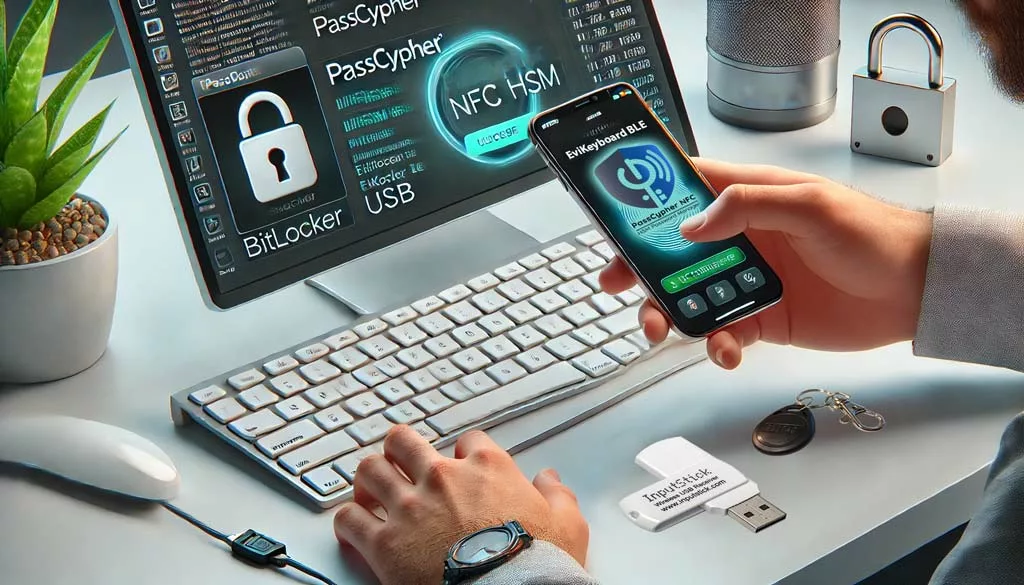
Person using PassCypher NFC HSM and EviKeyboard BLE USB to fix BitLocker access on an encrypted storage device.

Fix BitLocker Access Issues After Faulty Crowdstrike Update: This technical guide explains how to restore access to encrypted drives after the July 2024 CrowdStrike faulty update, remove corrupted system files, and recover data using BitLocker recovery keys.Learn step-by-step methods for troubleshooting Windows blue screen errors, securely unlocking TPM 2.0 protected storage, and avoiding risks linked to Microsoft cloud recovery key storage. Discover sovereign hardware solutions such as PassCypher NFC HSM, EviKeyboard BLE, and DataShielder NFC HSM, which ensure offline, quantum‑resistant protection and guarantee full sovereignty over BitLocker key management.This guide helps you Fix BitLocker Access issues after the faulty CrowdStrike update.

Express Summary — Fix BitLocker Access

⮞ Reading Note

This summary explains how to Fix BitLocker Access quickly provides a quick understanding of how to fix BitLocker access issues after the faulty Crowdstrike update. The advanced sections detail file removal, recovery key usage, sovereign hardware solutions, and Microsoft’s official recovery tool.

⚡ Discovery

The faulty Crowdstrike update in July 2024 caused the largest IT outage in history, crashing over 8.5 million Windows systems worldwide. CrowdStrike published a Preliminary Incident Report and promised a full Root Cause Analysis. In January 2026, Microsoft released an official recovery tool to automate repair.

✦ Immediate Impacts

– Users lost access to encrypted storage devices.
– Recovery required technical steps not obvious to non-experts.
– Sovereign solutions like PassCypher NFC HSM became critical to ensure secure recovery.

⚠ Strategic Message

If recovery keys are stored in the Microsoft cloud, they may be exposed. In January 2026, Microsoft confirmed having provided BitLocker keys to the FBI under warrant in Guam, and receives about 20 legal requests per year. Sovereign hardware solutions provide offline, quantum-resistant protection.

🛑 When Not to Act

– Do not reintroduce sensitive keys into a compromised environment.
– Do not rely solely on software fixes without hardware safeguards.
– Do not confuse quick access restoration with long-term security.

✓ Sovereign Counter-Measure Principle

Risk reduction means moving trust outside the compromised OS: using NFC HSM devices and secure keyboards to manage keys offline.

Reading Parameters

Executive summary reading time: ≈ 4 minutes,
Advanced guide: ≈ 6 minutes,
Full article: ≈ 30–35 minutes,
Publication date: 2026-01-24,
ast update: 2026-01-25,
Complexity level: Intermediate — system recovery & sovereign security,
Technical density: ≈ 60 %,
Main language: EN,
Specificity: Technical guide — BitLocker recovery & Crowdstrike incident,
Accessibility: Optimized for screen readers — anchors & structured tags,
Order of Reading: Express Summary → Advanced Summary → CrowdStrike Incident → Manual Procedures → KB5042429 Tool → Sovereign Solutions → FAQ → Glossary → Strategic Conclusion
Editorial type: Technical security guide,
Issue level: 8.5 / 10 — encrypted data loss risk,
About the author: Freemindtronic, inventor of PassCypher and DataShielder NFC HSM.

Editorial Note

This guide is part of the Technical News section. It extends analysis of the Crowdstrike incident by providing practical recovery steps and highlighting sovereign hardware solutions. It follows Freemindtronic’s AI Transparency Declaration — FM-AI-2025-11-SMD5.

Sovereign SSH Authentication with PassCypher HSM PGP — Zero Key in Clear

SSH Key PassCypher HSM PGP establishes a sovereign SSH authentication chain for zero-trust infrastructures, where [...]

1 Comment

SSH Key PassCypher HSM PGP — Sécuriser l’accès multi-OS à un VPS
SSH Key PassCypher HSM PGP fournit une chaîne souveraine : génération locale de clés SSH [...]

1 Comment

Générateur de mots de passe souverain – PassCypher Secure Passgen WP
Générateur de mots de passe souverain PassCypher Secure Passgen WP pour WordPress — le premier [...]

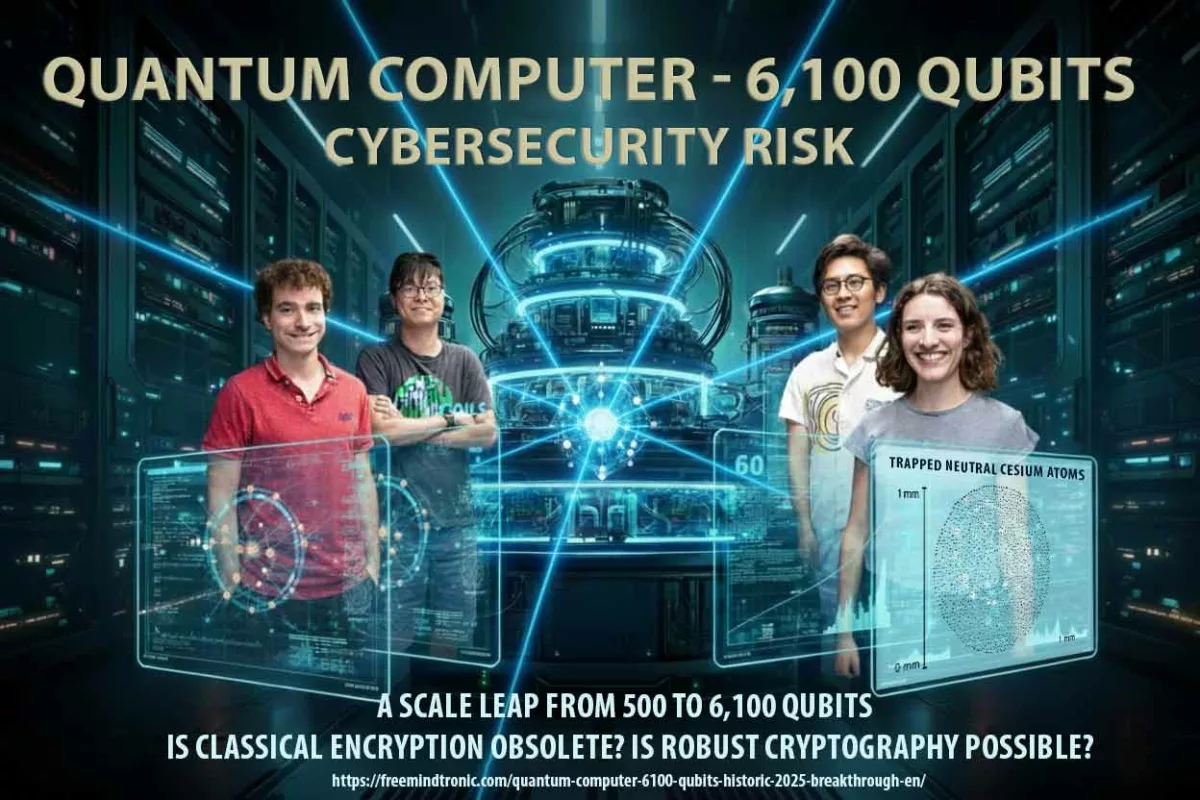
Quantum computer 6100 qubits ⮞ Historic 2025 breakthrough

A 6,100-qubit quantum computer marks a turning point in the history of computing, raising unprecedented [...]

1 Comment

Ordinateur quantique 6100 qubits ⮞ La percée historique 2025
Ordinateur quantique 6100 qubits marque un tournant dans l’histoire de l’informatique, soulevant des défis sans [...]

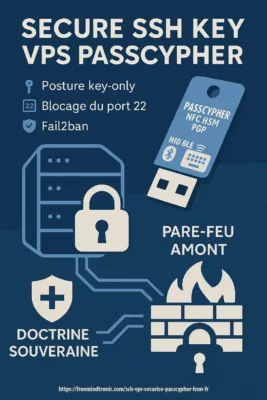
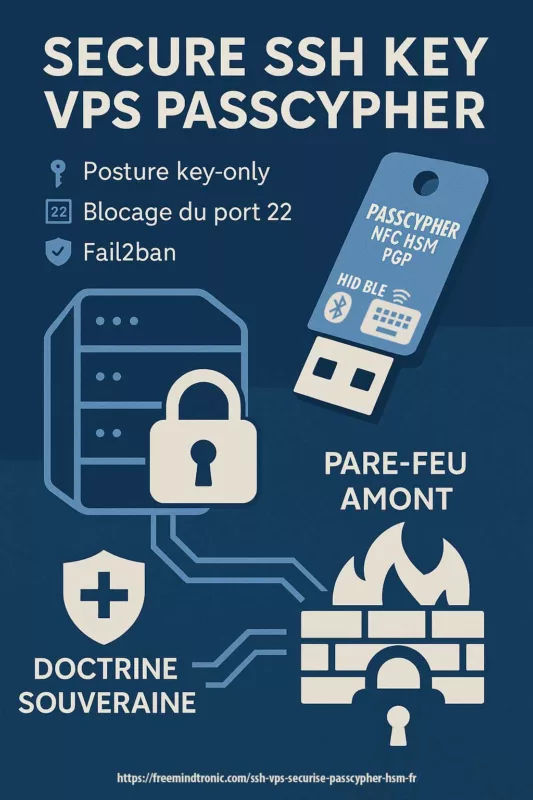
SSH VPS Sécurisé avec PassCypher HSM

SSH VPS sécurisé avec PassCypher HSM — posture key-only dès le boot via NFC HSM [...]

1 Comment

New Microsoft Uninstallable Recall: Enhanced Security at Its Core

Microsoft’s Revamped Recall System Microsoft recently overhauled its Recall feature, which had faced criticism for security [...]

The chronicles displayed above ↑ belong to the Technical News section.  They extend the analysis of systemic risks revealed by the faulty CrowdStrike update and BitLocker cloud key storage. This complements the present chronicle Fix BitLocker Access Issues After Faulty Crowdstrike Update, highlighting sovereign hardware solutions such as PassCypher NFC HSM, EviKeyboard BLE, and DataShielder NFC HSM. The objective is not to follow the news, but to identify irreversible limits and sovereign stop points when a terminal can no longer be trusted.

Advanced Summary — How to Fix BitLocker Access

⮞ Reading Note This advanced summary (≈ 6 minutes) details the technical steps to restore access after the faulty Crowdstrike update. It explains how to securely Fix BitLocker Access, use recovery keys, and apply sovereign hardware solutions.

Removing Problematic Files to Fix BitLocker Access

First, reboot in recovery mode. Then, navigate to %WINDIR%System32driversCrowdStrike. Finally, delete the corrupted file “C-00000291*.sys” to Fix BitLocker Access.

Using Recovery Keys to Fix BitLocker Access

To begin, boot from a USB recovery drive. Next, select “Unlock the drive”. As a result, enter your BitLocker recovery key to Fix BitLocker Access and restore encrypted data.

Sovereign Security Message

Cloud storage of recovery keys may expose them to third parties. Sovereign hardware ensures offline protection.

Microsoft KB5042429 Recovery Tool

Released in January 2026, KB5042429 automates repair steps.
Options:
– Recovery from Windows PE (bootable media).
– Recovery from Safe Mode.
It replaces manual procedures KB5042421 (clients) and KB5042426 (servers).

Windows PE & Safe Mode Recovery

The KB5042429 tool supports Windows PE Recovery via bootable media and Safe Mode Recovery for direct system repair.
These terms are widely searched by administrators and should be highlighted to improve discoverability and clarity.

Sovereign Hardware Solutions

– PassCypher NFC HSM: stores up to 100 TPM 2.0 and BitLocker keys offline.
– EviKeyboard BLE: injects keys securely without cloud dependency.
– DataShielder NFC HSM: neutralizes exfiltration risks on hostile terminals.

Microsoft BitLocker (Default) PassCypher NFC HSM
Recovery keys often saved in Microsoft account/OneDrive Keys stored encrypted in NFC HSM, offline
Recovery keys stored in Microsoft cloud, accessible to authorities on warrant (≈20 requests/year) Keys remain offline, sovereign, and under exclusive user control
Convenient but dependent on cloud trust Sovereign, air-gapped, quantum-resistant security

Behind the Blue Screen — Encrypted Drive Recovery

The Global Outage of July 2024 and CrowdStrike Faulty Update

July 2024 marked the largest IT outage in history what is now considered the largest IT outage in history. A faulty CrowdStrike update triggered blue screens across 8.5 million Windows systems, paralyzing hospitals, airports, banks, and government services. Overnight, encrypted drives protected by BitLocker became inaccessible, leaving administrators scrambling for solutions. Administrators struggled to Fix BitLocker Access across millions of devices.

Blue Screen of Death (BSOD)

The CrowdStrike update triggered the infamous Blue Screen of Death (BSOD) across Windows systems. This term, widely recognized by users and IT staff, emphasizes the scale of disruption and the immediate visibility of the failure.

CrowdStrike Falcon Sensor Update

The faulty update was part of the CrowdStrike Falcon Sensor agent, deployed globally across millions of endpoints.
This terminology is important because administrators searching for solutions often refer to the incident as the “Falcon Sensor Update crash.” Including this reference helps clarify the technical root of the outage.

Manual Recovery Steps and Their Limits

At first, Microsoft published manual procedures — KB5042421 for clients and KB5042426 for servers.
These guides described how to boot into recovery environments, remove corrupted files, and reapply updates.
But for many organizations, the scale of the incident made manual fixes impractical.
Entire fleets of machines had to be repaired one by one, often under pressure and without clear visibility.

Removing Problematic CrowdStrike Files for Drive Recovery

  • Reboot in Recovery Mode Restart your computer and enter recovery mode by pressing F8 or F11 during startup.
  • Navigate to CrowdStrike Directory Go to %WINDIR%System32driversCrowdStrike.
  • Delete the Problematic File Identify and delete the file named “C-00000291*.sys”.
  • Restart Your Computer Reboot your computer normally. For detailed instructions, visit the CrowdStrike blog.

Configuring Sovereign Hardware for BitLocker Recovery

Prepare the Hardware

  • PassCypher NFC HSM: A security module using NFC technology for key storage.
  • EviKeyboard BLE USB: A secure virtual keyboard for system interaction.

Initial Setup

  • Connect EviKeyboard to your computer via USB and enable BLE for a secure connection.
  • Insert the NFC card into the PassCypher HSM.

Authenticate and Unlock

  • Follow PassCypher instructions to authenticate the user.
  • Use EviKeyboard to access the BitLocker interface.
  • Pass the NFC HSM device under the phone’s antenna to transmit the key securely.

How Sovereign Hardware Solutions Operate

From the Freemindtronic app installed on a Bluetooth-paired Android phone (encrypted with AES 128), decryption or recovery keys are transmitted to the computer via the virtual keyboard.

Steps:

  1. Select the Key: Choose the key for the locked storage in the Freemindtronic app.
  2. Use NFC HSM: Pass the NFC HSM device under the phone’s antenna.
  3. Automatic Entry: The key is automatically entered into the command line or BitLocker window.

BitLocker and TPM 2.0 keys are stored encrypted in the NFC HSM, allowing for secure contactless unlocking from BIOS, before OS startup, or within Windows.

For a visual guide on using EviKeyboard BLE with the Freemindtronic app, you can watch this video.

Functioning of PassCypher NFC HSM + EviKeyboard BLE

Encrypted Storage of Keys
BitLocker and TPM 2.0 keys are stored encrypted in the NFC HSM module, not in the Microsoft cloud.

Secure Virtual Keyboard
The EviKeyboard BLE acts as a secure virtual keyboard: it injects the key directly into the BitLocker interface or command line, without passing through Windows Credential Manager or OneDrive.

Transmission Process
The transmission is performed via a Bluetooth-paired Android phone, with AES 128 encryption, which relays the key from the HSM to the computer.

Result
The key is never automatically saved by Microsoft, unlike the default BitLocker behavior where the recovery key is often stored in the Microsoft account or OneDrive.

Difference with the Microsoft Model

  • BitLocker default: the recovery key is often saved in the Microsoft cloud → Microsoft can provide it to authorities under warrant.
  • PassCypher NFC HSM: the key is outside the cloud, only in the physical HSM you control → Microsoft has no access to this key.

Even if the computer is seized, without the HSM and NFC authentication, the key remains inaccessible.

Conclusion

If you use PassCypher NFC HSM with the virtual keyboard emulator, Microsoft cannot access your BitLocker keys, because they are never stored or synchronized in its servers. You retain full sovereignty over your keys, unlike the cloud-based Microsoft model.

KB5042429 — Microsoft’s Automated Recovery Tool

Two years later, in January 2026, Microsoft released KB5042429, a signed recovery tool designed to automate these steps.
Administrators could now choose between two modes: Recovery from Windows PE, using bootable media to repair systems, or Recovery from Safe Mode, executing automated fixes without full reinstallation.
This marked a turning point: recovery became faster, more predictable, and less dependent on human intervention.

Privacy Risks of Cloud-Stored Recovery Keys

Yet, while the technical fix was welcome, another revelation shook confidence: Microsoft confirmed that it had provided BitLocker recovery keys to the FBI during a fraud investigation in Guam. By default, these keys are stored in the Microsoft cloud, making them accessible under legal warrant. With around 20 requests per year, the practice raised serious concerns about sovereignty and privacy.

Judicial Context — Guam Case

In January 2026, the FBI was investigating a fraud scheme related to the Pandemic Unemployment Assistance program in Guam.
Three suspect laptops were protected with BitLocker encryption. Under a legal warrant, Microsoft provided the recovery keys stored in its cloud, allowing investigators to decrypt the drives. This marked the first known case where Microsoft handed over BitLocker keys to U.S. justice.
Microsoft later confirmed receiving about 20 similar requests per year. While this cooperation did not involve “breaking” BitLocker, it revealed the risks of default cloud storage of recovery keys: users benefit from easier recovery, but authorities — and potentially malicious actors if compromised — gain an indirect access path.
This precedent illustrates the tension between national security and individual privacy, and highlights why sovereign hardware solutions such as PassCypher NFC HSM, EviKeyboard BLE, and DataShielder NFC HSM are critical to keep keys offline and under exclusive user control.

Sovereign Solutions to Fix BitLocker Access Take the Stage

This is where sovereign solutions enter the stage.
Devices like PassCypher NFC HSM and EviKeyboard BLE keep keys offline, under exclusive user control.
They ensure that even in times of crisis, recovery does not depend on external authorities or cloud services.
In hostile environments, DataShielder NFC HSM further neutralizes exfiltration risks, protecting communications and credentials.

A Wake-Up Call for Digital Sovereignty and Fix BitLocker Access Security

The CrowdStrike incident was not just a technical failure — it was a wake-up call.
It revealed how fragile global infrastructures can be when trust is centralized.
It showed that recovery is not only about restoring access, but about redefining sovereignty in digital ecosystems.
And it highlighted the need for clarity: telling the story of how millions of systems failed, how administrators fought back, and how sovereign technologies now offer a path forward.

What We Did Not Cover in Fixing BitLocker Access

To keep this guide focused on how to Fix BitLocker Access after the faulty CrowdStrike update, several related areas were intentionally left aside.
We did not explore Linux and macOS environments, which follow different encryption and recovery models.
We also excluded virtualized servers and cloud-hosted BitLocker scenarios, where recovery processes depend on hypervisors or cloud service providers.
Finally, we did not provide a detailed forensic analysis of the CrowdStrike incident, such as memory dumps, kernel-level debugging, or advanced incident response techniques.
These topics deserve their own specialized research, beyond the scope of this practical recovery and sovereign security guide.

FAQ — Fix BitLocker Access

What if I don’t have my BitLocker recovery key?
Access

Recovery without the key

Check your Microsoft account, OneDrive, or enterprise admin. Sovereign solutions like PassCypher NFC HSM avoid this dependency by keeping keys offline.

Can I fix the issue without KB5042429?
Alternative

Manual procedures

Yes, manual steps exist (KB5042421 for clients, KB5042426 for servers), but KB5042429 automates them and reduces human error.

Does CrowdStrike provide its own fix?
Vendor

Incident report

CrowdStrike published a Preliminary Incident Report and promised a Root Cause Analysis. However, recovery guidance mainly came from Microsoft KB updates.

Why did Microsoft give BitLocker keys to the FBI?
Privacy

Legal warrants

Under warrant, Microsoft confirmed providing recovery keys in Guam. This raised sovereignty concerns since keys stored in the cloud can be accessed by authorities.

Can I prevent my BitLocker keys from being uploaded to Microsoft?
Control

Offline storage

Yes. During setup, disable automatic cloud backup. Alternatively, use sovereign hardware like PassCypher NFC HSM or EviKeyboard BLE to store keys offline.

Is KB5042429 safe to use on enterprise fleets?
Deployment

Mass recovery

Yes. It is a signed Microsoft recovery tool designed for mass deployment. It supports both Windows PE and Safe Mode recovery, making it scalable for large infrastructures.

What are the risks of relying only on manual fixes?
Limit

Impractical for fleets

Manual fixes require repairing machines one by one, which is impractical for large fleets. They also increase downtime and risk of human error compared to automated recovery.

Can Intune or Endpoint Manager help?
Deployment

Centralized remediation

Yes. Microsoft Endpoint Manager (Intune) can deploy KB5042429 or custom remediation scripts across enterprise fleets.
This reduces downtime compared to manual fixes and ensures consistent recovery.
Highlighting Intune and Endpoint Manager is important because many IT administrators search for centralized recovery solutions using these terms.

How do sovereign solutions improve recovery?
Advantage

Offline sovereignty

Sovereign devices like DataShielder NFC HSM neutralize exfiltration risks and ensure recovery keys remain offline, inaccessible to cloud services or third parties.

Can I unlock BitLocker before Windows starts?
Pre-boot

BIOS-level injection

Yes. With NFC HSM devices, keys can be injected at BIOS level or pre-boot environments, ensuring secure access even if the OS is compromised.

What lessons did the July 2024 outage teach?
Insight

Wake-up call

It highlighted the fragility of centralized trust, the need for sovereign recovery solutions, and the importance of having offline contingency plans for encrypted data.

Weak Signals in Cloud-Based Recovery

  • Dependence on cloud storage for recovery keys.
  • Growing number of incidents linked to third-party updates.

Strong Signals for Sovereign Security Adoption

  • Microsoft providing BitLocker keys to the FBI (≈20 requests/year).
  • Rising adoption of sovereign hardware solutions like PassCypher NFC HSM.

History of the CrowdStrike Incident and Recovery Efforts

  • July 2024: Faulty CrowdStrike update crashes 8.5M Windows systems.
  • 2024–2025: Preliminary Incident Report published, Root Cause Analysis promised.
  • January 2026: Microsoft releases KB5042429 recovery tool.
  • January 2026: Controversy over BitLocker keys provided to FBI.

Root Cause Analysis (RCA)

CrowdStrike promised a full Root Cause Analysis (RCA) following its Preliminary Incident Report. This RCA is expected to detail the exact sequence of events, the faulty Falcon Sensor update, and lessons learned for global endpoint management. Mentioning RCA aligns with industry terminology and strengthens SEO visibility.

Impact on Enterprises and Encrypted Data Recovery

Short-term

  • Loss of access to encrypted drives.
  • High support costs for enterprises.

Long-term

    • Trust in cloud-based recovery weakened.
    • Acceleration of sovereign, offline security solutions.

Global IT Outage

The July 2024 CrowdStrike incident is now considered the largest Global IT Outage in history.
Hospitals, airports, banks, and government services were simultaneously affected, highlighting the fragility of centralized trust models.

Official Microsoft Documentation for BitLocker Recovery

For more details, consult Microsoft’s official resources:

Official Microsoft KB resources:

Glossary — Fix BitLocker Access

BitLocker
Encryption

Microsoft disk encryption

Encrypts entire volumes to protect data on Windows devices. Often linked to Recovery Keys and cloud storage risks.

Recovery Key
Emergency access

48-digit numerical password

Used to unlock encrypted drives when normal access fails. By default stored in the Microsoft cloud, but sovereign solutions like PassCypher NFC HSM avoid this dependency.

TPM 2.0
Hardware

Trusted Platform Module

A hardware chip that stores cryptographic keys and ensures platform integrity. Essential for BitLocker recovery and secure boot processes.

KB5042429
Recovery tool

Microsoft’s official recovery utility

Released in January 2026 to automate fixes. Complements KB5042421 (clients) and KB5042426 (servers).

PassCypher NFC HSM
Sovereign solution

Offline hardware security module

Stores up to 100 TPM 2.0 and BitLocker keys offline, ensuring quantum‑resistant protection and sovereignty.

EviKeyboard BLE
Secure input

Bluetooth-enabled virtual keyboard

Injects encryption keys directly into the BitLocker interface without using Windows Credential Manager or OneDrive.

DataShielder NFC HSM
Protection

Neutralizes exfiltration risks

Advanced sovereign hardware solution that protects communications and credentials in hostile environments.

Digital Sovereignty
Principle

Keeping cryptographic keys offline

Ensures exclusive user control. Highlighted by the CrowdStrike incident as a wake-up call for global infrastructures.

Final Takeaways on Secure BitLocker Recovery

Fixing BitLocker access after the faulty Crowdstrike update requires both technical recovery steps and sovereign security measures. Using PassCypher NFC HSM and EviKeyboard BLE ensures that recovery keys remain offline and under user control. Thus, restoring access is not enough — long-term trust depends on sovereign stop points outside the OS and outside the cloud.

In January 2026, Microsoft’s official recovery tool simplified repair, but the controversy over BitLocker keys provided to the FBI highlights the importance of sovereign solutions. By combining official resources from Microsoft and CrowdStrike with sovereign hardware like PassCypher, you gain both practical recovery guidance and long-term protection against cloud dependency. To Fix BitLocker Access securely, sovereign hardware solutions are essential.

For more information, explore the PassCypher and DataShielder resources.

PassCypher NFC HSM: Secure and Convenient Password Management

PassCypher NFC HSM contactless hardware password manager Freemindtronic Technology from Andorra

PassCypher NFC HSM by Jacques Gascuel This article will be updated with any new information on the topic, and readers are encouraged to leave comments or contact the author with any suggestions or additions.

Discover Secure Password Management with PassCypher NFC HSM and PassCypher Pro NFC HSM

Protect your passwords with innovative solutions from PassCypher. From contactless management to invention patents, enhanced security, and versatility, find out how PassCypher provides you with a convenient and secure solution for password management. Don’t let data vulnerability be a concern anymore. Dive into our dedicated article on PassCypher products and take control of your password security.

2024 Eurosatory Events Exhibitions Press release

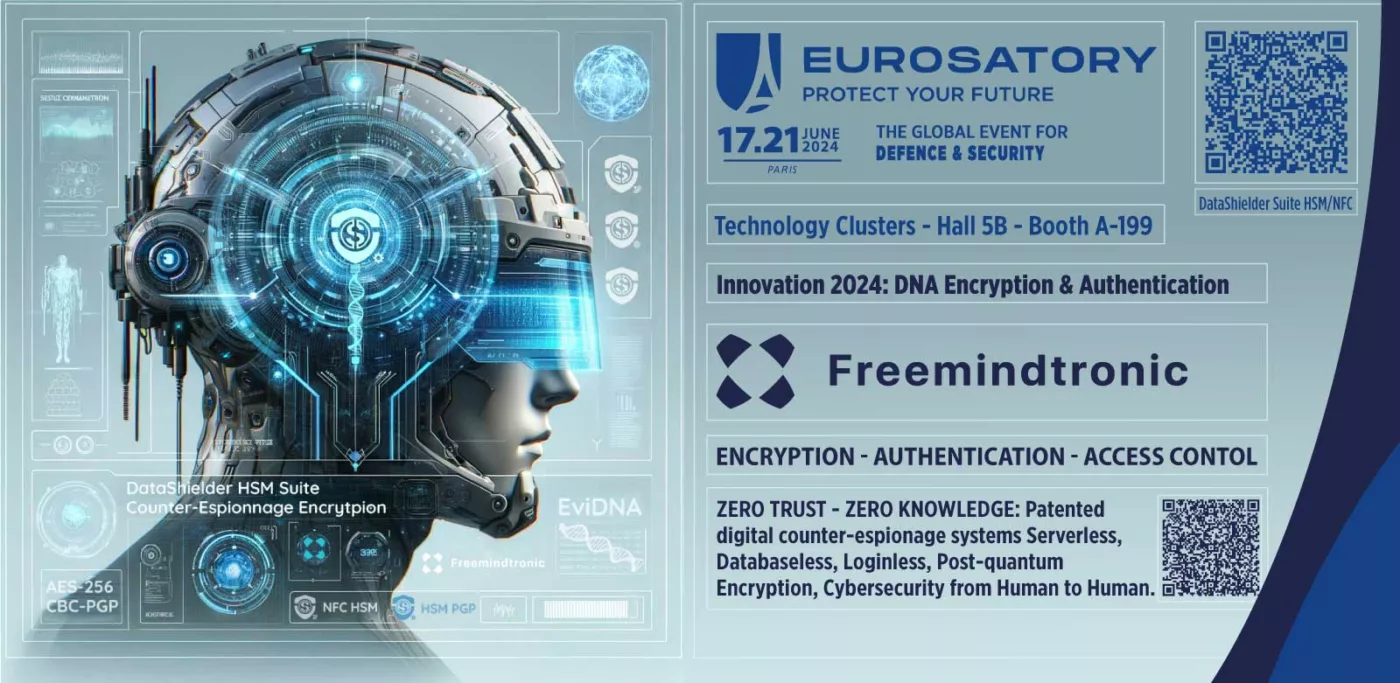
Eurosatory 2024 Technology Clusters: Innovation 2024 DataShielder Defence

Articles Electronics News Press release Technologies

Freemindtronic’s Legacy: Rediscovering Excellence

2022 CyberStealth Eurosatory Press release

EviStealth Technology at Eurosatory 2022

2022 Cyber Computer Eurosatory Press release

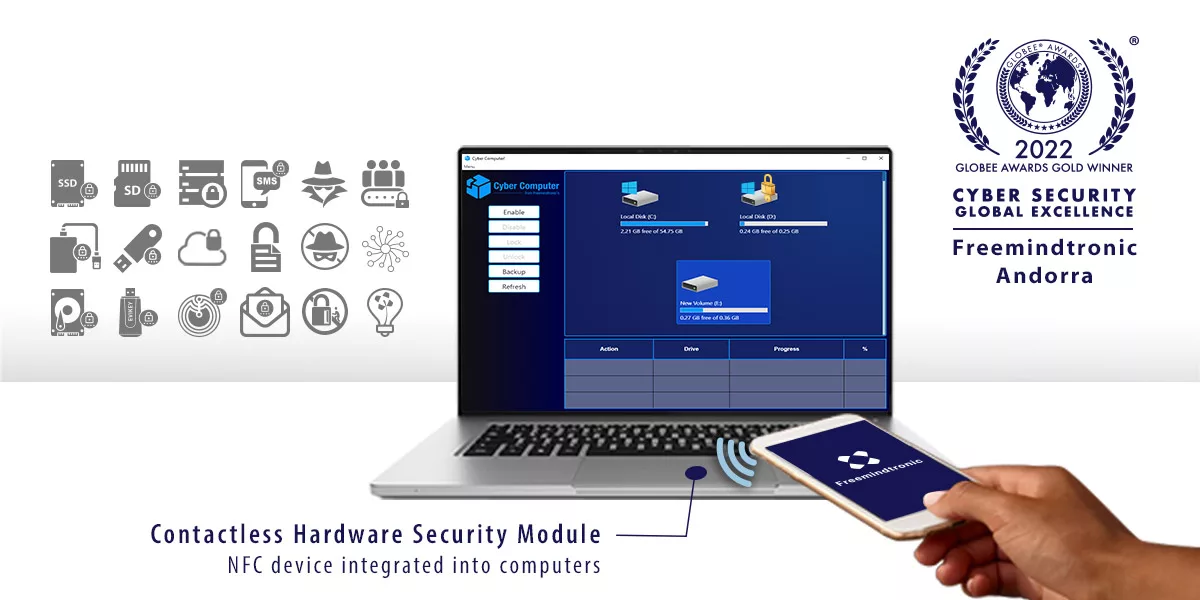
Cyber Computer at Eurosatory 2022

2022 Contactless Dual Strongbox Eurosatory Press release

The Contactless Dual Strongbox for sensitive data at Eurosatory 2022

Discover our other articles on digital security

PassCypher NFC HSM and PassCypher Pro NFC HSM: Secure and Convenient Password Management

Introduction

PassCypher offers a range of contactless hardware password managers known as PassCypher NFC HSM and PassCypher Pro NFC HSM. These products are protected by three invention patents and incorporate EviPass, EviOTP, and EviCore NFC HSM technologies, along with Freemindtronic’s NFC HSM devices, EviTag, and Evicard. PassCypher allows you to securely and conveniently store and manage passwords, one-time passwords (OTP), and HMAC-based passwords. It eliminates the need for a power source or internet connection. Additionally, PassCypher features a built-in RSA 4096 key manager with a random generator capable of changing the key up to one million times without any risk of error. It seamlessly works on Android NFC-enabled phones with fingerprint access control and is compatible with computers supporting Chromium-based or Firefox-based web browsers with autofill and auto login functionalities. For computer use, users need to install the PassCypher NFC Web Browser Extension and EviDNS software, which acts as a hotspot for pairing the extension with the PassCypher NFC HSM application through the local network. PassCypher is not compatible with Safari.


Features and Benefits

PassCypher’s web browser extension offers several convenient features, including:

Management of Paired Phones

With PassCypher, you can easily manage the phones paired with the EviCore NFC HSM for Web Browser extension. You can add phones to the list of paired devices, manage favorites, make direct calls, and delete paired phones.

Create a New Label (Secret)

PassCypher enables you to create labels containing sensitive information such as login IDs, passwords, OTPs, or HOTPs. You can define the name of the label and use an intelligent random password generator for login IDs and segmented keys. Additionally, PassCypher allows you to create a compatible QR Code for each label.

Digital Post-it

Retrieve labels from the NFC HSM in clear text using the Digital Post-it feature. This enables you to manually use the information for copying and pasting, including login IDs.

Free Tools: Advanced Password Manager

PassCypher offers a real-time entropy state bar based on Shannon’s mathematical function and a passphrase generator. It also includes various features such as checking if your password has been compromised in a data breach, generating personalized password and segmented key labels, and fetching login credentials and cloud keys.

Authenticator Sandbox

The Authenticator Sandbox function provides automatic anti-phishing protection by verifying the URL before authorizing auto-filling login fields. It leverages EviCore NFC HSM technology to store the URL during the first automatic login to a favorite site. Upon subsequent logins, PassCypher checks if the URL matches the auto-login request, ensuring seamless and secure authentication.

Segmented Key Generator

PassCypher introduces an innovative segmented key generator that requires multiple parties to reconstruct the key. The extension automatically populates the appropriate fields for each key component, ensuring the key’s integrity and security.

Pwned Function (Enhanced Cybersecurity)

Pwned offers proactive monitoring for online credentials. By leveraging a database of compromised usernames and passwords, PassCypher securely checks if your login information has been compromised in past data breaches. This feature helps prevent identity theft by promptly alerting you to compromised credentials and enabling you to change your password immediately.

Secret Phrase Generator (Passphrase)

Generate mnemonic phrases with basic salting using PassCypher’s Secret Phrase Generator. You can customize the number of words in your passphrase and choose special characters for separation. The real-time entropy control based on Shannon’s mathematical function enhances the security of your passphrases.


Advantages of PassCypher

PassCypher offers numerous advantages to its users:

  1. High-level Security: High-level security: PassCypher provides optimal security with AES 256-bit segmented key post-quantum encryption in NFC HSM memories, zero-knowledge architecture, patented technology and an integrated RSA 4096 key that enhances share security and remote backup of OTP passwords, segmented keys and secret keys.
  2. User-Friendly: PassCypher is easy to use with its contactless NFC card or tag, which can be conveniently placed on smartphones, computers, or other compatible devices.
  3. Environmentally Friendly and Cost-effective: PassCypher eliminates the need for batteries, cables, or power sources, making it eco-friendly and cost-effective.
  4. Versatility: PassCypher can manage passwords, OTPs, and HOTPs, providing two-factor authentication capabilities.
  5. Compatibility: PassCypher is compatible with various operating systems (Windows, Linux, MacOS, Android, iOS) and web browsers based on Chromium or Firefox.
  6. One-time Purchase: There are no financial commitments or subscriptions required to purchase PassCypher products.
  7. Absolute Anonymity: PassCypher follows the principles of zero-trust and plug-and-play, requiring no account creation or collection of personal or hardware information. It ensures complete user anonymity.
  8. Built-in Black Box: The NFC HSM Tag and Card devices feature a black box that records certain events, such as the number of incorrect password attempts, providing traceability and security.
  9. Air Gap Functionality: PassCypher operates in an air gap mode, independent of servers or secret databases. It securely stores all data in real-time on the volatile memory of the phone or computer.
  10. Physically Decentralized Authenticator Sandbox: The Authenticator Sandbox autofill and auto login feature is securely stored within the Evicypher application on Android phones. This allows for extreme portability across multiple computers, utilizing the energy harvested from the phone’s NFC signal without contact.
Freemindtronic win awards 2021 Next-Gen in Secrets Management with EviCypher & EviToken Technologies
Freemindtronic win awards 2021 Most Innovative in Hardware Password Manager with EviCypher & EviToken Technologies

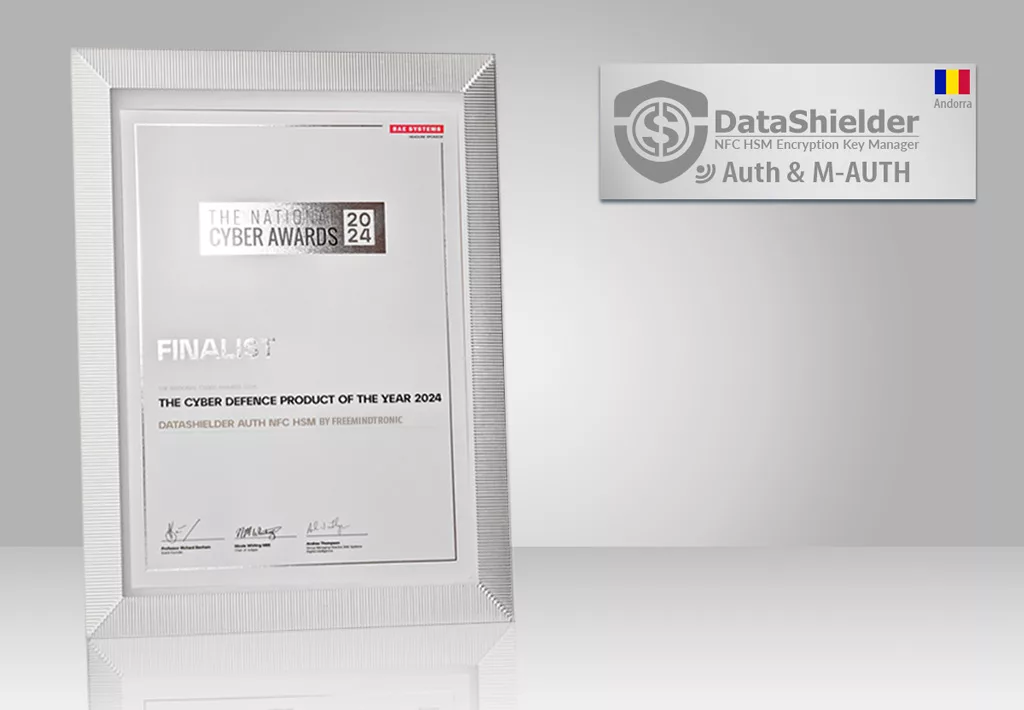
Freemindtronic Receives Global InfoSec Awards for Innovative PassCypher NFC HSM Technology

Freemindtronic, the proud developer of PassCypher NFC HSM, has been recognized as a winner of the prestigious Global InfoSec Awards during the RSA Conference 2021. The company was honored with three awards, including the titles of “Most Innovative Hardware Password Manager” and “Next-Gen in Secrets Management” by Cyber Defense Magazine. This achievement highlights Freemindtronic’s commitment to delivering cutting-edge cybersecurity solutions. With PassCypher NFC HSM’s advanced technology, users can enjoy secure and convenient password management. Join us as we celebrate this remarkable accomplishment and learn more about the exceptional features that make PassCypher a standout choice for safeguarding sensitive information.

Disadvantages of PassCypher

Despite its many advantages, PassCypher has a few limitations:

  1. NFC Device Requirement: PassCypher requires an NFC-compatible device to function, which may limit its use on certain devices or in specific situations.
  2. Risk of Loss or Theft: Like any portable device, PassCypher can be lost or stolen, necessitating backup and recovery measures.
  3. Incompatibility with Safari: PassCypher is not compatible with the Safari browser, which may be inconvenient for Mac or iPhone users.

Lifecycle

PassCypher has an exceptionally long lifecycle, estimated to be over 40 years without maintenance or a power source. It can handle up to 1,000,000 guaranteed error-free read/write cycles, equivalent to daily use for over a millennium. PassCypher is designed to withstand extreme temperatures ranging from -40°C to +85°C. It is also resistant to shocks, scratches, magnetic fields, X-rays, and its TAG version is enveloped in military-grade resin, surpassing IP89K standards for superior waterproofing. As a result, PassCypher offers exceptional durability and resilience against external factors.

Comparison with Competitors

PassCypher stands out from its competitors in several ways:

  1. Contactless Hardware Manager: PassCypher is the only password manager that operates without requiring physical contact, providing a more convenient and hygienic solution compared to USB keys or biometric readers.
  2. Patent Protection: PassCypher is protected by three international invention patents, ensuring exclusivity and reliability compared to other solutions in the market.
  3. Innovative Technology: PassCypher incorporates EviPass, EviOTP, and EviCore NFC HSM technologies, along with Freemindtronic’s NFC HSM devices, EviTag and Evicard, providing unparalleled performance and features.
  4. RSA 4096 Key Manager: PassCypher is the only password manager that offers an RSA 4096 key manager with a random generator, allowing for one million key changes without the risk of error. This provides an additional level of security and flexibility..
  5. Value Proposition for Customers: PassCypher brings significant value to its customers by enabling them to:
    • Protect their data: PassCypher ensures the security of personal and professional data, guarding against hacking, theft, or loss.
    • Simplify password management: PassCypher centralizes the management of passwords and access codes, offering a user-friendly solution for securely handling them.
    • Securely access online accounts: PassCypher enables secure access to online accounts, even without an internet connection or power source.
    • Benefit from innovative technology: By choosing PassCypher, customers gain access to innovative and patented technology developed by Freemindtronic, a leading company in the NFC HSM field.
    • Flexibly secure secrets: PassCypher offers various options for securely backing up secrets, including cloning between NFC HSM devices (EviCard or EviTag), partial or complete copying between nearby or remote devices using RSA 4096 public key encryption, or encrypted archiving on any encrypted storage media using the RSA 4096 public key of an NFC HSM EviCard or EviTag. This flexibility provides peace of mind and adaptability to customers.
    • Choose the appropriate storage format: PassCypher is available in three different formats with varying secret storage capacities, allowing customers to choose the one that best suits their needs and budget.
    • Multilingual Support: The PassCypher Android application and web browser extension are available in 14 different languages. Users can use PassCypher in their preferred language, including Arabic (AR), Catalan (CA), Chinese (CN), German (DE), English (EN), Spanish (ES), French (FR), Italian (IT), Japanese (JA), Portuguese (PT), Romanian (RO), Russian (RU), Ukrainian (UK), and Bengali (BIN). This feature provides a personalized experience and facilitates the use of PassCypher in various international contexts.

Comparison with Competitors

To better understand the advantages of PassCypher compared to other solutions in the market, here is a comparative table:

Features PassCypher NFC HSM Competitor A Competitor B
Contactless Management Yes Yes No
Invention Patents Yes (3 international patents) No Yes (1 national patent)
NFC HSM Technology Yes (EviPass, EviOTP, EviCore) No Yes (proprietary technology)
RSA 4096 Key Manager Yes No Yes (RSA 2048 key)
Versatility Passwords, TOTP, HOTP, Fingerprint Passwords Passwords, Fingerprint
OS Compatibility Windows, Linux, MacOS, Android, iOS Windows, MacOS Windows, Linux, MacOS, Android
Browser Compatibility Chromium- or Firefox-based browsers Chrome, Firefox, Safari Chrome, Firefox
One-Time Purchase Yes Subscription Yes
Data Protection AES 256-bit, Zero-knowledge architecture for NFC memory AES 128-bit AES 256-bit, ECC, RSA 4096
Virtual Keyboard Support USB Bluetooth Multilingual No No
Biometric Authentication Fingerprint (from NFC-enabled phone) No Fingerprint (selected devices)
RSA-4096 Key Regeneration Yes (up to 1 million times without errors) N/A N/A
PassCypher Pro Compatibility All OS, Computers, TVs, NFC-enabled phones Limited compatibility Limited compatibility

This table highlights the unique features of PassCypher, such as contactless management, invention patents, NFC HSM technology, RSA 4096 key manager, and extensive compatibility with operating systems and browsers. Compared to competitors, PassCypher offers superior versatility, enhanced security, and flexibility in purchasing options.

Comparison with Competitors

PassCypher stands out from its competitors in several key aspects. Let’s compare PassCypher NFC HSM and PassCypher Pro NFC HSM with two major competitors in the market, Competitor A and Competitor B.

PassCypher NFC HSM vs. Competitor A

PassCypher NFC HSM offers contactless management, protected by three international invention patents, and utilizes advanced NFC HSM technology (EviPass, EviOTP, EviCore). It includes an RSA 4096 key manager, enabling secure key changes and flexibility. PassCypher NFC HSM supports passwords, OTPs, and HOTPs for versatile authentication. It is compatible with various operating systems and browsers, including Windows, Linux, MacOS, Android, and iOS, as well as Chromium and Firefox. PassCypher NFC HSM is available for one-time purchase, providing long-term value and eliminating subscription fees. With AES 256-bit data protection and a zero-knowledge architecture, PassCypher ensures the highest level of security.

In comparison, Competitor A also offers contactless management and AES 128-bit data protection. However, it lacks the extensive patent protection, advanced NFC HSM technology, and RSA 4096 key manager provided by PassCypher. Additionally, Competitor A may have limited compatibility with operating systems and browsers, restricting its usability for some users.

PassCypher NFC HSM vs. Competitor B

PassCypher NFC HSM surpasses Competitor B with its contactless management, three international invention patents, and NFC HSM technology (EviPass, EviOTP, EviCore). It includes an RSA 4096 key manager for secure and flexible key changes. PassCypher NFC HSM supports passwords, OTPs, and HOTPs, providing versatile authentication options. It offers compatibility with a wide range of operating systems and browsers, including Windows, Linux, MacOS, Android, and iOS, as well as Chromium and Firefox. The one-time purchase model of PassCypher NFC HSM eliminates ongoing subscription fees. With AES 256-bit data protection and a zero-knowledge architecture, PassCypher ensures the utmost security for user data.

In comparison, Competitor B offers contactless management, AES 256-bit data protection, and compatibility with multiple operating systems. However, it lacks the advanced NFC HSM technology, invention patents, and RSA 4096 key manager offered by PassCypher, limiting its capabilities and security features.

Conclusion

PassCypher NFC HSM and PassCypher Pro NFC HSM are cutting-edge solutions for secure and convenient password management. With advanced NFC HSM technology, patent protection, and versatile features, PassCypher offers unparalleled security and flexibility. Whether it’s protecting personal or professional data, simplifying password management, or securely accessing online accounts, PassCypher provides a comprehensive solution.

By choosing PassCypher, users gain access to innovative technology, a one-time purchase model, and multilingual support. PassCypher’s ability to securely back up secrets and its compatibility with various operating systems and browsers further enhance its appeal. In comparison to its competitors, PassCypher demonstrates superior versatility, advanced security measures, and a user-friendly approach.

Discover the next level of password management with PassCypher NFC HSM and PassCypher Pro NFC HSM, and experience the peace of mind that comes with secure and convenient password management.

To contact us click here